How to Cut Electricity Costs During Peak Hours Using Smart Tech.Last August, my Pacific Gas & Electric (PG&E) bill crossed $430. I stared at the PDF statement in disbelief. We hadn’t changed our lifestyle, we were not running crypto miners in the garage, and the house had decent insulation.
- 1. 1. Decoding Time-of-Use (TOU) Rates with Energy Monitors
- 2. Identifying Your Utility’s Peak Windows
- 3. Hands-on Tip: Circuit-Level Monitoring
- 4. Common Pitfall
- 5. 2. Automating Climate Control to Prevent Peak Surges
- 6. Does Precooling House Save Money on Electric Bill?
- 7. Best Smart Thermostat Settings for Time of Use
- 8. Pro Tip: Lock Out Electric Heat Strips
- 9. 3. Intelligent Load Shifting for High-Draw Appliances
- 10. Electric Vehicles (The Ultimate Grid Load)
- 11. Kitchen and Laundry Routines
- 12. 4. Eliminating Phantom Loads with Smart Plugs
- 13. How I Use Smart Plugs to Reduce Peak Energy Costs
- 14. Common Pitfall
- 15. 5. Advanced Tech: Smart Panels and Battery Shaving
- 16. Smart Electric Panels
- 17. Home Battery Storage Systems
- 18. Federal Incentives Help Cushion the Blow
- 19. 6. Maintenance and Continuous Energy Auditing
- 20. Real-World Audit: Catching Rogue Energy Hogs
- 21. Utility Demand Response Programs
- 22. Don’t Abandon the Program Over One Bad Day
- 23. Frequently Asked Questions
- 24. How much can you save on a TOU electricity rate?
- 25. Can smart plugs handle high-draw appliances like space heaters or air conditioners?
- 26. What happens to my smart precooling schedule during an extreme heatwave?
- 27. Do I need solar panels to benefit from a home battery storage system?
- 28. Why did my power bill go up after switching to a Time-of-Use plan?
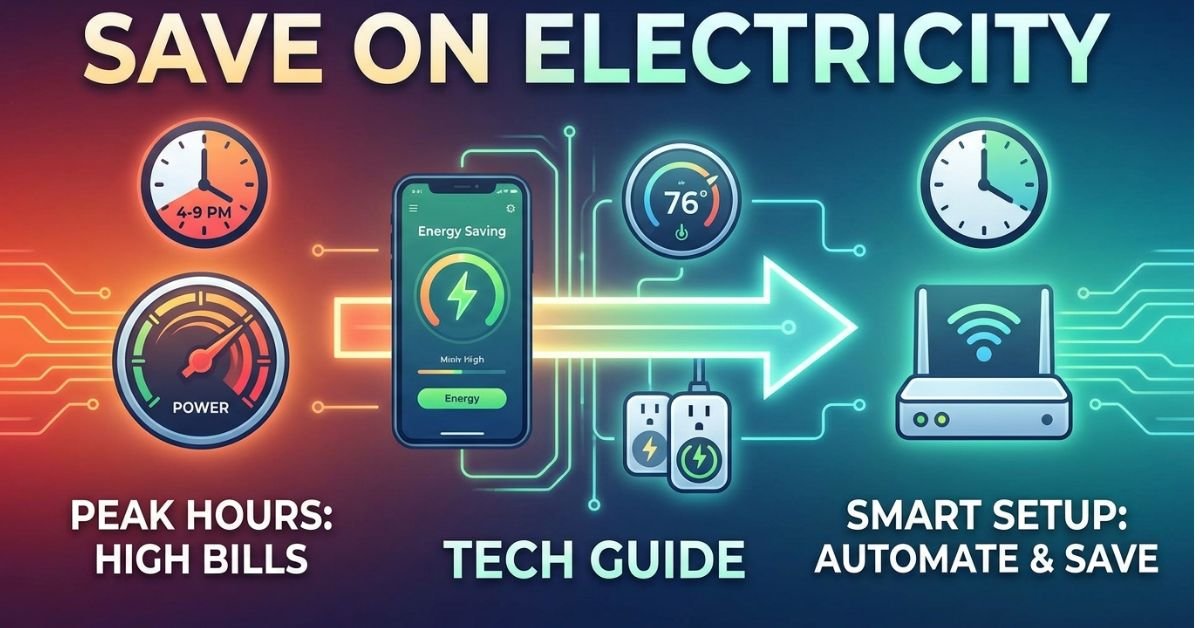
The culprit? Time-of-Use (TOU) pricing. During the brutal 4:00 PM to 9:00 PM window, my utility rate surged to a punishing $0.56 per kilowatt-hour (kWh), compared to just $0.24 overnight. Our central air conditioning was kicking into overdrive right as power rates peaked, and the dishwasher was humming along right after dinner.
I decided to stop guessing and turn my house into a self-defending energy setup. Using a mix of Home Assistant, smart switches, circuit monitors, and strict scheduling, I knocked that monthly bill down by $165.
Here is how you can use consumer tech to cut your electricity costs during peak hours without living in a sweltering, dark house.


1. Decoding Time-of-Use (TOU) Rates with Energy Monitors
Before you can fix an energy leak, you have to measure it. The biggest trap homeowners fall into is assuming their power costs the same flat rate all day. In major US energy markets, that is rarely the case anymore.
Whether you are under Southern California Edison (SCE), Arizona Public Service (APS), or Con Edison in New York, utilities charge a massive premium when regional demand stresses the electrical grid.


Identifying Your Utility’s Peak Windows
If you are asking yourself, what are peak electricity hours for my utility?, log into your online utility dashboard immediately. Do not guess.
💰 More Cheap Living Tips You'll Love
- Debt Snowball Method: How It Works (With Real Example)
- First Steps to Take When You Decide to Get Out of Debt
- Pay Off Debt Faster Without Earning More: Tech Guide
- Debt Snowball on a Low Income: Does It Still Work in 2026-27?
- Lower Your Electric Bill as a Renter: 12 Cheap Tech Ways
- Save Money or Pay Off Debt First? Tech-Driven Guide
- California (PG&E / SCE / SDG&E): The peak window is almost universally 4:00 PM to 9:00 PM on weekdays.
- New York (ConEd): Summer peak rates commonly strike between 2:00 PM and 6:00 PM (or up to 8:00 PM depending on the tier).
- Arizona (APS / SRP): Summer on-peak typically runs from 4:00 PM to 7:00 PM or 3:00 PM to 8:00 PM when residential air conditioning pushes transformers to their absolute limit.
Hands-on Tip: Circuit-Level Monitoring
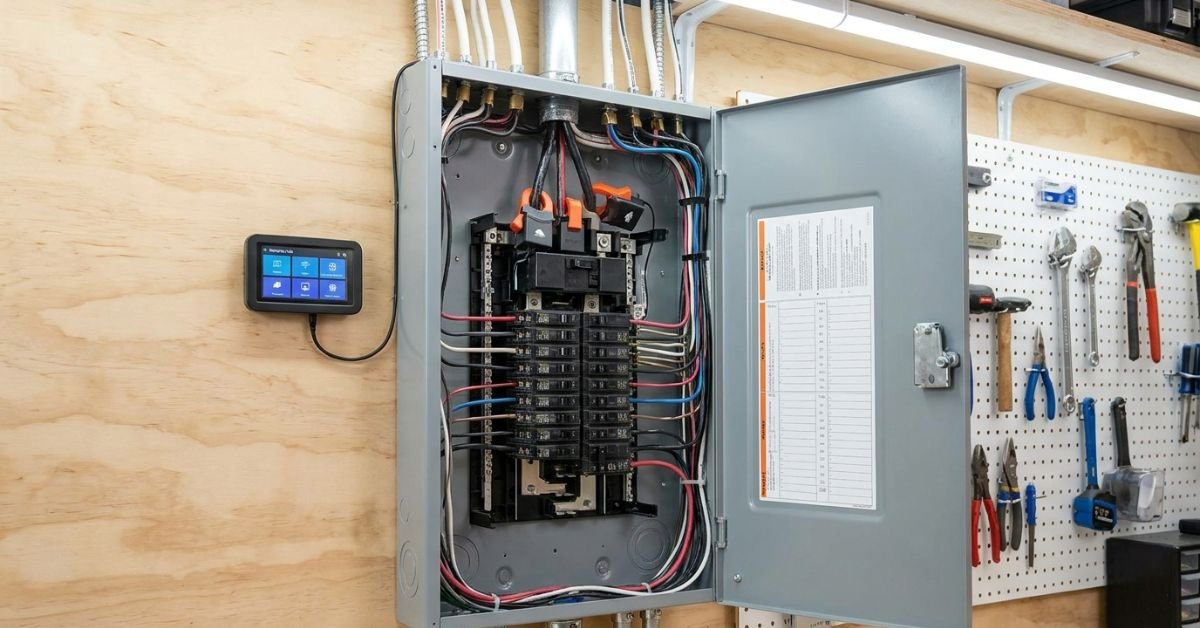
I installed an Emporia Vue Gen 2 directly inside my breaker box. It uses 16 current transformer (CT) clamps to track real-time amperage on individual breakers.


Within ten minutes of booting up the app, I discovered my idle home—with nobody actively using anything—drew 680 watts continuously. That phantom baseline alone was costing me almost $60 a month purely during peak billing blocks.
A whole-home energy management system or a real-time monitor removes the mystery. It shows you the exact second an appliance kicks on and how much that specific burst costs in US Dollars.
+--------------------------------------------------------------------+
| TYPICAL TOU HOURLY PRICING SPREAD (Summer Weekday)                 |
| Off-Peak (Midnight - 2 PM):        ~$0.24 / kWh                     |
| Partial-Peak (2 PM - 4 PM):        ~$0.38 / kWh                     |
| ON-PEAK (4 PM - 9 PM):             ~$0.54 - $0.62 / kWh  <-- DANGER |
| Off-Peak (9 PM - Midnight):        ~$0.24 / kWh                     |
+--------------------------------------------------------------------+
Common Pitfall
Relying on monthly utility bar charts to figure out how to lower electric bill during peak hours is like trying to drive by only looking through your rearview mirror. By the time your bill arrives, the money is already spent. You need live, minute-by-minute feedback.
2. Automating Climate Control to Prevent Peak Surges
HVAC is the undisputed heavyweight champion of your summer electric bill. An average central 3-ton heat pump or traditional AC compressor pulls anywhere from 3,000 to 4,500 watts while running. If that compressor cycles continuously during an expensive peak window, you are burning roughly $2.50 per hour in power.
Does Precooling House Save Money on Electric Bill?
Yes, dramatically—provided your home has reasonable insulation.
The concept behind HVAC precooling is simple thermal storage: you treat the physical mass of your home (drywall, framing, furniture, tile) like a thermal battery.
- Pre-chill: Two hours before your utility’s peak window begins (say, 2:00 PM if your peak starts at 4:00 PM), program your smart thermostat to drop the indoor temperature 3°F below your normal comfort setting (e.g., from 74°F down to 71°F). Power is cheaper during this pre-peak block.
- Coast: The second the clock hits 4:00 PM, initiate an automated temperature hold at 78°F or 79°F.
- The Result: Because the internal thermal mass is cold, the AC compressor stays idle for the first 2.5 to 3 hours of the peak window, only kicking on briefly if outdoor temperatures break 100°F.
Best Smart Thermostat Settings for Time of Use
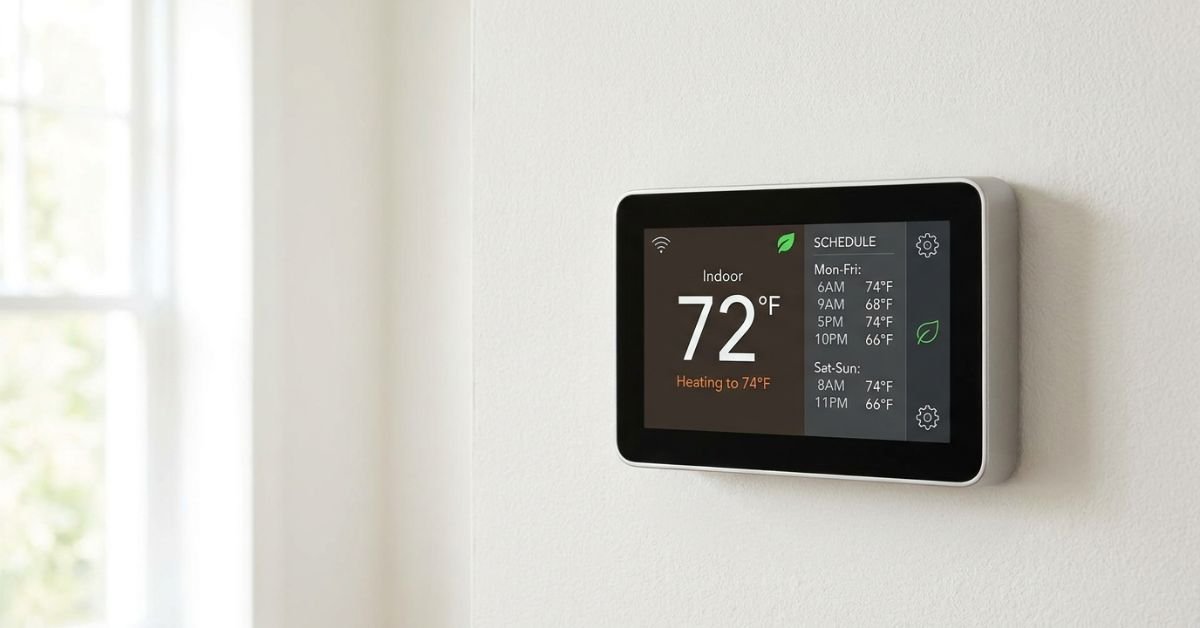
If you run an Ecobee Premium or a Google Nest Learning Thermostat, do not rely entirely on the factory “eco” algorithms. In my experience, they often ramp up cooling right at 4:30 PM because they detect you walking past the sensor after work.
Instead, build a strict, manual time-based schedule:
- 1:30 PM – 4:00 PM: Set to 71°F (Precool phase).
- 4:00 PM – 9:00 PM: Set to 78°F, run ceiling fans at low speed for wind chill, and enable a 5°F swing differential in the installer settings.
- 9:00 PM onward: Return to your preferred sleeping temperature (e.g., 73°F).
Pro Tip: Lock Out Electric Heat Strips
If you run a modern heat pump in a cooler region (or during winter peak spikes in New York), check your thermostat’s staging settings. Ensure your backup electric resistance strips (auxiliary heat)—which pull a staggering 5,000 to 10,000 watts—are locked out from engaging unless outdoor temperatures plunge below 25°F. Otherwise, your thermostat might fire auxiliary heat during expensive early-morning winter peaks.
3. Intelligent Load Shifting for High-Draw Appliances
After heating and cooling, water heating, laundry, and electric vehicle (EV) charging make up the bulk of residential demand. If you want to know how to schedule smart appliances for off peak operation, the golden rule is simple: automate the trigger so you never have to remember it.
Electric Vehicles (The Ultimate Grid Load)
A Level 2 EV home charger pulls between 7.2 kW and 11.5 kW. Plugging your car in at 5:30 PM when you get home from work is the fastest way to rack up a massive utility bill.
- Set your vehicle’s charge schedule (via the Tesla, Rivian, or Ford app) or your smart EVSE (like an Emporia EV Charger or Wallbox Pulsar Plus) to start exclusively at midnight.
- Taking a 60 kWh battery charge during off-peak hours ($0.24/kWh) costs $14.40. Taking that same charge during California on-peak hours ($0.58/kWh) costs $34.80. That single scheduling mistake costs you $20 per charging session.
Kitchen and Laundry Routines
Modern smart appliances from Bosch, LG, and Whirlpool integrate directly with Apple Home, Google Home, and Home Assistant.
- The Dishwasher: We load dishes throughout the evening, toss in the detergent pod, and hit the machine’s “Delay Start” button or trigger it via the Home Connect app to fire at 1:00 AM.
- Heat Pump Water Heaters: If you have an electric water heater, it likely accounts for 18% of your annual electricity draw. Using a smart controller or an integrated hybrid model (like a Rheem ProTerra), schedule the tank to heat water up to 135°F at 3:00 PM, then set the unit to “Vacation” or low-temp mode between 4:00 PM and 9:00 PM. A mixing valve prevents scalding at the tap while banking thermal energy throughout the peak window.
4. Eliminating Phantom Loads with Smart Plugs
Standby power draw—often called vampire power—is the steady stream of electricity appliances consume while supposedly turned off. Power supplies, TV mainboards waiting for remote signals, gaming consoles in standby mode, and audio subwoofers all bleed wattage.
Individually, these draws look small: 12 watts here, 25 watts there. Across twenty connected gadgets in an average home, you can easily waste 150 to 200 continuous watts. During a 5-hour peak window, that idle draw adds up to an entire wasted kilowatt-hour every single afternoon.
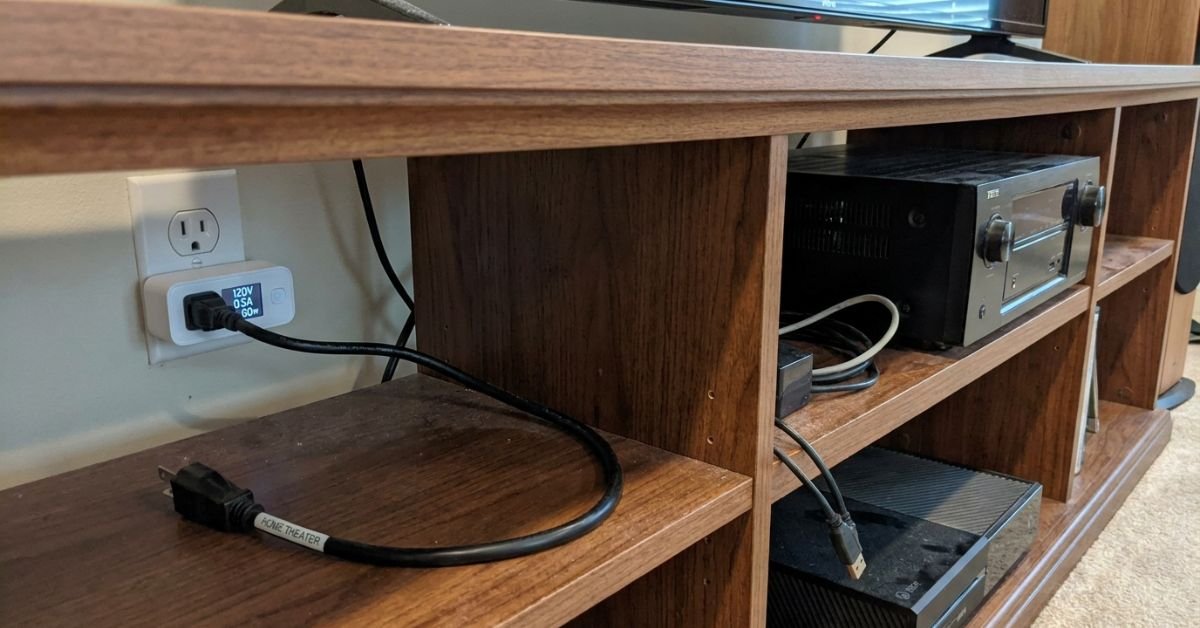
How I Use Smart Plugs to Reduce Peak Energy Costs
I deployed Kasa KP125M and Shelly Plus 1PM smart plugs on my most power-hungry desks and home entertainment hubs:
- The Home Theater: My AV receiver, powered subwoofer, and Apple TV drew a constant 42 watts in sleep mode. I created a schedule that kills power to that outlet bank Monday through Friday from 4:00 PM to 8:30 PM unless a manual override switch is toggled.
- The Dual-Monitor Workstation: Studio monitors and docking stations pulled 38 watts while the laptop was sleeping. A smart power strip completely kills the desktop peripherals automatically once my work laptop disconnects from the home Wi-Fi.
Common Pitfall
Never hook your fiber ONT, cable modem, or primary Wi-Fi router to an automated shutoff smart plug. I learned this the hard way: my network dropped at 4:00 PM on day one, which took my Home Assistant server offline and prevented all my other downstream power-saving automations from firing. Keep your networking core on its own isolated, dumb surge protector.
5. Advanced Tech: Smart Panels and Battery Shaving
If you want to move beyond basic smart plugs and manual schedules, automated load shedding at the breaker level is the current state of the art.
Smart Electric Panels
Traditional breaker boxes are dumb metal boxes with mechanical switches. Modern smart electric panels (such as the Span.io Smart Panel or Leviton Smart Load Center) replace standard circuit breakers with micro-controlled, internet-connected relays.
- You assign priorities to every circuit in your home: “Must Have” (refrigerator, medical equipment, core networking), “Nice to Have” (living room outlets, microwave), and “Non-Essential” (pool pump, guest bedroom AC, EV charger).
- The moment your utility enters a high-rate peak window, the smart panel automatically sheds power to low-priority circuits without you lifting a finger.
+--------------------------------------------------------------------+
| SPAN PANEL CIRCUIT PRIORITY MATRIX (Peak Hour Profile)            |
| [CRITICAL - ON]      Refrigerator, Network Rack, Kitchen Lights    |
| [MANAGED  - RESTRICT] Primary HVAC (Allowed 15 min cycle/hour)     |
| [SHED     - OFF]     Pool Pump, Level 2 EVSE, Garage Subpanel      |
+--------------------------------------------------------------------+
Home Battery Storage Systems
Pairing a home battery storage system (like an Enphase IQ Battery or Tesla Powerwall 3) with a Time-of-Use rate schedule yields huge financial returns through a process called peak shaving.
You do not even need solar panels to benefit from this strategy in many jurisdictions.
- Program the battery to charge from the grid during off-peak hours when power is dirt-cheap (or free, in certain Texas wind-heavy plans).
- As soon as the 4:00 PM rate spike triggers, your system switches to self-consumption mode.
- Your house cuts its connection to the grid entirely and runs on local battery power until 9:00 PM, dodging the highest utility prices of the day.
Federal Incentives Help Cushion the Blow
These upgrades carry steep initial hardware costs, but federal policy takes some of the sting out. Under the Inflation Reduction Act (Section 25C), US homeowners can claim a federal tax credit of up to 30% (capped at $600 for smart electrical panel upgrades when installed alongside qualified heat pumps, or up to 30% uncapped under Section 25D for standalone residential battery storage systems 3 kWh or larger).
6. Maintenance and Continuous Energy Auditing
Setting up smart energy automations is not a “set-and-forget” project. Your habits change, family members plug in new gadgets, utility rates adjust seasonally, and firmware updates can wipe local schedules.
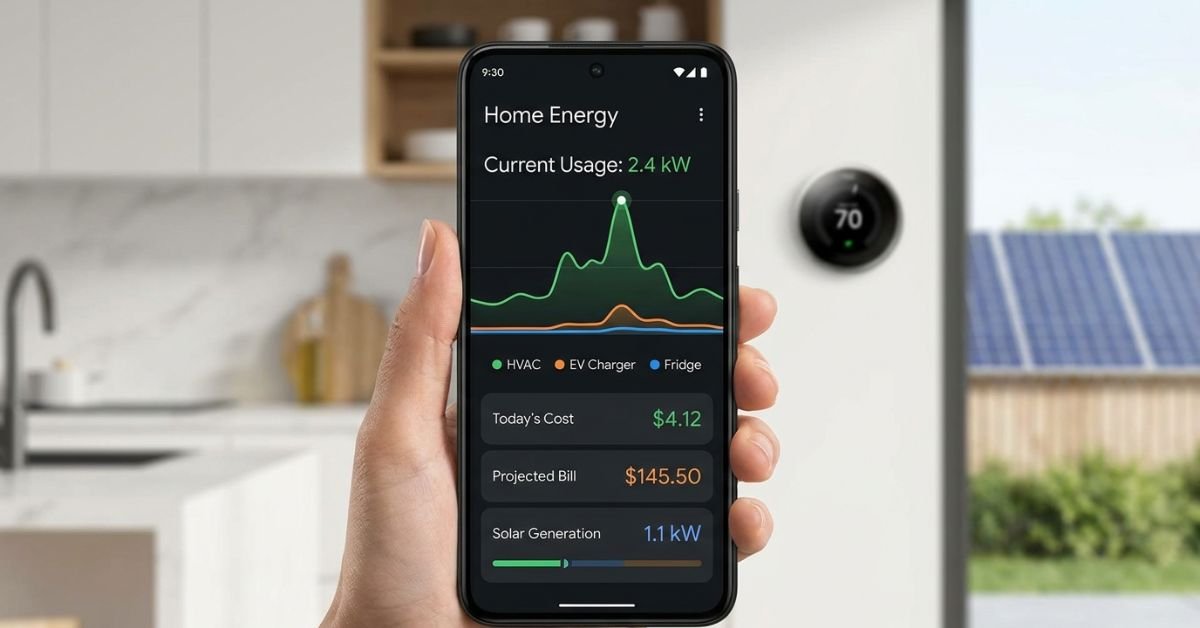
Real-World Audit: Catching Rogue Energy Hogs
Two months after setting up my smart system, my baseline peak usage suddenly jumped by 650 watts. I opened the Emporia Vue interface and drilled down circuit by circuit.
The culprit was an older basement dehumidifier. Its internal humidistat had failed, causing the compressor to run 24 hours a day without cycling off. That single broken sensor was costing me roughly $48 a month in peak electricity charges. I replaced it with a modern Midea smart inverter unit that alerts my phone if it runs continuously for more than four hours.
Utility Demand Response Programs
Take advantage of your local utility’s demand response program.
- In California, programs like OhmConnect or utility-run SmartAC reward you with bill credits or cash payments when you let them nudge your smart thermostat 2°F during regional grid emergencies.
- In New York, Con Edison’s “Smart A/C Program” offers financial incentives for using Wi-Fi-enabled room air conditioners and smart thermostats.
Don’t Abandon the Program Over One Bad Day
The most common mistake homeowners make is turning off automated demand response programs permanently after experiencing a single warm afternoon.
If your home gets uncomfortable during a grid event, you can always manually override your thermostat for that specific day. Do not opt out of the entire program—you will leave substantial annual utility rebates and incentives on the table.
Frequently Asked Questions
How much can you save on a TOU electricity rate?
Depending on your climate zone and your home’s total power consumption, shifting your heaviest electrical loads away from peak hours typically saves between 15% and 35% on your monthly electric bill. For a home in California or Arizona with central air conditioning, that often works out to $60 to $180 in monthly savings during hot summer billing cycles.
Can smart plugs handle high-draw appliances like space heaters or air conditioners?
Only if they are rated properly. Standard cheap smart plugs are usually rated for 10 amps (roughly 1,200 watts). If you plug a 1,500-watt space heater or a large portable air conditioner into one of these, you risk melting the plug or tripping a safety fuse. Look specifically for heavy-duty smart plugs rated for 15 amps (1,800 watts) with integrated overload protection and safety certifications like UL or ETL.
What happens to my smart precooling schedule during an extreme heatwave?
During extreme regional heatwaves (when outdoor temperatures exceed 105°F), precool your home earlier and slightly deeper. Drop the indoor temperature 4°F below your normal baseline starting three hours before peak pricing begins. Keep your shades, blinds, and curtains closed tight to block direct solar heat gain. If your home warms up faster than expected, use ceiling fans to create airflow rather than forcing the AC compressor to cycle during peak-rate hours.
Do I need solar panels to benefit from a home battery storage system?
No. While pairing batteries with solar panels maximizes your self-sufficiency, many US utilities allow you to install a battery-only setup configured for rate arbitrage. Under this model, the battery charges purely from grid power during cheap off-peak hours and discharges to power your home during expensive peak hours, shielding you from steep utility surcharges.
Why did my power bill go up after switching to a Time-of-Use plan?
If you enroll in a TOU plan but continue running heavy appliances—like your clothes dryer, dishwasher, or EV charger—between 4:00 PM and 9:00 PM, your bill will increase compared to a flat-rate tier. TOU plans reward load shifting, but they severely penalize normal mid-afternoon energy consumption. You must automate your high-draw appliances to run during off-peak windows to see actual savings.