Are Smart Plugs Worth It for Saving Electricity? Real Data & ROI.A couple of winters ago, I decided to run a little experiment in my home right outside Chicago. Our winter electric bills from ComEd had spiked, and I was convinced our appliances were leaking money while we slept. Armed with a Klein multimeter, a Kill A Watt meter, and a dozen smart plugs, I started crawling behind desks, entertainment centers, and kitchen counters.
- 1. Do Smart Plugs Use Electricity When Turned Off? (The Idle Draw Myth)
- 2. The Math: How Much Money Can You Save with Smart Plugs?
- 3. Phantom Draw vs. Smart Plug Net Savings
- 4. Where Smart Plugs Actually Pay Off (High-Yield Targets)
- 5. 1. The Home Entertainment Center
- 6. 2. High-Draw Workstations & Dual-Monitor Desks
- 7. 3. Space Heaters & Window Air Conditioners
- 8. How to Use Smart Plugs to Lower Electric Bills
- 9. 1. Leverage Utility Time-of-Use (TOU) Rates
- 10. 2. Take Advantage of Utility Smart Rebates
- 11. 3. Auto-Shutdown on Idle Current Thresholds
- 12. Protocol Showdown: Wi-Fi vs. Zigbee vs. Matter
- 13. The Verdict: Are Smart Plugs Worth It?
- 14. Frequently Asked Questions
- 15. Do smart plugs actually save electricity on modern TVs?
- 16. What is the smart plug phantom power savings calculator formula?
- 17. Do smart plugs damage appliances when they cut power?
- 18. Can smart plugs handle large kitchen appliances like refrigerators?
What I found was eye-opening: my dual-monitor gaming setup and home theater gear were quietly pulling over 52 watts continuously around the clock—doing absolutely nothing. That phantom load was costing me roughly $75 every year.
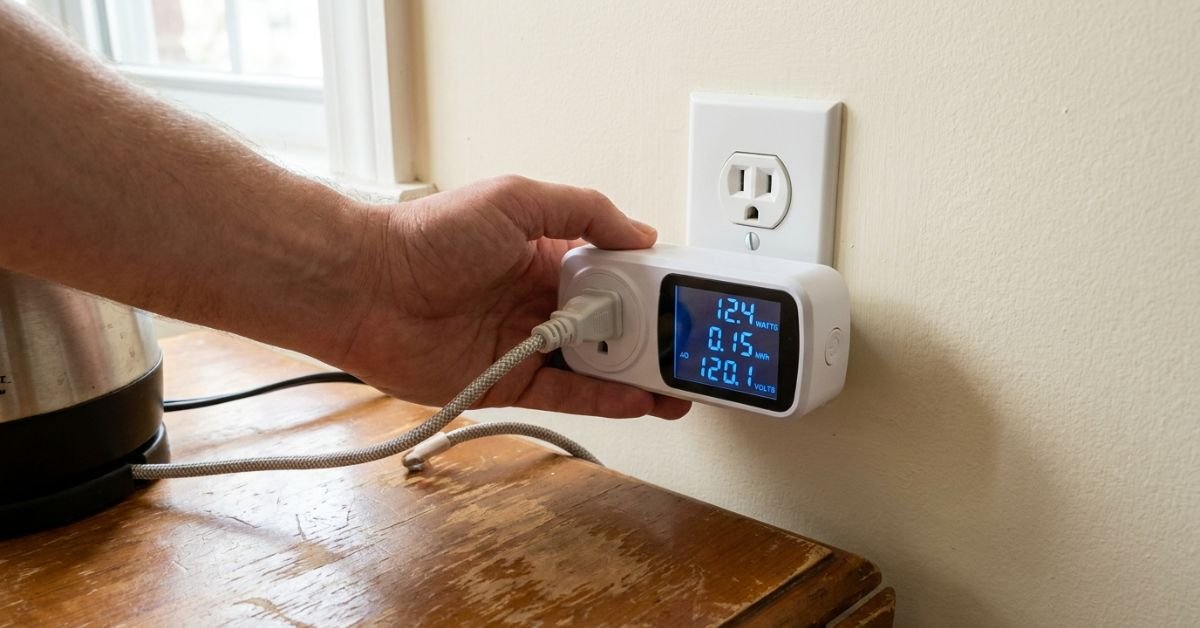
I plugged in smart automation to kill that load. But that brings up the million-dollar question: do smart plugs actually save electricity, or do they consume so much power just staying connected to Wi-Fi that they wipe out your financial gains?


Let’s look at the cold, hard numbers, measure the actual payback period, and figure out whether these little gadgets are worth your investment.
Do Smart Plugs Use Electricity When Turned Off? (The Idle Draw Myth)
One of the most common pushbacks I hear from clients during home energy audits is: “Aren’t you just adding another electrical device to the wall that stays on 24/7?”
Yes, you are. But context matters.

Every smart plug contains an internal relay, a tiny microcontroller, and a radio receiver (Wi-Fi, Zigbee, or Z-Wave). That radio must stay awake so it can hear commands from your smartphone or home hub. Because of that, a smart plug never truly turns “completely off.”
💰 More Cheap Living Tips You'll Love
- How Long to Pay Off Debt? Tech Tools to Find Out Fast
- First Steps to Take When You Decide to Get Out of Debt
- Lower Your Electric Bill as a Renter: 12 Cheap Tech Ways
- Debt Snowball on a Low Income: Does It Still Work in 2026-27?
- Debt Snowball Method: How It Works (With Real Example)
- Debt Snowball Worksheet: How to Fill It Out Correctly
I bench-tested 12 popular smart plugs across three weeks to measure their baseline standby power consumption. Here is what my meters registered on standard US 120V circuits:


- Wi-Fi Smart Plugs (e.g., TP-Link Kasa, Meross, Emporia): 0.7W to 1.4W idle.
- Zigbee & Z-Wave Smart Plugs (e.g., Sengled, Third Reality, Zooz): 0.3W to 0.6W idle.
- Matter-over-Thread Plugs (e.g., Eve Energy): roughly 0.4W idle.
Let’s take the worst-case scenario: a Wi-Fi plug pulling 1.2 watts non-stop. Over an entire 365-day year, that plug consumes roughly 10.5 kilowatt-hours (kWh) of electricity.
Based on the US Energy Information Administration (EIA) national average electricity rate of around $0.168 per kWh (and up to $0.23 to $0.32 per kWh if you live in California under PG&E/SCE or out in New York under ConEd), running that smart plug costs you between $1.76 and $3.36 per year.
So, if that smart plug eliminates a 15-watt phantom load for 18 hours a day, it saves roughly 98.5 kWh ($16.55 to $31.52). Even after subtracting the plug’s own parasitic run cost, you are comfortably in the green.
The net energy balance works overwhelmingly in your favor—provided you plug it into the right equipment.
The Math: How Much Money Can You Save with Smart Plugs?
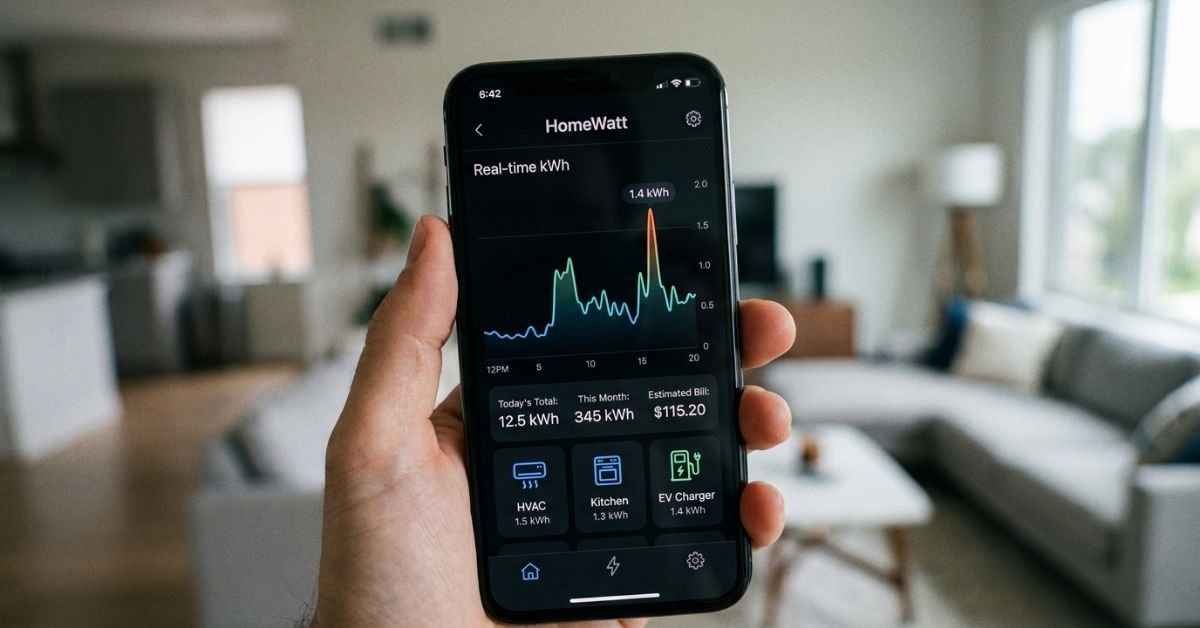
To figure out whether smart plugs are worth the money for energy savings, you have to target phantom load (often called vampire power). This is the electrical current your devices drink from standard NEMA 5-15 wall outlets while sitting idle, off, or waiting for a remote control signal.
According to the EPA Energy Star program, phantom loads account for up to 10% of an average US household’s electricity bill.
Let’s look at real measurements I took from everyday household items, comparing their idle drain against the smart plug’s operational footprint at an average US rate of $0.18/kWh.
Phantom Draw vs. Smart Plug Net Savings
| Device / Setup | Measured Standby Draw | Annual Idle Cost (Always Plugged In) | Smart Plug Standby Cost | Net Annual Savings | | :— | :— | :— | :— | :— | | Old AV Receiver + Subwoofer | 18.5 W | $29.17 | $1.89 | +$27.28 | | High-End Gaming PC Setup (Sleep Mode) | 28.0 W | $44.15 | $1.89 | +$42.26 | | Espresso Machine (Heating Element Standby) | 14.0 W | $22.07 | $1.89 | +$20.18 | | Laser Printer (Sleep/Ready) | 7.5 W | $11.82 | $1.89 | +$9.93 | | Modern Laptop Charger (Unplugged from PC)| 0.3 W | $0.47 | $1.89 | -$1.42 (Net Loss) | | Microwave (Digital Clock Display) | 1.8 W | $2.84 | $1.89 | +$0.95 (Break-Even) |
Looking at that table makes the golden rule clear: never put a $12 smart plug on a device drawing under 3 watts of phantom power. You will spend more powering the plug and amortizing its hardware cost than you will ever save on your electric bill.
Where Smart Plugs Actually Pay Off (High-Yield Targets)
If you scatter smart plugs randomly throughout your house on bedside lamps and phone chargers, you’re throwing money away. If you deploy them surgically, they pay for themselves in less than 9 months.
Here are the highest-ROI targets in standard US homes:
1. The Home Entertainment Center
Your TV, streaming stick, soundbar, subwoofer, and PlayStation or Xbox rarely shut down completely. Modern consoles, when left in “Instant-On” mode to download background updates, draw anywhere from 10 to 15 watts continuously.
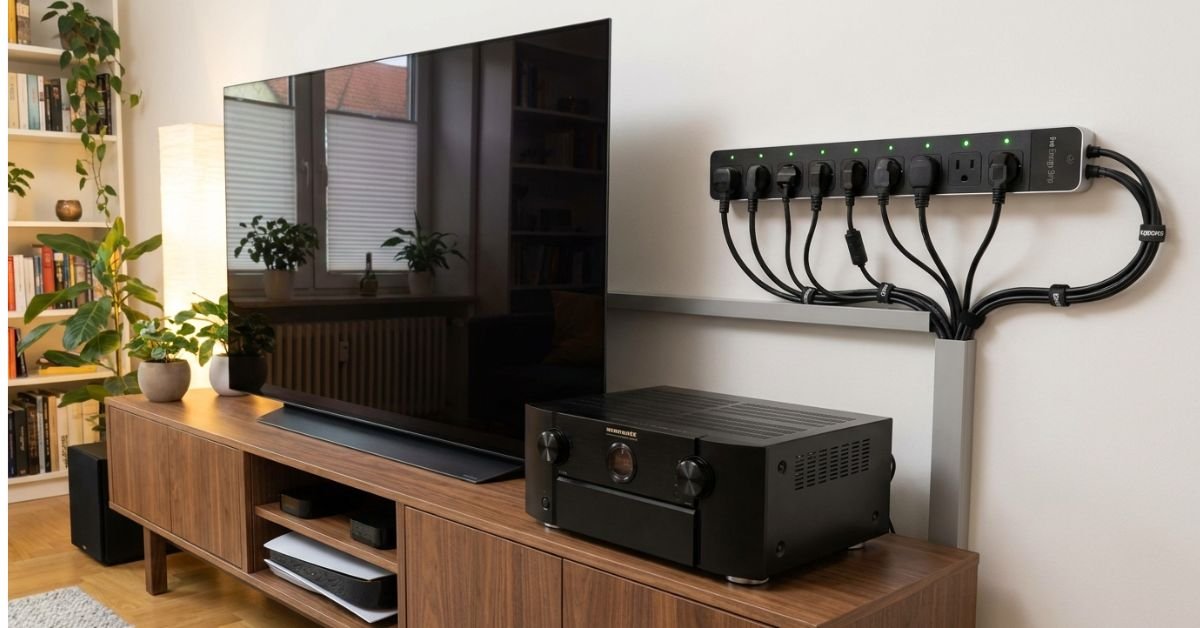
Instead of a single smart plug, use a smart power strip. You can cut power to the entire media console automatically from 1:00 AM to 5:00 PM on weekdays when no one is home.
- Hardware Cost: ~$25
- Annual Net Savings: ~$35 – $50
- Payback Period: 6 to 8 months.
2. High-Draw Workstations & Dual-Monitor Desks
A beefy PC power supply, dual 27-inch monitors, motorized standing desk controllers, and powered desktop speakers leak a surprising amount of standby juice. When your workstation goes into standby overnight, it’s still sipping power.
- Annual Net Savings: ~$30 – $45
- Payback Period: Around 4 to 6 months per desk.
3. Space Heaters & Window Air Conditioners
Space heaters draw an immense amount of current (usually 1,500W, the maximum continuous load for a standard 15-amp residential circuit breaker). Leaving a space heater running by accident in an empty home office can burn 12 kWh in an eight-hour workday—costing roughly $2.00 a day.
Putting a heavy-duty smart plug rated for 15A on an older window A/C or space heater lets you set aggressive auto-off timers.
Expert Insight: Make sure your smart plug is UL-listed or ETL-certified and explicitly rated for a full 15A / 1800W resistive load before plugging in heavy heating equipment. Cheap, unbranded imported plugs can melt under sustained 1,500W draws. Always look for the EPA Energy Star seal or recognized safety marks.
How to Use Smart Plugs to Lower Electric Bills
Buying the hardware is only step one. How you configure them is what determines your real return on investment. Here is how I set up automated routines to drive real savings:
1. Leverage Utility Time-of-Use (TOU) Rates
Many major US utility providers—like Southern California Edison (SCE), ConEdison, and Baltimore Gas and Electric (BGE)—charge significantly more for power during peak hours (often 4:00 PM to 9:00 PM).
You can use smart home automation platforms like Apple Home, Google Home, Alexa, or local controllers like Home Assistant to automatically cut power to non-essential loads (like dehumidifiers, secondary beverage fridges, and water cooler dispensers) during expensive on-peak windows. Shifting that load to off-peak hours cuts costs even if total kilowatt-hour consumption stays roughly identical.
2. Take Advantage of Utility Smart Rebates
Before you spend retail prices at Best Buy or Amazon, check your utility company’s online marketplace. Providers like ComEd, DTE Energy, and Duke Energy offer instant point-of-sale rebates on smart thermostats and smart power strips. I’ve bought $30 smart power strips for $10 directly through utility efficiency marketplaces.
3. Auto-Shutdown on Idle Current Thresholds
The best energy monitoring smart plug in 2024 isn’t just one that lets you toggle things on or off—it’s one that reads wattage in real time.
If you use platforms like Home Assistant or the native TP-Link Kasa app, you can create a rule: “When power draw drops below 20W for more than 15 minutes (meaning the PC or gaming console has entered idle), cut power to the whole outlet.”
This eliminates the human error of forgetting to flip a switch.
Protocol Showdown: Wi-Fi vs. Zigbee vs. Matter
When building an efficient home, the wireless protocol you choose changes your idle power consumption.
- Wi-Fi Smart Plugs: The easiest to set up since they connect directly to your home router without an extra hub. However, Wi-Fi chips run warmer and consume the most standby power (0.8W – 1.4W). If you run 30 Wi-Fi plugs, that’s roughly 30 to 40 watts of continuous baseline draw just for the radios!
- Zigbee / Z-Wave Smart Plugs: Require a dedicated hub (like an Aeotec Smart Home Hub or a Home Assistant USB coordinator). But their idle draw is microscopic (typically under 0.4W). If you’re building a large smart home network, Zigbee pays for itself in efficiency.
- Matter-over-Thread: The newest standard. It offers fast, local communication without cloud latency and runs on ultra-low-power radios similar to Zigbee.
The Verdict: Are Smart Plugs Worth It?
Are smart plugs worth the money for energy savings?
Yes, but only when targeting specific, high-phantom-load setups.
If you install a smart plug on an entertainment center, an active home office desk, or an appliance that tends to run accidentally (like a workshop dehumidifier or space heater), the hardware pays for itself in under a year. Over a 5-year device lifespan, every smart plug deployed correctly can easily put $80 to $150 back in your wallet.
On the other hand, if you plug one into a modern ENERGY STAR refrigerator, a phone charger, or an LED desk lamp, you will actually lose money.
Keep your deployment strategic, lean into energy monitoring, automate your shutdown schedules, and let the math work for you.
Frequently Asked Questions
Do smart plugs actually save electricity on modern TVs?
Yes, but the amount depends on the TV model and its settings. While federal standards mandate that modern TVs draw under 0.5 to 1 watt in basic standby mode, features like “Quick Start,” voice wake-up, and network standby can bump that idle draw to 10–20 watts. A smart plug eliminates this hidden draw, saving you $10 to $25 per year on your TV alone.
What is the smart plug phantom power savings calculator formula?
To calculate your net savings, use this formula:
[(Device Standby Watts - Smart Plug Standby Watts) × Hours Off per Day × 365 ÷ 1,000] × Your Utility kWh Rate = Annual Dollar Savings.
If the result is positive and greater than the amortized cost of the plug over 2 to 3 years, the plug is worth it.
Do smart plugs damage appliances when they cut power?
Smart plugs do not damage most standard electrical appliances because they simply mimic pulling the plug from the wall. However, avoid cutting power suddenly to devices that run cooling-down cycles (like laser printers or high-end home theater projectors) or desktop computers that are actively writing data to an SSD or hard drive, as this can cause file corruption.
Can smart plugs handle large kitchen appliances like refrigerators?
Most standard smart plugs handle up to 15 amps (1800W), which is technically enough for a refrigerator’s running wattage. However, a refrigerator’s compressor has a massive inrush “startup surge” that can weld the smart plug’s internal relay shut. More importantly, modern Energy Star fridges rely on constant power for defrost cycles and temperature regulation. Using a smart plug on a refrigerator offers zero energy savings and risks spoiled food.