The Tech-Driven Frugal Living Experiment That Transformed My Finances.In October 2022, I sat down at my desk with an iced Americano and opened my credit card statements. What I saw genuinely made my stomach drop.
- 1. The Reality Check: Auditing the Hidden Tech Bleed Everyday Consumers Ignore
- 2. My Monthly Tech Burn Sheet (Pre-Experiment)
- 3. Replacing High-Priced Proprietary SaaS with Open-Source Alternatives
- 4. Ditching the Cloud Storage Cartel
- 5. Password Managers and Media Suites
- 6. The Refurbished Hardware Rule: Ending the Flagship Upgrade Cycle
- 7. Exploiting Right to Repair Legislation
- 8. Expert Insight: Calculate Cost-Per-Year, Not Sticker Price
- 9. Automating Utility Reductions with Low-Cost Smart Home Tech
- 10. Killing Vampire Power Loads
- 11. Leveraging US Utility Rebates
- 12. Slashing Connectivity Costs: The MVNO and Home Internet Pivot
- 13. How to Lower Home Internet and Cell Phone Bills Overnight
- 14. Eliminating Broadband Equipment Fees and Downsizing Speeds
- 15. The Results: Frugal Living Tech Experiment Before and After
- 16. Annual Balance Sheet Comparison
- 17. Common Pitfalls: Avoiding False Economy and Digital Burnout
- 18. Frequently Asked Questions
- 19. How much money can you realistically save by switching to an MVNO in the US?
- 20. Is self-hosting private cloud storage secure for beginners?
- 21. Does buying refurbished tech void manufacturer warranties?
- 22. Will dropping my home internet speed affect working from home or video calls?
- 23. What are the best open-source replacements for proprietary software like Microsoft 365 or Google Workspace?
There was no catastrophic emergency expense. No wild weekend in Vegas. Instead, I was bleeding out from dozens of tiny, silent micro-cuts. A $14.99 cloud storage fee here, an automatic $21.99 streaming renewal there, a $175 postpaid cell phone bill, and a monstrous $125 monthly invoice for gigabit home internet. My household was spending over $510 every single month just maintaining our digital status quo.
Inflation was driving up our grocery bills, gas was flirting with five bucks a gallon in my state, and my paycheck felt like it was shrinking. Right then, I decided to run a radical, 12-month experiment: treat our personal technology stack like a lean startup that was about to run out of runway.
Over the next year, I ruthlessly audited recurring services, embraced open-source tools, repaired aging hardware, and took advantage of overlooked utility incentives. By the end of the experiment, I had recouped $4,820 in cash without sacrificing my daily productivity or digital comfort.


Here is exactly how this frugal living experiment played out, what worked, what failed miserably, and how you can replicate the savings.
The Reality Check: Auditing the Hidden Tech Bleed Everyday Consumers Ignore
Most personal finance advice tells you to stop buying lattes. That advice is outdated and condescending. If you want to find real money, look at your digital balance sheets. Modern consumer tech is built on an extraction model: lock users into proprietary platforms, convert perpetual ownership into perpetual rentals, and bank on inertia.


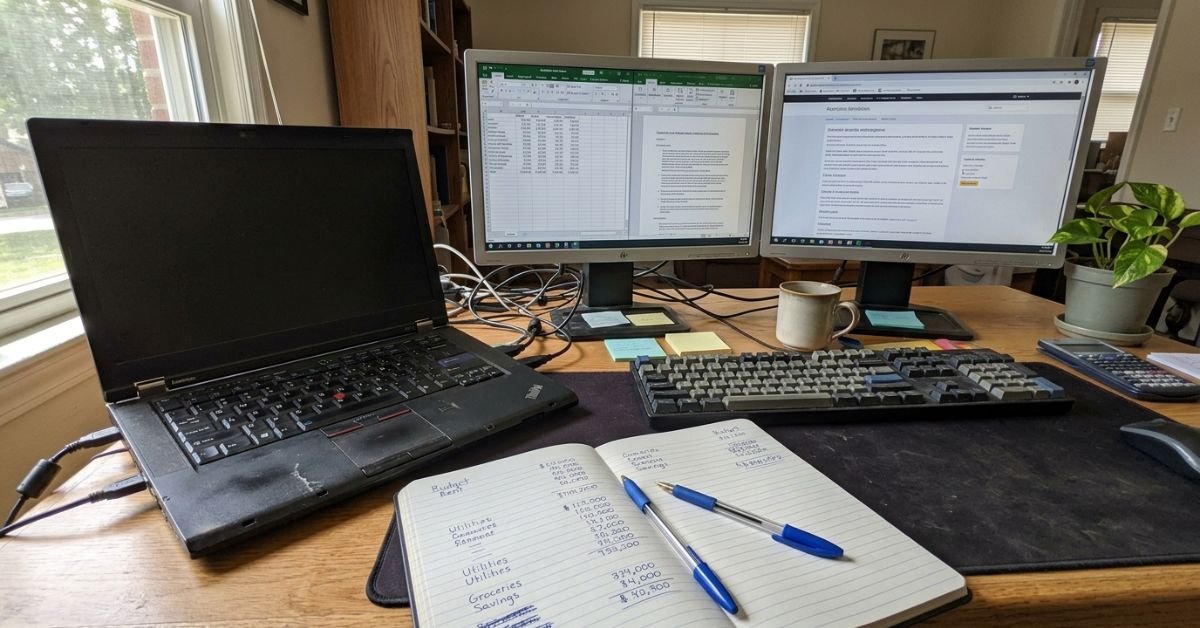
I spent an entire Saturday morning running a complete SaaS subscription audit. I exported twelve months of transaction history from my checking account and credit cards into a CSV file, filtering specifically for digital services, cloud storage, software, hardware rentals, and telecom fees.
💰 More Cheap Living Tips You'll Love
- Save Money or Pay Off Debt First? Tech-Driven Guide
- Debt Snowball Worksheet: How to Fill It Out Correctly
- How Long to Pay Off Debt? Tech Tools to Find Out Fast
- Debt Snowball on a Low Income: Does It Still Work in 2026-27?
- Pay Off Debt Faster Without Earning More: Tech Guide
- Lower Your Electric Bill as a Renter: 12 Cheap Tech Ways
My Monthly Tech Burn Sheet (Pre-Experiment)
| Service / Category | What I Was Paying (Monthly) | The Core Problem | | :— | :— | :— | | Cloud Storage (iCloud 2TB + Google One) | $12.98 | Redundant syncing of identical family photo libraries | | Productivity / Office Suites (Adobe CC single app + Notion + Evernote) | $38.98 | Feature bloat; 80% of tools were unused | | Postpaid Cellular (2 lines on AT&T Unlimited) | $178.40 | Paying for 50GB priority data we never consumed off Wi-Fi | | Home Internet & Equipment Rental (Comcast/Xfinity) | $125.00 | $15/mo modem rental fee + paying for Gigabit tier (overkill) | | Streaming Services (Bundle of 4 platforms) | $58.96 | Active viewing on only one service per week | | Hardware Upgrade Sinking Fund | $100.00 | Budgeting for an annual flagship smartphone and laptop upgrade | | Total Monthly Burn | $514.32 | Annual Run Rate: $6,171.84 |


Seeing that annual run rate—over $6,100—was nauseating. That was a vacation, a fully funded emergency cushion, or several months of mortgage principal.
My rule for the experiment was simple: no service survived unless canceling it severely crippled my ability to earn a living. Everything else either had to be eliminated, replaced with open-source alternatives, or downsized to local-first infrastructure.
Replacing High-Priced Proprietary SaaS with Open-Source Alternatives
Software subscriptions are the modern rent trap. You stop paying, and you lose access to your data. To break this loop, I turned toward digital minimalism powered by open-source software and local-first architecture.
If you are looking for cheap alternatives to expensive software subscriptions, you do not need to settle for clunky, broken tools. The open-source ecosystem has matured remarkably over the past few years.
+-------------------------------------------------------+
|                 PRE-EXPERIMENT STACK                 |
|  Google Drive / iCloud ($12.98) -> Evernote ($14.99)  |
|  1Password ($4.99) -> Adobe Photography ($19.99)      |
+-------------------------------------------------------+
                           |
                           v  (Migrated to Local-First & OSS)
+-------------------------------------------------------+
|                  POST-EXPERIMENT STACK                |
|  TrueNAS Mini PC ($0/mo) -> Obsidian + Syncthing ($0) |
|  Bitwarden Vaultwarden ($0) -> Darktable/GIMP ($0)    |
+-------------------------------------------------------+
Ditching the Cloud Storage Cartel
I cancelled our 2TB Apple iCloud storage and Google One family plans. Instead, I built a compact self-hosted NAS (Network Attached Storage) out of an off-lease, refurbished Lenovo ThinkCentre M720q Tiny PC I picked up on eBay for $110.
I installed Linux (Ubuntu Server) and configured Nextcloud paired with Syncthing for continuous folder synchronizations. My wife and I set our phones to silently back up photos over our home Wi-Fi whenever the devices were charging.
For routine document and note management, I abandoned Notion and Evernote in favor of Obsidian. Because Obsidian operates entirely on plain Markdown files stored locally, I run zero risk of lock-in, pay zero subscription fees, and use Syncthing to replicate my notes securely across my laptop, phone, and tablet.
Password Managers and Media Suites
Instead of paying for premium tier family password vaults, I migrated our credentials to Bitwarden. The basic personal tier is free, open-source, and natively audited. For image handling, I traded my Adobe subscription for Darktable and GIMP. Did it require a learning curve? Yes, for about a week. But that change alone clawed back nearly $240 a year.
Finding the best open source replacements for paid software is not just about saving cash; it grants real digital independence. My data lives on my drives, unindexed by corporate AI training scrapers.

The Refurbished Hardware Rule: Ending the Flagship Upgrade Cycle
One of the largest drains on modern consumer finances is the manufactured upgrade cycle. Tech marketing conditions us to believe that an 18-month-old laptop is an obsolete doorstop and that a smartphone with a scratched bezel is an embarrassment.
During my experiment, I instituted a hard mandate: no brand-new consumer hardware purchases.
Whenever anyone asks on consumer forums, “is buying refurbished tech worth it reddit style,” the responses are often split between horror stories and ecstatic praise. The reality comes down to sourcing. If you purchase “Grade A” certified refurbished gear with transparent warranty policies—either directly from manufacturer refurbishment outlets, Back Market, or established eBay refurbishers offering Allstate guarantees—you typically pay 40% to 60% less than retail for an identical user experience.
Exploiting Right to Repair Legislation
With states like California (SB 244), New York, and Minnesota passing meaningful right to repair laws, getting OEM parts, schematics, and modular components has become drastically easier in the US.
Instead of buying a new $1,200 work laptop when my older machine started crawling under heavy browser loads, I opened it up:
- Host Device: Lenovo ThinkPad T480 (bought secondhand for $140)
- Upgrades: Upgraded the stock 8GB RAM to 32GB DDR4 ($42 on Amazon)
- Storage: Installed a 1TB Crucial NVMe SSD ($58)
- Total Investment: $240 for a rock-solid, spill-resistant machine with exceptional keyboard travel that easily crunches spreadsheets, terminal sessions, and light photo edits.
When my partner’s iPhone battery degraded to 76% health, causing severe CPU throttling, we did not head to the Apple Store to finance an iPhone 15 on a 36-month carrier installment plan. I ordered an iFixit battery replacement kit for $39. Armed with a heat gun, suction cup, and pentalobe screwdriver, I swapped the cell in 45 minutes. The phone immediately stopped lagging, regained all-day battery life, and stayed in service for another two years.
Expert Insight: Calculate Cost-Per-Year, Not Sticker Price
Stop looking at the initial purchase price of consumer electronics in isolation. Calculate your Cost-Per-Year of Utility (CPYU).
A $1,100 flagship phone upgraded every 24 months costs you $550/year.
A $280 certified refurbished flagship purchased 2 generations behind, upgraded with a $40 battery at year two, and kept for 4 years total costs you $80/year. That simple change is a compounding wealth builder.
Automating Utility Reductions with Low-Cost Smart Home Tech
Frugality does not mean freezing in your own living room or walking around flicking off switches manually like a Victorian landlord. I used simple, off-the-shelf smart home hardware to automate our utility savings.
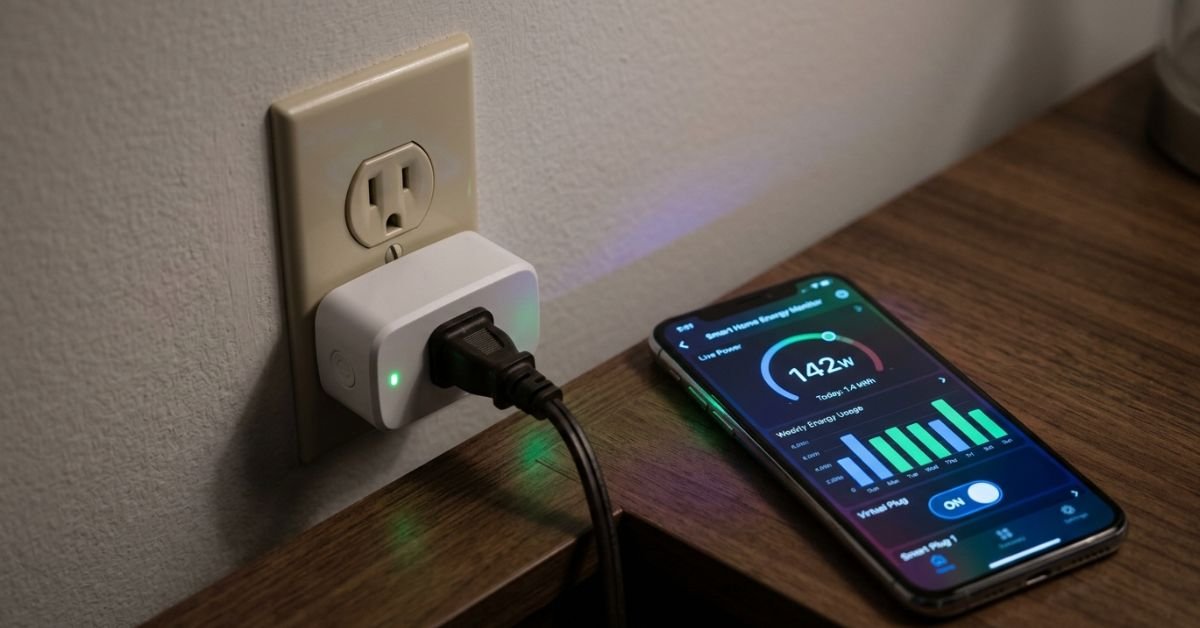
Electric rates across the US have surged over the past two years. In my region, electricity climbed past $0.22 per kilowatt-hour (kWh). I purchased a four-pack of Kasa smart plugs with energy monitoring ($34 on sale) to pinpoint vampire loads around the house.
Killing Vampire Power Loads
What I found was eye-opening:
- My dual-monitor desk setup, audio monitors, docking station, and standing desk control box drew 38 Watts continuously, even when the laptop was completely disconnected. That phantom draw alone was quietly siphoning around $6.10 every month.
- The basement entertainment console (AV receiver, older TV, streaming box, subwoofer) was pulling 44 Watts on standby.
I grouped these devices onto smart strips managed by automated schedules. At 9:30 PM every night, the power cuts off entirely. At 7:30 AM, power restores to the workstation. Savings? Roughly $14 a month on electricity with zero daily effort.
Leveraging US Utility Rebates
I went a step further by leveraging state-backed energy efficiency programs. Under incentives tied to the federal Inflation Reduction Act and local utility programs (such as Mass Save, NYSERDA, or standard energy efficiency portfolios run by Duke, ConEd, and PG&E), smart thermostats often qualify for massive instant discounts.
I claimed an instant $75 rebate through my electric provider to purchase an Ecobee smart thermostat. I automated tight seasonal temperature setbacks (lowering nighttime winter heating to 62°F and setting summer daytime cooling to 78°F when working away from home). That single automated move trimmed an average of 11% off our monthly natural gas and electric bills over the year.
Slashing Connectivity Costs: The MVNO and Home Internet Pivot
Telecom bills in the United States are among the highest in the developed world. The “Big Three” carriers (AT&T, Verizon, T-Mobile) spend billions convincing consumers that they must spend $80 to $100 per line for unlimited post-paid contracts. It is an expensive illusion.
How to Lower Home Internet and Cell Phone Bills Overnight
If you want to know how to lower home internet and cell phone bill expenses fast, step one is switching to a Mobile Virtual Network Operator (MVNO mobile carrier).
MVNOs buy excess capacity wholesale from the exact same cell towers owned by AT&T, Verizon, and T-Mobile, repackaging that access at a fraction of the price.
- Before: AT&T Postpaid — 2 Lines Unlimited: $178.40/month
- The Switch: We moved one phone to Mint Mobile (running on T-Mobile’s 5G network) on a prepaid 15GB tier for $20/month, and the other to Visible by Verizon ($25/month for truly unlimited data with an included mobile hotspot).
- After: 2 Lines: $45.00/month
- Net Monthly Savings: $133.40
We experienced zero dropped calls, crystal-clear VoLTE audio, and fast 5G data throughout our suburban metro area. The only tangible difference was an extra $1,600 sitting in our bank account at the end of the year.
Annual Telecom Costs (Two People)
------------------------------------------------------------
Major Postpaid Contract:  ████████████████████ $2,140.80
MVNO Switch (Mint + Visible): ████ $540.00
------------------------------------------------------------
ANNUAL SAVINGS: $1,600.80
Eliminating Broadband Equipment Fees and Downsizing Speeds
Next, I tackled our home internet bill with Comcast.
First, I looked at our bill and noticed a recurring $15/month fee for their xFi gateway. I bought an authorized, certified refurbished ARRIS SURFboard SB8200 DOCSIS 3.1 cable modem for $79 and hooked it up to our existing router. The hardware paid for itself in less than six months; after that, it was pure monthly profit.
Second, I audited our actual bandwidth consumption. We were paying for a 1,000 Mbps (Gigabit) download tier. I logged into our router’s traffic analytics during a typical Tuesday afternoon when both of us were on video conference calls while streaming a 4K YouTube stream in the background.
Our peak draw? Just 54 Mbps.
Consumers drastically overestimate how much bandwidth they actually need. You do not need gigabit pipes for Zoom calls and Netflix; you need low latency and packet stability. I downgraded our plan to a 300 Mbps promotional tier for $40/month. We noticed zero degradation in streaming quality, downloads, or gaming performance.
The Results: Frugal Living Tech Experiment Before and After
At the 12-month mark, I pulled the updated reports to measure the true financial impact of our changes. Here is how the actual numbers stacked up:
Annual Balance Sheet Comparison
| Category | Pre-Experiment (Annual) | Post-Experiment (Annual) | Net Savings Realized | | :— | :— | :— | :— | | SaaS, Storage & Software | $623.52 | $0.00 (Self-hosted/OSS) | +$623.52 | | Mobile Carrier Service | $2,140.80 | $540.00 (Mint & Visible) | +$1,600.80 | | Broadband & Equipment Fees| $1,500.00 | $480.00 (Owned modem + 300Mbps)| +$1,020.00 | | Home Electric / Vampire Draw| $1,840.00 | $1,588.00 (Smart plugs/thermostat)| +$252.00 | | Hardware Upgrades / Replacements| $1,200.00 | $276.00 (Refurbished + RAM swap)| +$924.00 | | Total Annual Outflow | $7,304.32 | $2,884.00 | +$4,420.32 |
We saved $4,420.32 in cold, hard cash over 12 months. When you add the $400 we made selling off older redundant electronics on Facebook Marketplace, the grand total surpassed $4,820.
That money did not vanish back into lifestyle creep. We used automated budgeting rules to sweep those recurring savings straight into a High-Yield Savings Account (HYSA) paying 4.5% APY, instantly establishing our family’s six-month liquid safety net.

Common Pitfalls: Avoiding False Economy and Digital Burnout
I would be lying if I said this experiment went smoothly 100% of the time. Extreme frugality can quickly backfire into a false economy if you are not careful.
Here are the critical traps you need to avoid:
- The Homelab Time Sink Trap: Self-hosting everything sounds amazing until your Nextcloud database corrupts at 11 PM on a Sunday while you are trying to share client files. If an open-source tool requires five hours of manual maintenance each week, and your billable rate is $50/hour, you are losing money. Stick to stable, lightweight services.
- Buying Sub-Par No-Name Electronics: Do not buy unbranded $18 wireless earbuds or bargain-bin batteries from random marketplace sellers without safety ratings. They degrade fast, present safety hazards, and land in a landfill within six months. Buy certified enterprise-grade refurbished devices instead.
- Depriving Yourself of Professional Growth Tools: Never cancel tools that directly generate income. If paying $20 for an IDE or an industry-specific application saves you three billable hours of manual labor every month, that is not an expense—it is a productive investment.
Frugal living is not about deprivation; it is about intentionality. Trimming low-value digital excess allows you to comfortably afford what genuinely matters.
Frequently Asked Questions
How much money can you realistically save by switching to an MVNO in the US?
Most individual users save between $40 and $70 per month by switching from a major postpaid contract (like AT&T or Verizon) to a prepaid MVNO carrier like Mint Mobile, Visible, or US Mobile. For a family of three or four, switching frequently translates to $1,200 to $2,000 in annual household savings while using the exact same underlying cell towers.
Is self-hosting private cloud storage secure for beginners?
Yes, provided you do not carelessly expose open ports directly to the public web. Beginners should keep self-hosted storage instances (like Nextcloud or TrueNAS) isolated on their local home network and use secure, zero-config mesh VPNs like Tailscale or WireGuard to access files remotely. This completely eliminates unauthorized public internet exposure.
Does buying refurbished tech void manufacturer warranties?
Refurbished electronics do not carry the original new-product factory warranty, but reputable refurbishers provide dedicated alternative protections. Apple Certified Refurbished includes a full one-year standard warranty. Third-party platforms like Back Market and eBay Refurbished include comprehensive one-to-two-year warranties managed by warranty providers like Allstate, matching standard retail coverage.
Will dropping my home internet speed affect working from home or video calls?
In almost all cases, no. A typical Zoom video conference uses only 2 to 4 Mbps of bandwidth, and streaming 4K video consumes around 25 Mbps. For a household with two remote workers, a reliable 200 to 300 Mbps broadband connection is more than sufficient. Paying extra for Gigabit speeds is largely unnecessary unless your household continuously uploads or downloads massive uncompressed media files daily.
What are the best open-source replacements for proprietary software like Microsoft 365 or Google Workspace?
For local document editing, LibreOffice remains the most feature-complete offline replacement for Microsoft Office. If you need collaborative cloud documents, self-hosted instances of Nextcloud Office (powered by Collabora or OnlyOffice) provide cloud editing capabilities without recurring licensing fees. For note-taking and knowledge bases, Obsidian is an exceptional free, markdown-based alternative to Notion.