17 Genius Tech Ways to Save Money on Everyday Purchases Immediately.Last month, I sat at my desk watching the checkout total on a new pair of running shoes fluctuate by $28 within ten minutes. Same store. Same browser. The only difference? I had cleared my cache, switched to an incognito container, and toggled my user-agent.
- 1. 1. Automating Real-Time Discount Discovery at Checkout
- 2. 1. Run Lightweight Coupon Injectors (Without Affiliate Bloat)
- 3. 2. Trigger Cart-Abandonment Webhooks
- 4. 3. Stack Retail Loyalty Program APIs
- 5. 2. Beating Dynamic Pricing Engines with Browser Privacy Tools
- 6. 4. Break Fingerprint Tracking with Firefox Multi-Account Containers
- 7. 5. Spoof Your User-Agent to Mobile Safari
- 8. 6. Mask Your Geolocation and Zip-Code Profiling
- 9. 3. Deploying Historical Price Trackers to Dodge Fake Sales
- 10. 7. CamelCamelCamel and Keepa Chrome Overlays
- 11. 8. Set Up SMS and Webhook Price-Drop Alerts
- 12. 9. Visualping for Niche Direct-to-Consumer Sites
- 13. 4. Layering Micro-Cashback and Virtual Rebate Portals
- 14. 10. The Triple-Dip Rewards Architecture
- 15. 11. Automated Receipt Scanning Apps for Instant Rebates
- 16. 12. Geolocation Fuel Apps (Upside + GasBuddy APIs)
- 17. Expert Insight: Beware the “Cookie Overwrite” Trap
- 18. 5. Pruning Silent Subscriptions with Automated Account Auditors
- 19. 13. Virtual Cards with Hard Spend Limits (Privacy.com)
- 20. 14. Deep Account Sweeps with Dedicated Auditing Apps
- 21. 15. Leverage Family Plan API Allocations
- 22. 6. Sourcing Open-Box and Certified Refurbished Hardware Smartly
- 23. 16. Tap eBay Refurbished and Amazon Renewed Premium
- 24. 17. Apple Certified Refurbished Inventory Scrapers
- 25. Real-Life Lessons Learned: Where Tech Savings Backfire
- 26. Frequently Asked Questions
- 27. Which coupon browser extensions don’t sell your personal browsing data?
- 28. How do dynamic pricing algorithms know I’m looking at an item repeatedly?
- 29. Are virtual debit cards safe to connect to my US checking account?
- 30. Can using a VPN get my e-commerce or retail account banned?
Retail algorithms track your digital footprint constantly. E-commerce platforms, airline engines, and grocery delivery giants spend millions developing systems to figure out the exact maximum dollar amount you’re willing to pay.
If you want to know how to save money on everyday purchases using technology, you have to stop playing by standard consumer rules. Over the past six years of stress-testing consumer tech, scraping e-commerce sites, and auditing merchant tracking scripts, I’ve locked down a repeatable playbook. Here are 17 field-tested tech hacks that turn the algorithms in your favor to slash your day-to-day spending immediately.


1. Automating Real-Time Discount Discovery at Checkout
Hunting down promo codes manually is a waste of time. Most discount forums are stuffed with expired coupon codes from 2021 designed to farm ad impressions. Automating this step saves both sanity and cash.
1. Run Lightweight Coupon Injectors (Without Affiliate Bloat)
Automated coupon tools like Honey and Capital One Shopping test codes automatically at checkout. But there’s a catch: many of them slow down your browser and quietly overwrite affiliate cookies, sometimes negating other cash-back portals you have active.
I stick to open-source or minimal extensions like Coupert alongside Capital One Shopping. Let them run their algorithmic injection cycles at checkout, grab the 5% to 15% discount, and disable their background permissions when you aren’t shopping.


2. Trigger Cart-Abandonment Webhooks
Most modern US retail stores built on Shopify Plus, Salesforce Commerce Cloud, or Magento use automated abandonment flows.
💰 More Cheap Living Tips You'll Love
- Pay Off Debt Faster Without Earning More: Tech Guide
- Debt Snowball vs Avalanche: Which Repayment Strategy Wins?
- Debt Snowball Method: How It Works (With Real Example)
- Debt Avalanche Method Step by Step: Fast Debt Payoff
- First Steps to Take When You Decide to Get Out of Debt
- Debt Snowball on a Low Income: Does It Still Work in 2026-27?
- Add items to your cart while logged into your account.
- Advance all the way to the shipping screen (so their system registers your intent and your email).
- Close the tab.
Between 6 and 24 hours later, the retailer’s automated email marketing triggers often drop a dynamic, single-use 10% to 20% discount code straight into your inbox to salvage the conversion.


3. Stack Retail Loyalty Program APIs
Big-box retailers like Target and Walmart hide aggressive discounts inside their proprietary apps that rarely trigger on standard web storefronts. Target Circle, for instance, frequently pairs manufacturer digital coupons with storewide 20% off promotions. Linking your payment method to the merchant’s native app allows their checkout system to automatically apply these stacked manufacturer rebates the second you scan your barcode at the register.
2. Beating Dynamic Pricing Engines with Browser Privacy Tools
Online storefronts use your device model, browsing history, and physical location to adjust prices on the fly. Learning how to beat online dynamic pricing is the closest thing to an e-commerce cheat code.
4. Break Fingerprint Tracking with Firefox Multi-Account Containers
Retailers don’t just rely on cookies; they profile your canvas fingerprint, screen resolution, and OS. When shopping for high-ticket items, tickets, or hotel stays, open the storefront inside a dedicated Firefox Multi-Account Container. This isolates the site’s cookies, cache, and tracking scripts from the rest of your digital identity, preventing sites from seeing that you’ve looked at the same product three times today.
5. Spoof Your User-Agent to Mobile Safari
I ran an experiment comparing hotel and electronics prices across devices: desktop Chrome on Windows often pulls higher prices than mobile browsers. Retailers assume desktop users at work have higher purchasing budgets.
Install a user-agent switcher extension. Switch your desktop browser string to simulate an iPhone running Mobile Safari. You’ll frequently trigger mobile-exclusive pricing without squinting at a 6-inch phone screen.
6. Mask Your Geolocation and Zip-Code Profiling
US e-commerce checkouts often adjust pricing or estimated shipping charges based on your IP address. If you’re browsing from an affluent zip code in Northern Virginia or Manhattan, you might see subtle price bumps compared to a connection originating from rural Ohio. Use a dependable VPN or proxy tool to cycle your IP to a mid-tier regional hub before loading the product page.
Standard Desktop Session:
[User IP (High-Income Zip)] -> [Dynamic Pricing Algorithm] -> [Inflated Quote: $149]

Privacy-Shielded Session:
[Clean Container + Spoofed Mobile Agent + Neutral IP] -> [Base Catalog Price: $129]
3. Deploying Historical Price Trackers to Dodge Fake Sales
Retailers love raising prices two weeks before major holidays (like Labor Day or Prime Day) just to slap a flashy “30% OFF” badge on the original MSRP. Historical price tracking software keeps them honest.

7. CamelCamelCamel and Keepa Chrome Overlays
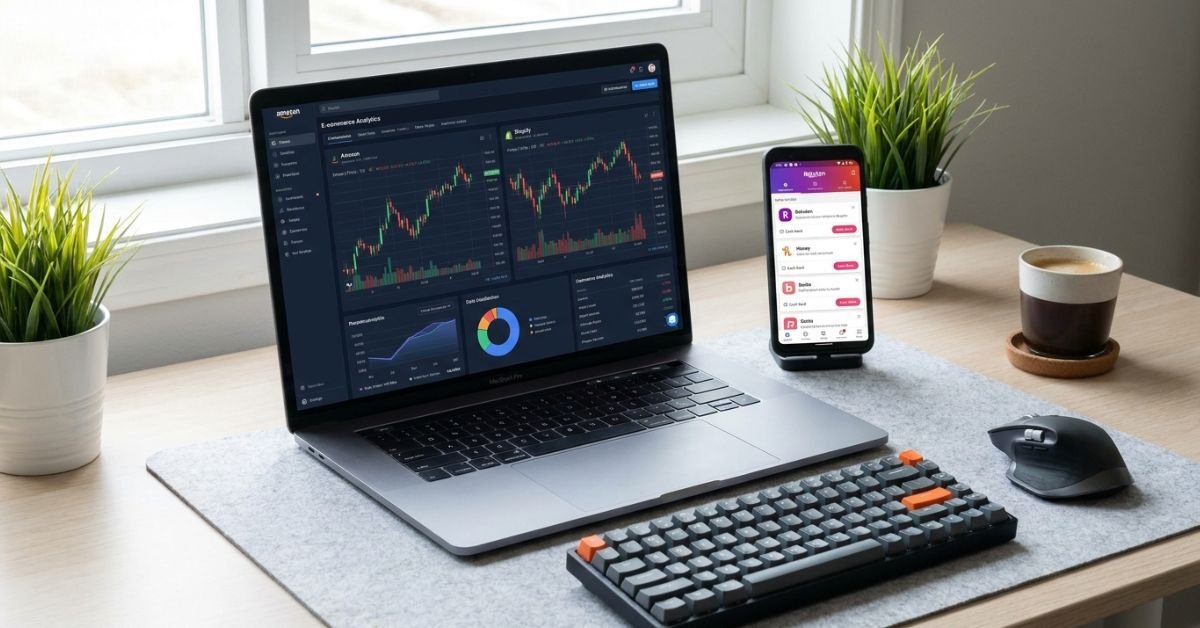
Never buy an item on Amazon without checking its price history graph first. Keepa embeds a live historical pricing chart directly under the product listing. You can immediately see if that “deal” was actually cheaper last Tuesday.
8. Set Up SMS and Webhook Price-Drop Alerts
Instead of impulse buying, set a target price threshold on Keepa or CamelCamelCamel. When the item drops below your target, the system pings you via SMS or email. It takes the emotion out of buying and forces you to purchase when the algorithm hits its lowest point in the inventory cycle.
9. Visualping for Niche Direct-to-Consumer Sites
Smaller, direct-to-consumer (DTC) brands don’t always integrate with major tracking platforms. For these, use Visualping. It monitors the visual Document Object Model (DOM) of any webpage. Highlight the price element on a boutique footwear or cookware site, set the check interval to every 6 hours, and let the scraper alert you the moment the HTML text updates with a lower price.
4. Layering Micro-Cashback and Virtual Rebate Portals
Single-digit discounts add up fast if you know how to build a layered reward stack.
10. The Triple-Dip Rewards Architecture
Never settle for just your credit card points. You can stack three layers of savings on a single transaction:
- First layer: Activate a cashback aggregator like Rakuten or TopCashback (averaging 2% to 10% back).
- Second layer: Pay with a category-specific rewards card (such as a 3% grocery or 5% rotating quarterly card).
- Third layer: Cash in store-specific loyalty points.
I recently used this method on a home appliance purchase at Home Depot, walking away with an effective 18% discount before the item even shipped.
11. Automated Receipt Scanning Apps for Instant Rebates
If you’re looking to save money on grocery shopping tech tools, receipt scanning apps like Fetch Rewards and Ibotta extract rebates right from your register receipts. Rather than manually clipping coupons, snap a photo of your paper receipt or link your digital Walmart and Kroger accounts. The apps match purchases against their active rebate inventories and deposit funds straight to PayPal or gift cards.
12. Geolocation Fuel Apps (Upside + GasBuddy APIs)
Fuel remains a massive slice of the typical US commuter’s monthly budget. Apps like Upside tie directly into regional gas station merchant processor feeds. By checking the app before pulling off the highway, you can claim 10¢ to 25¢ per gallon cash back on regular unleaded at local Shell, BP, or Circle K stations, paid out directly to your bank account.
Expert Insight: Beware the “Cookie Overwrite” Trap
Browser extensions that promise automated cash back and coupons fight each other behind the scenes. If you activate Rakuten, and then let Honey run a code search at checkout, Honey’s script will often inject its own affiliate tag—completely wiping out your Rakuten cash back.
My Rule: Run the coupon tool first. If it finds a working promo code, keep it. If it doesn’t, close it out, refresh the tab, re-activate your primary cashback portal, and finalize your purchase.
5. Pruning Silent Subscriptions with Automated Account Auditors
Subscriptions are silent budget killers. A $9.99 streaming service here, a $4.99 cloud storage bump there, and suddenly you’re burning through hundreds of dollars every year on services you haven’t opened in months.
13. Virtual Cards with Hard Spend Limits (Privacy.com)
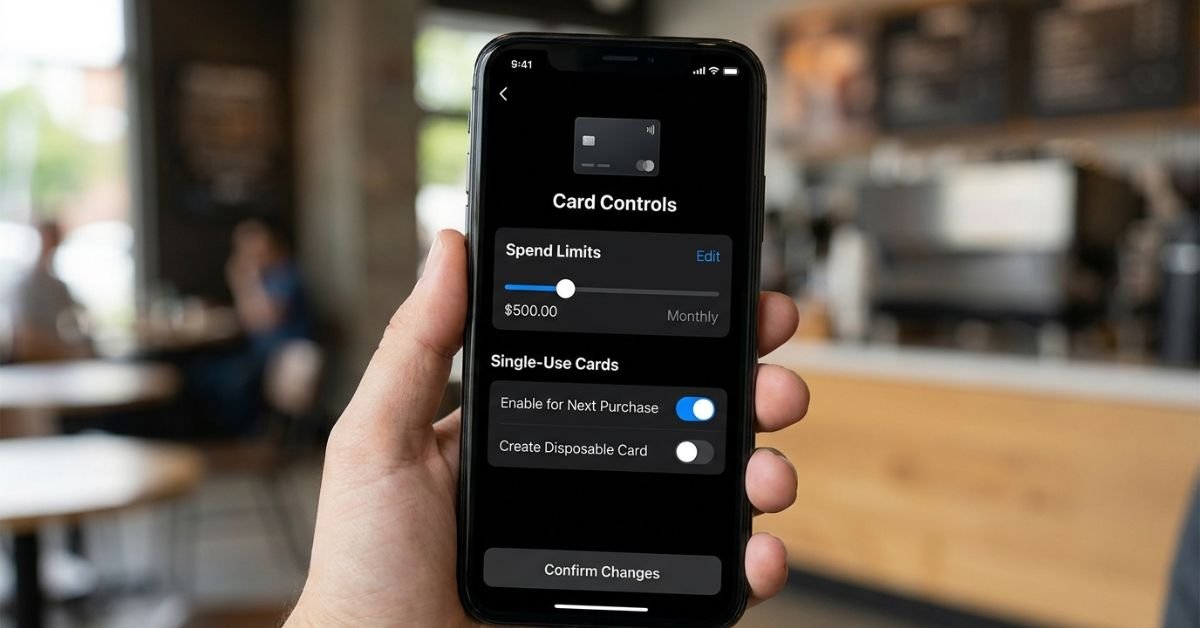
This is my favorite security and cost-saving tool: Privacy.com. It lets you generate virtual debit cards backed by your checking account with custom spending parameters.
- Creating a free trial? Set the card limit to exactly $1.00. When the trial ends and the service tries to auto-bill your account for an annual $89 plan, the transaction declines instantly.
- You can also generate merchant-locked cards. Even if a gym or streaming service makes cancellation a bureaucratic nightmare, pause the virtual card inside your dashboard. The merchant cannot draft another penny.
14. Deep Account Sweeps with Dedicated Auditing Apps
If you don’t want to comb through twelve months of PDF bank statements, use tools like Rocket Money or balance auditing features built into modern fintech platforms (like SoFi or Chase). These tools parse transaction descriptions, isolate recurring charges, and give you a comprehensive dashboard of your fixed costs. From there, you can cut ties with dormant services with a single tap.
15. Leverage Family Plan API Allocations
Services like Spotify, Apple One, and YouTube Premium charge steep rates for single accounts. Organizing a family bundle among trusted relatives cuts your per-person bill by roughly 60% to 70%. Use split-pay apps like Splitwise to automate the micro-transfers so no one has to chase down money at the end of the month.
6. Sourcing Open-Box and Certified Refurbished Hardware Smartly
Buying brand-new electronics at retail MSRP is rarely worth it. Most consumer gadgets hit the open-box and refurbished market within weeks of release, offering deep discounts for identical hardware.
16. Tap eBay Refurbished and Amazon Renewed Premium
Don’t confuse “used” with “certified refurbished.” Platforms like eBay Refurbished partner directly with manufacturers and certified refurbishers.
- Items labeled Certified Refurbished come backed by a comprehensive one-to-two-year Allstate warranty.
- Amazon Renewed Premium products feature at least 90 days of replacement protection and guaranteed battery health of 90%+ capacity. I routinely purchase my primary work laptops and testing phones this way, saving 30% to 45% off retail prices without sacrificing warranty protection.
17. Apple Certified Refurbished Inventory Scrapers
Apple’s official refurbished store is legendary for its strict quality controls: they include brand-new outer shells, brand-new internal batteries, and the full standard 1-year AppleCare warranty.
The trouble? The best MacBook and iPad configurations sell out in minutes. Use Refurb Tracker to plug directly into Apple’s inventory feeds. The moment your target configuration lands in the refurb pool, you get an instant ping, letting you buy it for hundreds below retail before it’s gone.
Real-Life Lessons Learned: Where Tech Savings Backfire
I’ve made plenty of mistakes testing these systems so you don’t have to:
- The Coupon Over-Index Mistake: Spending 45 minutes digging through forums to save $3 on an item wastes your most valuable resource: your time. If automated tools don’t uncover an immediate markdown within 60 seconds, move on.
- The “Data-For-Pennies” Trap: Some coupon extensions log your entire browsing history and sell it to third-party data brokers. Always read the extension’s privacy policy in the Chrome Web Store. Look for extensions that explicitly state they do not sell your personal browsing history or search telemetry.
- Third-Party Refurbished Pitfalls: Buying “seller refurbished” from unvetted third-party merchants on open marketplaces is a gamble. Stick strictly to manufacturer-certified programs, or platforms that offer an ironclad third-party warranty guarantee.
Frequently Asked Questions
Which coupon browser extensions don’t sell your personal browsing data?
Many free browser tools monetize by collecting anonymized browsing patterns and clickstream data. If you want tighter privacy, avoid unvetted extensions that demand wide-ranging permissions like “Read and change all your data on all websites.” Capital One Shopping and Coupert operate on clear merchant commission structures rather than straight data-brokerage models. For maximum privacy, install extensions inside a dedicated shopping browser profile and keep your primary work or personal profile extension-free.
How do dynamic pricing algorithms know I’m looking at an item repeatedly?
Retail platforms use multiple tracking mechanisms: first- and third-party tracking cookies, local storage files, and sophisticated canvas and hardware fingerprinting. These detect your specific combination of screen resolution, browser version, active extensions, and IP address. When their backend logs repeat visits to the same SKU from that specific device profile, the algorithm registers high purchase intent, which can hold the price firm or trigger a modest increase to prompt an immediate purchase.
Are virtual debit cards safe to connect to my US checking account?
Yes, provided you use regulated platforms like Privacy.com, which utilize bank-grade encryption and partner with FDIC-insured institutions. These platforms mask your actual routing and checking numbers from the retailer. If the merchant suffers a data breach, your primary financial accounts remain completely isolated and secure.
Can using a VPN get my e-commerce or retail account banned?
Browsing products through a VPN is completely legal and widely practiced. However, avoid changing your VPN location while actively in the checkout flow of platforms like Amazon or Walmart. Mismatches between your IP location, billing address, and bank routing triggers anti-fraud security alerts, which can temporarily lock your account while you verify your identity with customer support. Browse securely, but connect to a local server that matches your billing region when submitting payment.