I Tried Extreme Frugal Living for 90 Days and Here Is the Full Truth.Last November, an alert popped up on my phone: my bank account had automatically cleared an $84 charge for an annual cloud backup tier I completely forgot I owned. That same afternoon, I calculated that between cloud storage buckets, media streaming bundles, two note-taking subscriptions, an unthrottled gigabit fiber plan, and an oversized postpaid smartphone plan with Verizon, I was bleeding over $340 every single month just to stay connected.
- 1. The 90-Day Baseline: Auditing Digital and Hardware Overhead
- 2. Replacing Paid SaaS and Cloud Services with Frugal Alternatives
- 3. Moving Note-Taking and Backups to Local Storage
- 4. The Self-Hosting Reality Check
- 5. Hardware Longevity: Refurbishing and Repairing Over Replacing
- 6. Slashing Connectivity: Home Broadband and Mobile Carrier Audits
- 7. The MVNO Experiment
- 8. Home Internet Re-negotiation
- 9. Taming Phantom Loads: Measuring and Reducing Tech Power Draw
- 10. Pro Tip: Watch Your Backup Windows
- 11. The True Balance Sheet: Financial Gains vs. Productivity Losses
- 12. The 90-Day Financial Breakdown
- 13. The Hidden Friction Journal
- 14. What Stays and What Goes
- 15. Frequently Asked Questions
- 16. Will switching to an MVNO ruin my smartphone speeds?
- 17. Can open-source office suites completely replace Microsoft 365 or Google Workspace?
- 18. Is it safe to clean and repaste an old laptop yourself?
- 19. How much can you actually save by tackling phantom electricity draw?
As someone deeply embedded in consumer hardware and software, I had fallen headfirst into subscription fatigue. My solution was drastic: spend 90 days running an extreme frugality experiment focused specifically on cutting tech overhead, leaning into digital minimalism, and resurrecting old hardware instead of buying new gear.
Here is the unvarnished reality of what happened, what worked, what blew up in my face, and the cold hard balance sheet.


The 90-Day Baseline: Auditing Digital and Hardware Overhead
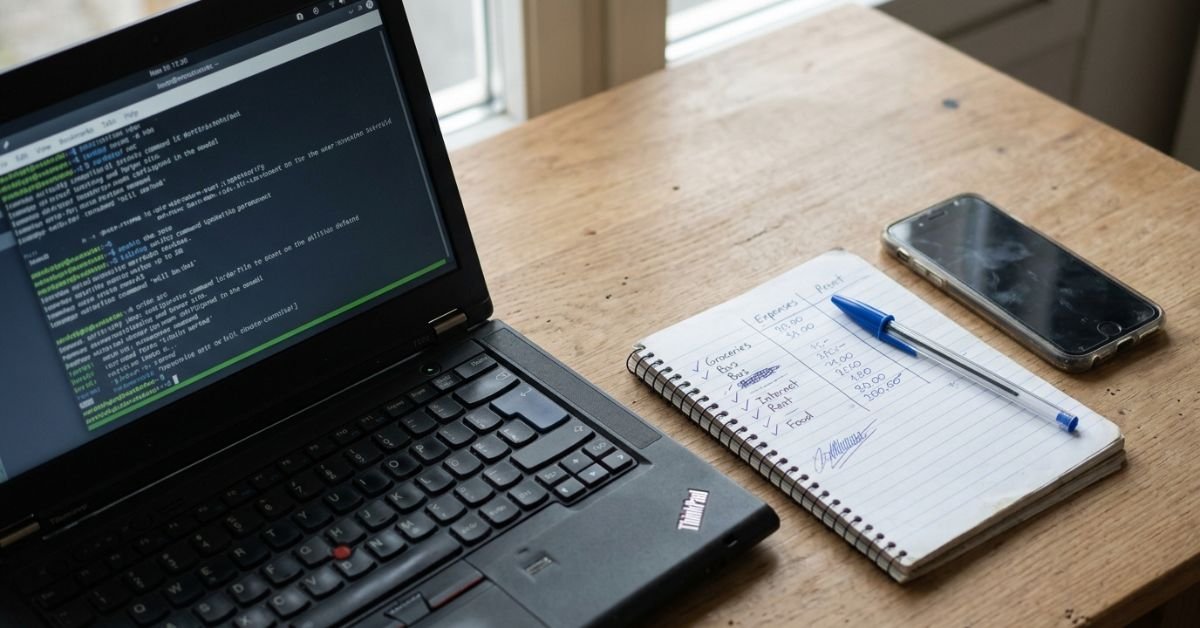
I started by pulling raw transaction data. Most personal finance management advice tells you to skim your online banking app, but that misses subtle traps. I exported 12 full months of bank statements into a clean CSV file and ran a simple filter for software, telecom, hosting, and electronics vendors.
The numbers were brutal. Living frugally in the tech industry sounds like an oxymoron when modern workflows push continuous upgrades, but seeing $4,120 in annual tech-adjacent spending staring back at me was a wake-up call.
I separated the recurring charges into three distinct buckets:


- Non-negotiables: Domain renewals for client-facing work, base electricity, and baseline broadband.
- Convenience creep: 2TB iCloud storage, Google One, Dropbox, Notion AI, Spotify Family, and four streaming video platforms.
- Hardware bloat: The impulse purchases—smart plugs I barely configured, high-wattage GaN chargers I did not need, and extra display cables sitting in drawers.
The biggest blind spot? Annual auto-renewals. If you only audit a single 30-day billing cycle, you miss massive once-a-year licensing renewals that sit quietly in the background until they hit your checking account like a brick.
💰 More Cheap Living Tips You'll Love
- How Long to Pay Off Debt? Tech Tools to Find Out Fast
- Lower Your Electric Bill as a Renter: 12 Cheap Tech Ways
- Debt Snowball on a Low Income: Does It Still Work in 2026-27?
- Save Money or Pay Off Debt First? Tech-Driven Guide
- Pay Off Debt Faster Without Earning More: Tech Guide
- Debt Avalanche Method Step by Step: Fast Debt Payoff
Replacing Paid SaaS and Cloud Services with Frugal Alternatives
Once the audit wrapped up, I canceled every non-essential software subscription. The primary target was figuring out how to cut tech expenses without losing productivity while finding the best free open source alternatives to paid saas.


Moving Note-Taking and Backups to Local Storage
I migrated my messy Notion workspace into Obsidian. Because Obsidian stores plain Markdown files directly on your local drive, you retain absolute ownership of your data without paying a monthly seat fee. To handle synchronization between my laptop and phone, I skipped paid sync services and configured Syncthing, an open-source peer-to-peer file synchronization engine.
Old Workflow: Notion Plus ($10/mo) + Dropbox 2TB ($11.99/mo) = $263.88/year
New Workflow: Obsidian (Local) + Syncthing + Local External Drives = $0.00/year
For media consumption, I took direct advantage of US public library ecosystems. If you live in the United States and have a library card, platforms like Libby (for audiobooks and ebooks) and Kanopy or Hoopla (for film and documentary streaming) eliminate the need for bloated media packages. That swap alone saved me roughly $55 per month in entertainment bloat.
The Self-Hosting Reality Check
Next came cutting cloud storage and streaming costs by standing up a self-hosting homelab. I converted a discarded, fanless mini-PC into an active personal cloud running Nextcloud and a lightweight media server.
Here is where extreme thrift bit back: I burned an entire Saturday wrestling with Docker Compose files, reverse proxies, and dynamic DNS configs just to preserve photo syncing. Saving $10 a month on cloud storage does not feel like a victory when you burn nine hours of billable client time fixing a broken SSL certificate renewal. Self-hosting works, but you have to respect the hidden time tax.
Hardware Longevity: Refurbishing and Repairing Over Replacing
The tech industry encourages rapid upgrade cycles. During these 90 days, I locked down my hardware purchases and embraced the right to repair ethos.
My daily workhorse—a 2018 ThinkPad—had begun to throttle under standard browser loads, thermal fan noise screaming constantly. Instead of financing a $1,400 replacement laptop, I spent $28 total on an Arctic MX-4 thermal paste syringe and an inexpensive can of compressed air.

I tore down the chassis, thoroughly cleaned the compacted dust lining the heatsink fins, scraped off the rock-hard factory thermal compound, and applied fresh paste.
The thermal difference was staggering:
| Metric | Before Repasting | After Repasting | | :— | :— | :— | | Idle Temperatures | 56°C | 39°C | | Sustained Load Temps | 94°C (Thermal Throttled) | 76°C (No Throttling) | | Fan Noise (Decibels) | ~46 dB (Whining) | ~29 dB (Whisper) |
Learning how to extend old laptop life budget setups does not require an engineering degree. Swapping a failing mechanical hard drive for a standard 2.5-inch SATA SSD or swapping out dried thermal paste buys you two to three years of baseline office productivity.
A critical safety warning: Do not buy ultra-cheap, unbranded lithium-ion replacement batteries from obscure storefronts to save $15. I tested a no-name battery that expanded within three weeks, risking thermal runaway. Buy OEM or reputable third-party units that carry genuine UL certification.
Slashing Connectivity: Home Broadband and Mobile Carrier Audits
Overpaying for cell service is practically a national pastime in America. I had been sitting on a legacy postpaid unlimited contract with Verizon, paying $88 a month for one line after taxes and mysterious administrative surcharges.
The MVNO Experiment
I took the leap into an MVNO (Mobile Virtual Network Operator). A frequent question among budget searchers is how much money can you save switching to mvno options?
I tested two major US budget providers:
- Mint Mobile (running on T-Mobile’s infrastructure): Averaged $15 to $20/month when paid upfront.
- Visible (running on Verizon’s native network): Settled at $25/month for truly unlimited data with capped mobile hotspot speeds.
I chose Visible because Verizon has better rural coverage where I travel. My monthly phone bill dropped overnight from $88 to $25. Over the 90 days, that single change kept nearly $190 in my pocket.
What is the trade-off? Data deprioritization. When I attended a busy regional conference downtown, mobile data stalled completely for thirty minutes because native Verizon postpaid users were granted network priority. If your career requires mission-critical mobile upload speeds during packed stadium events, MVNOs can pinch. For everyday work? It is easily worth the massive savings.
Home Internet Re-negotiation
For home broadband, I downgraded from a $95/month 1-Gbps fiber tier to a standard 300-Mbps symmetrical plan at $40/month. For general web development, Zoom calls, and 4K streaming, I noticed zero real-world degradation. Gigabit internet for a single remote worker is mostly marketing hype.
Taming Phantom Loads: Measuring and Reducing Tech Power Draw
Energy is an overlooked line item on tech-heavy home balance sheets. With the average US residential electricity rate hovering around 16 cents per kilowatt-hour (kWh)—and climbing past 28 cents in parts of California and the Northeast—running electronics 24/7 costs real money.
I bought a standard Kill-A-Watt meter to audit every plug in my home office.
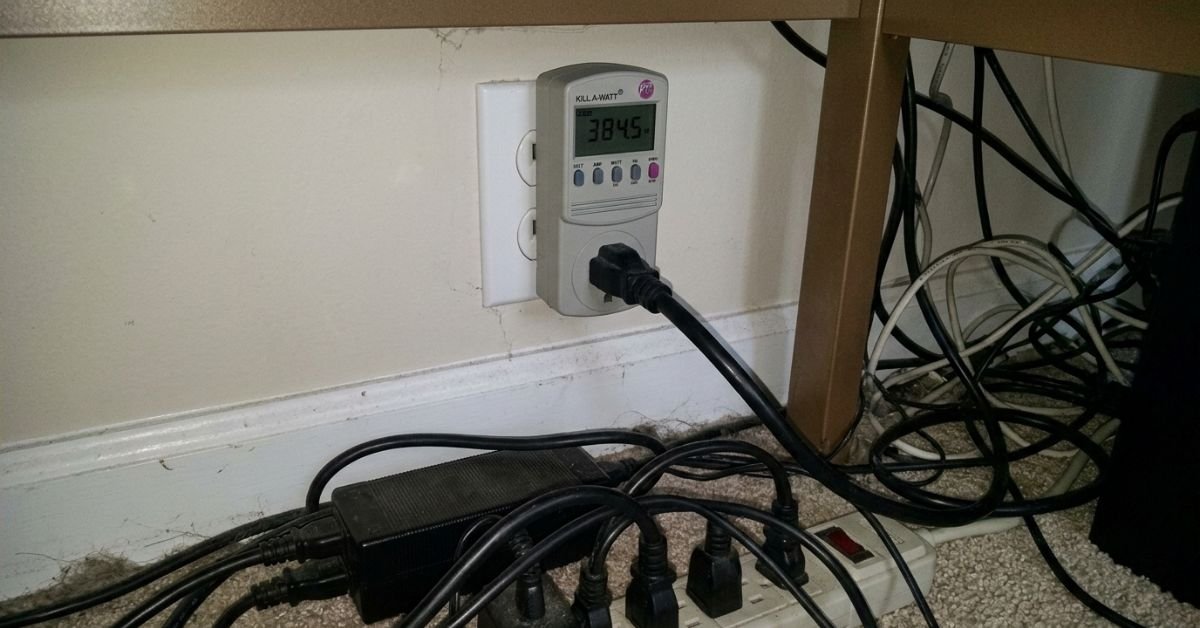
The silent electricity drains were eye-opening:
- Triple Monitor Standby Draw: 18 Watts constant when screens were “sleeping” = ~$2.10/month.
- Idle Desktop Workstation + Audio Interface: 92 Watts idle = ~$10.60/month.
- Always-On Home Lab Server: 45 Watts continuous = ~$5.18/month.
I deployed two smart plugs with localized energy monitoring to automate off-peak power shutdowns, completely cutting power to the workstation monitors, studio speakers, and desktop docks between 10:00 PM and 7:00 AM.
Pro Tip: Watch Your Backup Windows
If you automate off-peak power cuts using smart outlets, ensure your primary automated system backups do not run overnight. I learned this the hard way on Day 34 when my scheduled 2:00 AM local disk mirror failed repeatedly because the external drive enclosure was powered down by a smart schedule. Always align backup cron jobs with active workstation power windows.
The True Balance Sheet: Financial Gains vs. Productivity Losses
When the calendar hit Day 90, I pulled the final logs. What are the realistic extreme frugality 90 day challenge results when applied strictly to digital tools, life, and tech?
The 90-Day Financial Breakdown
- Mobile Plan Downgrade (Postpaid to MVNO): Saved $189
- Broadband Tier Adjustment: Saved $165
- SaaS and Streaming Cancellations: Saved $412
- Hardware Repairs vs. Premature Replacement: Saved ~$1,350 (avoided laptop purchase)
- Phantom Power Reductions: Saved ~$48
- Total Raw Cash Retained: $2,164
The Hidden Friction Journal
Saving $2,164 in three months is significant, but looking at raw numbers alone is deceptive. Throughout the experiment, I kept a daily “friction journal” logging every instance where extreme thrift created actual obstacles:
- Time Sinks: I spent approximately 32 hours across the three months maintaining self-hosted services, building scripts, tracking power, and repasting hardware. If I value my working time at a modest freelance rate of $60/hour, that represents nearly $1,920 in unbilled labor.
- Cognitive Fatigue: Instead of clicking a single button to spin up a managed database or share a cloud document link, I was managing local keys, verifying local backups, and juggling localized sync drives.
- Social Inconvenience: Explaining why I no longer had access to standard streaming accounts or why my cellular data choked at a crowded concert added friction I did not anticipate.
What Stays and What Goes
Extreme frugality is rarely sustainable as a permanent lifestyle, but it is an incredible diagnostic tool.
I am keeping the MVNO mobile plan, the lower home internet tier, local Obsidian note-taking, and my refurbished ThinkPad. Those changes represent pure financial upside with almost zero ongoing friction.
However, I gladly brought back a paid, encrypted off-site cloud backup service ($8/month). My time is worth far more than the stress of babysitting local hard drives and manually rotating cold storage drives off-site.
True digital minimalism is not about spending zero dollars. It is about stripping away automated convenience creep until you find the exact line where technology serves your life without quietly draining your bank account.
Frequently Asked Questions
Will switching to an MVNO ruin my smartphone speeds?
For general web browsing, GPS navigation, and streaming audio, an MVNO like Mint Mobile or Visible delivers identical everyday performance to major Tier-1 networks. You only notice deprioritization during peak congestion periods—such as packed stadiums, crowded airports, or busy highway interchanges—where priority bandwidth shifts to higher-paying direct carrier subscribers.
Can open-source office suites completely replace Microsoft 365 or Google Workspace?
For personal use, light freelancing, and solo project management, tools like LibreOffice and local Markdown editors like Obsidian easily handle daily needs. However, if your job relies heavily on real-time collaborative document editing, complex Excel macros, or tight institutional email integration, completely replacing commercial suites can introduce formatting friction with clients.
Is it safe to clean and repaste an old laptop yourself?
Yes, provided you disconnect the internal battery before touching any components and ground yourself to prevent electrostatic discharge. Use non-conductive thermal paste (such as Arctic MX-4 or Noctua NT-H1) so that accidental spillage onto the motherboard will not cause a short circuit. Avoid using liquid metal compounds on budget repair projects.
How much can you actually save by tackling phantom electricity draw?
For a typical US household paying the national average of ~16 cents per kilowatt-hour, unmanaged office electronics, idling desktop computers, and older power adapters draw roughly 50 to 100 Watts continuously. Taming these loads with automated smart power strips or manual shut-offs typically saves between $70 and $140 annually.