
How to Meal Plan for a Week in Under 30 Minutes Every Sunday.I used to spend half my Sunday afternoon staring blankly into an open fridge, waiting for culinary inspiration to strike. It never did. Instead, I’d drive over to Trader Joe’s or my local Kroger, wander through crowded aisles without a list, grab random produce that would eventually turn into green sludge in my crisper drawer, and drop $140 on food I barely ate. By Wednesday night, exhausted from work, I’d throw my hands up and open DoorDash.
- 1. The Tech Stack Setup Hub: Core Architecture
- 2. 1. Paprika Recipe Manager: The Scraping Engine
- 3. 2. Notion: The Rolling Menu Engine
- 4. 3. AnyList + Smart Voice: The Bridge
- 5. The 30-Minute Sunday Sprint: Minute-by-Minute Breakdown
- 6. Minutes 00–05: The Digital Inventory Tracker Audit
- 7. Minutes 05–15: Schedule Meals Around Real-Life Friction
- 8. Minutes 15–22: Grocery Export via Instacart Integration
- 9. Minutes 22–30: The Batch Cooking Workflow & Prep Calendar
- 10. Pro-Level Automation: The Smart Home Setup
- 11. Hands-On Troubleshooting & Failure Modes
- 12. Frequently Asked Questions
- 13. What if I don’t want to pay for grocery delivery services?
- 14. How does Paprika compare to Notion for recipe storage?
- 15. Can I share this meal planning setup with my partner or roommates?
- 16. How much money does this workflow actually save?
- 17. Your Sunday Sprint Action Plan
Sound familiar?
Everything changed when I stopped treating cooking as a creative burst of daily inspiration and started treating food logistics like a tech workflow. As someone obsessed with systems and software, I realized meal planning has an efficiency bottleneck: manual data entry. You have to think of meals, check what’s in the pantry, write down missing ingredients, buy them, and figure out prep times. Doing that manually takes hours.
By offloading the friction to a lean software stack—combining databases, web hooks, and API integrations—I cut that entire process down to 25 minutes flat every Sunday at 10:00 AM.


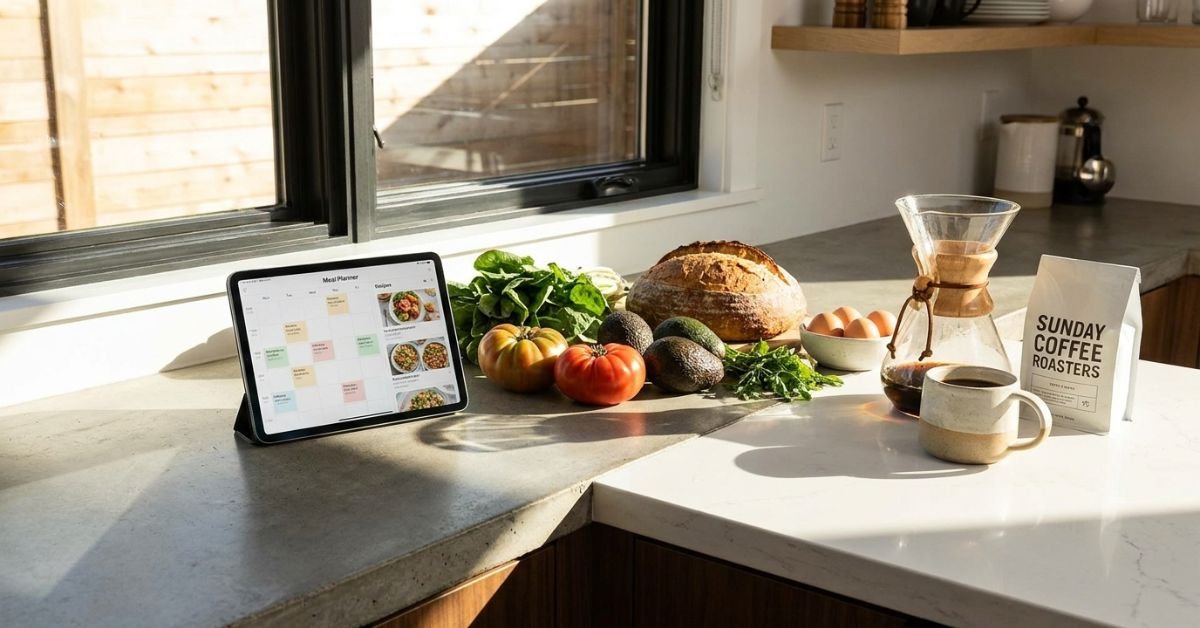
Here is the exact, zero-fluff blueprint you can steal to build your own weekly operating engine.
The Tech Stack Setup Hub: Core Architecture
Before we touch an onion or open an oven, we need an ecosystem. Forget scrap paper and magnetic fridge pads. If your meal system isn’t searchable, synced, and connected to your shopping cart, it’s dead on arrival.


Here are the tools I run:
💰 More Cheap Living Tips You'll Love
- Save Money or Pay Off Debt First? Tech-Driven Guide
- Lower Your Electric Bill as a Renter: 12 Cheap Tech Ways
- First Steps to Take When You Decide to Get Out of Debt
- Debt Avalanche Method Step by Step: Fast Debt Payoff
- How Long to Pay Off Debt? Tech Tools to Find Out Fast
- Debt Snowball on a Low Income: Does It Still Work in 2026-27?
- Central Recipe & Prep Database: Paprika Recipe Manager (One-time purchase, lifetime sanity saver).
- Weekly Scheduling & Logic: Notion meal planner template connected to my personal dashboard.
- Active Grocery Sync: AnyList app (with its native voice assistant integration).
- Fulfillment API: Instacart integration directly piped from my ingredient lists.
- Household Visibility: A shared digital calendar (Google Calendar or Apple iCloud).
[Recipe Capture: Paprika] ──> [Weekly Scheduler: Notion]
                                     │
                                     ▼
[Pantry Check] ──> [Smart List: AnyList] ──> [Grocery Delivery API: Instacart]
                                     │
                                     ▼
                     [Time-Block: Shared Google Cal]
1. Paprika Recipe Manager: The Scraping Engine
The biggest time sink is reading 2,000-word life stories on food blogs just to find out how much cumin you need. Paprika strips out all ads, trackers, and fluff with a built-in browser, parsing only the raw ingredients and steps directly into clean metadata.


2. Notion: The Rolling Menu Engine
I keep a rolling two-week database inside Notion. Recipes link back to Paprika or external URLs. Notion acts as my dashboard where I visualize protein sources, prep difficulty, and which days require 15-minute meals versus slow-cooker dishes.
3. AnyList + Smart Voice: The Bridge
While Paprika can build grocery lists, AnyList shines when your hands are covered in chicken juice. Pair AnyList with an Amazon Echo or Apple HomePod. When you finish the olive oil on Thursday night, you say, “Add olive oil to grocery list,” and it populates automatically.
The 30-Minute Sunday Sprint: Minute-by-Minute Breakdown
Set a timer on your phone for 30 minutes. Turn on Do Not Disturb. Treat this as an agile sprint.
Minutes 00–05: The Digital Inventory Tracker Audit
Don’t guess what you have. You’ll end up buying your fourth jar of cumin or assuming you have eggs when your partner ate the last two at midnight.
Run through your kitchen with your phone:
- Open your digital inventory tracker (I maintain a simple toggle list in Notion for deep-freeze proteins and staple grains).
- Scan the fridge shelves. If you run a smart refrigerator ecosystem (like Samsung’s Family Hub), pull up the internal camera view on your phone while standing by your pantry.
- Trash any rotting herbs (we’ve all been there) and log high-priority items that must be eaten by Tuesday (e.g., that open bag of spinach).
Common Pitfall: Don’t attempt to track every single spice grain or salt shaker digitally. Inventorying everything down to the gram turns your life into an unpaid supply chain job. Only log high-cost proteins, perishables, and base grains.
Minutes 05–15: Schedule Meals Around Real-Life Friction
Most people fail at meal planning because they plan for their ideal self, not their actual self. Their ideal self wants to braise short ribs on a Tuesday night after a nine-hour workday. Real you will just order Thai takeout.
Open your shared digital calendar side-by-side with your Notion planner.
- Monday night late meeting? Drop a 15-minute sheet-pan recipe or pre-made freezer meal here.
- Wednesday gym day? High-carb, slow-cooker meal that’s hot the second you walk through the door.
- Friday? Leave it intentionally blank. Account for spontaneous dinners, office lunches, or date nights.
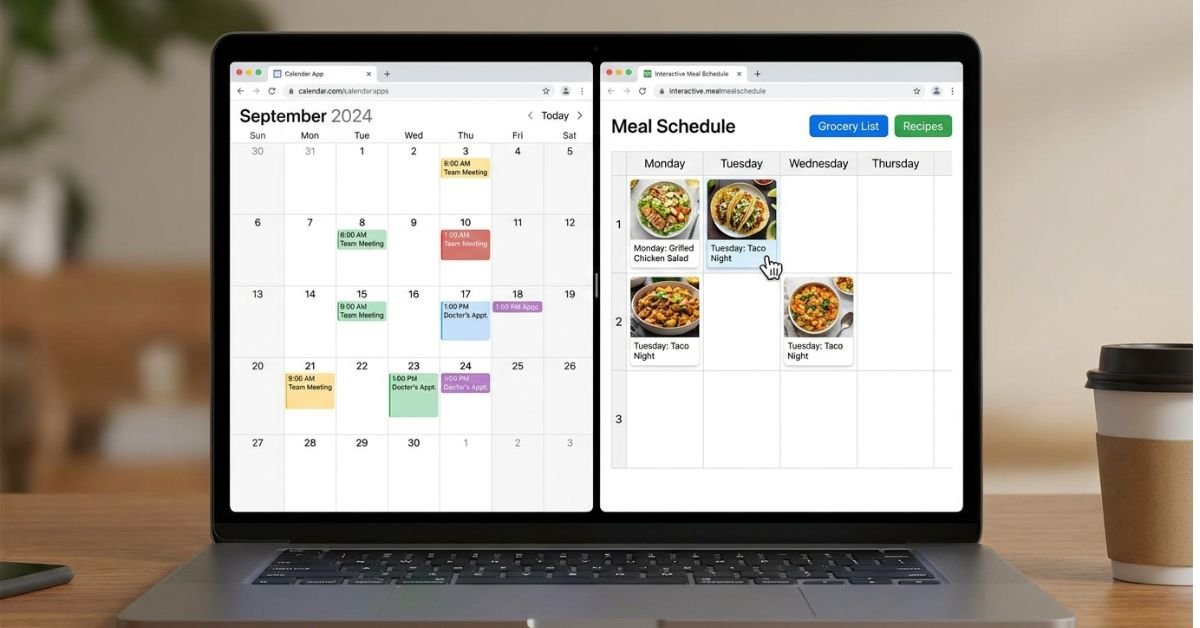
Select your core dinners from Paprika. To keep cognitive load near zero, stick to the “3+2 Rule”:
- 3 Cook Nights: Fresh, whole-ingredient meals (yielding 4 servings each).
- 2 Leftover Nights: Built directly into the schedule.
- 1 Freezer/Pantry Night: Pasta, beans, or pulled pork from the freezer stash.
- 1 Flex Night: Dining out, social events, or takeout.
That’s five dinners planned without breaking a sweat.
Minutes 15–22: Grocery Export via Instacart Integration
Here is where the manual work vanishes.
- Inside Paprika, select the three planned meals for the week.
- Tap Add to Grocery List. The app compiles all ingredients and scales them based on your serving sizes.
- Uncheck items you already confirmed during your 5-minute inventory check (salt, cooking oils, garlic, soy sauce).
- Tap Export to AnyList or send items directly to your grocery delivery API via the native Instacart integration.
If your local store doesn’t use Instacart (or you prefer Curbside Pickup at H-E-B, Target, or Walmart), export the list from AnyList straight into the store’s web cart. The app groups everything by store aisle—produce, dairy, meat—cutting physical or digital shopping down to a few clicks.
Hit checkout. Pick a delivery or pickup window for Sunday afternoon or Monday morning. Done.
[Weekly Meal Selection]
         │
         ▼
[Export to Shopping List]
         │
         ▼ (Auto-sorted by aisle)
[Instacart / Store Pickup API] ──> [Groceries Arrive Sunday 3 PM]
Minutes 22–30: The Batch Cooking Workflow & Prep Calendar
Don’t spend Sunday evening cooking eight distinct meals in tupperware containers until your kitchen looks like an industrial disaster zone. You’ll burn out in two weeks.
Instead, build a simple batch cooking workflow and drop prep tasks into your meal prep scheduling calendar.
Focus only on universal components:
- Pre-roast base vegetables: Toss two trays of sweet potatoes, broccoli, or bell peppers with olive oil and spices at 400°F (200°C) for 25 minutes.
- Cook a grain foundation: Run your rice cooker or Instant Pot with brown rice, quinoa, or farro.
- Marinate proteins: Slice and brine chicken breasts or marinate tofu in sealed silicone bags so they’re ready to cook immediately during the week.
Use a quick Zapier automation to bridge the gap: I run a Zap that monitors my Notion meal database; when I tag a meal as “Slow Cooker” or “Requires Defrost”, it writes a reminder into my Google Calendar for 7:30 AM that day: “Take flank steak out of freezer.” You never have to remember; your calendar tells you what to do.
Pro-Level Automation: The Smart Home Setup
If you want to take this a step further, build an automated alert ecosystem to remove mental overhead during the workweek.
| Step | Automation Platform | Action | Trigger Time | | :— | :— | :— | :— | | Pantry Defrost Alert | Zapier / Apple Shortcuts | iOS push notification: “Thaw proteins” | 7:30 AM (Days with frozen items) | | Grocery List Trigger | AnyList + HomePod / Alexa | Voice command to central family list | Ad-hoc during kitchen cleanup | | Prep Timing Sync | Notion API ➔ Google Cal | Automatically creates 45-min cooking blocks | Mon, Wed, Thurs at 6:30 PM |
Pro Tip: Never schedule dynamic meals on back-to-back days. If your Tuesday meal yields three servings of leftovers instead of two, your Wednesday plan falls apart. Give yourself “buffer slots” on Wednesday and Friday. Eat leftovers, toss frozen items into an air fryer, or pivot effortlessly without wasting money.
Hands-On Troubleshooting & Failure Modes
Even the cleanest setups run into real-world snags. Here’s how to handle them without blowing up your week:
- Failure Mode 1: The grocery store is out of a key ingredient.
Fix: Turn on strict substitution preferences inside your grocery delivery app. If you’re ordering flank steak, specify sirloin tips as the immediate replacement. Don’t leave it to the shopper’s imagination, or you’ll end up with beef bouillon cubes instead of beef. - Failure Mode 2: Work runs crazy late, and you can’t cook.
Fix: Swap your scheduled meal with your “Pantry Night.” Move tonight’s fresh meal to tomorrow, and fall back on high-speed shelf staples: canned chickpeas simmered in jarred tikka masala sauce over quick microwave rice. Ten minutes, zero effort, no delivery fee. - Failure Mode 3: You get bored of your digital recipe binder.
Fix: Every two weeks, use Paprika’s built-in web clipper to harvest one wildcard recipe from a site like Serious Eats or NYT Cooking. Don’t try three new recipes in one week; your prep speed will plummet back to zero.

Frequently Asked Questions
What if I don’t want to pay for grocery delivery services?
You don’t have to. You can use the exact same stack for curbside pickup, which is free at most large grocery chains (like Walmart, Kroger, and Target) as long as you hit an order minimum (usually $35). If you prefer walking the aisles yourself, AnyList automatically categorizes your ingredients by physical grocery aisle, which cuts in-store time by at least 60%.
How does Paprika compare to Notion for recipe storage?
Notion is fantastic for scheduling, visualizing calendars, and keeping high-level databases, but it’s terrible at raw recipe web scraping. Paprika specializes in parsing structured recipe schema from chaotic web pages, scaling ingredient math automatically, and tracking multiple cooking timers. Using Paprika as your kitchen engine and Notion as your lifestyle calendar is the sweet spot.
Can I share this meal planning setup with my partner or roommates?
Yes. Both AnyList and Paprika have cross-platform cloud sync (iOS, Android, macOS, Windows). My partner and I share one AnyList account; whenever one of us drops an item into the list via voice assistant or mobile widget, it syncs instantly across devices. Notion and Google Calendar also offer built-in shared workspaces.
How much money does this workflow actually save?
On average, setting up an automated digital meal plan cuts household grocery waste by roughly 25% to 35% and drops unplanned restaurant spending significantly. By auditing your inventory every Sunday and buying only what’s required for three specific base meals, you stop throwing away spoiled produce and avoid expensive weeknight takeout runs.
Your Sunday Sprint Action Plan
Don’t try to build the entire automated setup right this second. Start small this Sunday:
- Download Paprika and clip five of your favorite weeknight dinners from the web.
- Spend five minutes checking what’s already sitting in your freezer and pantry.
- Map out dinners for Monday, Tuesday, and Thursday on your calendar.
- Export the needed ingredients straight into your digital grocery cart.
Set a timer on your phone for 30 minutes. Once you experience how effortless weeknight cooking feels when your ingredients, recipes, and calendar talk to each other, you’ll never stare blankly into an empty fridge on a Sunday again.