Why I Stopped Buying 12 Tech Items to Save $600 Monthly. Last November, I pulled my credit card statements into a spreadsheet for an honest financial autopsy. As someone who writes about consumer electronics for a living, I always justified these charges under the banner of “testing gear” or “maintaining workflow efficiency.”
- 1. The Setup: Tallying the Hidden Tech Tax
- 2. 1. Annual Flagship Smartphone Upgrades
- 3. 2. Retail Extended Warranties (AppleCare+ and Carrier Care)
- 4. 3. Redundant SaaS Recurring Subscriptions
- 5. 4. Multi-Platform Cloud Storage Tiers
- 6. 5. Streaming Service Bundles Left on Autopilot
- 7. 6. Cellular Tablet Plans
- 8. 7. Commercial Antivirus Software
- 9. 8. Proprietary Charging Cables and OEM Power Bricks
- 10. 9. Niche Smart Home Hubs and Proprietary Bridges
- 11. Expert Insight: The 30-Day Storage Freeze Test
- 12. 10. Boutique Screen Protector Installation Fees
- 13. 11. Standalone Cellular Hotspot Subscriptions
- 14. 12. Over-Provisioned ISP Router Rentals and “Mesh Boosters”
- 15. Monthly Balance Sheet Comparison
- 16. What I Refuse to Cut (The Tech Worth Paying For)
- 17. Frequently Asked Questions
- 18. Isn’t it risky to drop AppleCare+ or extended warranty coverage?
- 19. How hard is it to build a local NAS instead of paying for cloud storage?
- 20. Is Windows Defender really good enough to replace commercial antivirus?
- 21. Will tethering my phone ruin its battery life over time?
- 22. Moving Past the Tech Enthusiast Tax
The truth hit hard: I was hemorrhaging cash on small recurring leaks, redundant services, and knee-jerk hardware upgrades.
When I tallied the recurring drain—device installment fees, insurance riders, unmanaged licenses, and random accessories—it amounted to roughly $614 every month. None of it made my work faster. It was pure convenience bloat, often pushed by aggressive ecosystem lock-in.
I cut 12 specific tech purchases from my budget cold turkey. Six months later, my day-to-day productivity is unchanged, my hardware runs smoothly, and I keep more than $600 in my checking account every single month. Here is the breakdown of what got axed and how you can reclaim that cash without living in the technological dark ages.



The Setup: Tallying the Hidden Tech Tax
Tech companies excel at getting us onto steady monthly billing cycles. They know that a $12 fee goes unnoticed, while an $800 upfront price tag gives people pause.
Before canceling anything, I ran a strict audit. I checked the iOS Subscriptions menu, Google Play subscriptions, PayPal pre-approved payments, and my primary banking portals. The waste was everywhere:


- Hardware financed at 0% APR through cellular carriers that locked me to expensive rate plans.
- Redundant digital tiers for tools I rarely opened.
- Retail upsells accepted out of habit.
I set two ground rules: I would not sacrifice system security, and I would not compromise local data redundancy. Everything else was fair game.
💰 More Cheap Living Tips You'll Love
- Pay Off Debt Faster Without Earning More: Tech Guide
- First Steps to Take When You Decide to Get Out of Debt
- Save Money or Pay Off Debt First? Tech-Driven Guide
- How Long to Pay Off Debt? Tech Tools to Find Out Fast
- Debt Snowball on a Low Income: Does It Still Work in 2026-27?
- Debt Snowball Method: How It Works (With Real Example)
1. Annual Flagship Smartphone Upgrades
Monthly savings: ~$45


The era of radical year-over-year smartphone leaps is long gone. Upgrading from one flagship device to the next incremental version used to cost me roughly $45 a month on trade-in installment plans.
What did I actually get for that money? A marginally brighter display outdoors and a camera sensor with 5% better low-light capability that social media compression destroys anyway. Modern silicon—whether it’s Apple’s A-series or Qualcomm’s Snapdragon 8 line—is fast enough to handle mobile multitasking, RAW photo processing, and browsing for four years minimum.
I paid off my current handset and kept it. Replacing an aging lithium-ion battery at an authorized repair shop after two years costs around $70 to $90 once. That completely resets the device lifecycle for less than two months of financing payments.
2. Retail Extended Warranties (AppleCare+ and Carrier Care)
Monthly savings: ~$55 across devices
Between my laptop, phone, and tablet, I was spending around $55 monthly on protection plans. I convinced myself that living without comprehensive hardware insurance was irresponsible.
Then I read the fine print on my premium travel credit card. Most cards in that tier offer built-in credit card purchase protection and extended warranty coverage, adding up to an extra year of warranty to items purchased entirely on the card.
Even better: many credit cards offer cell phone protection against theft or damage (often up to $800 per claim with a $50 deductible) simply for paying your monthly wireless bill with the card. I dropped the standalone plans. For my desktop hardware, consumer statutory rights and standard manufacturer warranties cover early component failures anyway.
3. Redundant SaaS Recurring Subscriptions
Monthly savings: ~$85
Software bloat crept up on me fast. I carried active accounts for three generative writing utilities, two dedicated photo editors, a project organizer, and two proprietary screenshot annotation tools.
I trimmed the fat by migrating to lifetime-license software or robust open-source alternatives:
- Swapped monthly graphic utilities for a single one-time payment for the Affinity suite.
- Replaced a $12/month markdown notes app with Obsidian (using local sync).
- Dropped specialized task dashboards in favor of free native workspace apps.
If an application demands a recurring payment, it must directly generate billable client revenue every single week. If it merely acts as a minor convenience, it gets cut.
4. Multi-Platform Cloud Storage Tiers
Monthly savings: ~$30
I was subscribed to a 2TB Apple iCloud plan, a 2TB Google One tier, and a paid Dropbox archive. Files were scattered across all three, eating up $30 every billing cycle.
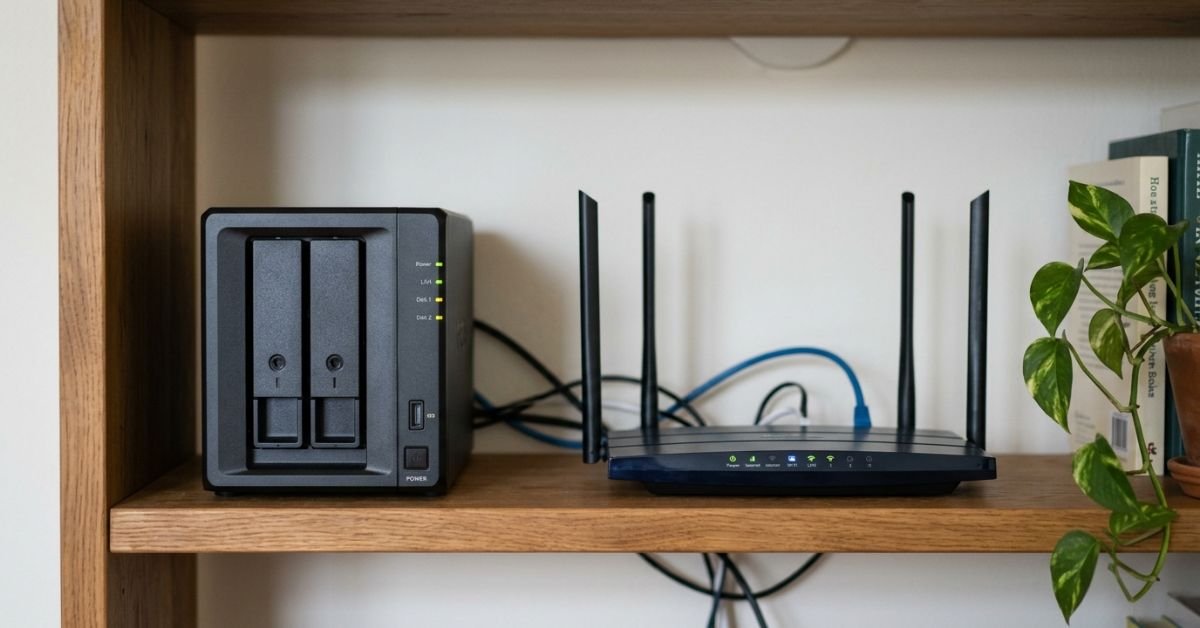
I consolidated everything into a personal network attached storage (NAS) enclosure running an automated local raid backup at home, paired with a bare-bones encrypted offsite cold tier (like Backblaze B2) that costs pennies per gigabyte. For mobile photo syncing, I scaled back to the lowest tier on a single platform, while automated scripts back up full-resolution RAW files straight to my local drives over home Wi-Fi.
5. Streaming Service Bundles Left on Autopilot
Monthly savings: ~$75
I had premium 4K tiers for Netflix, Disney+, Max, Paramount+, and Spotify, plus live sports bundles. The monthly balance sat around $75.
The honest reality? I only watched one series at a time. I adopted the “single-stream cycle”: I subscribe to one platform, binge the specific show or catalog I want for that month, immediately hit cancel, and rotate to another platform the following month. The account credentials remain active, watched histories stay intact, and I cut an ongoing entertainment bill down to a single service at a time.
6. Cellular Tablet Plans
Monthly savings: ~$25
Adding an iPad to an unlimited carrier plan costs about $20 monthly, plus an extra $5 to $7 in localized regulatory fees and surcharges.
I looked at my cellular data consumption logs on iPadOS: over 90% of my screen time happened on office Wi-Fi, home networks, or hotel connections. On the rare occasion I need mobile internet while traveling on a train, native instant personal hotspot tethering from my smartphone connects instantly. Skipping the cellular hardware tax on the iPad saved me money up front on the device purchase, too.
7. Commercial Antivirus Software
Monthly savings: ~$15 (amortized monthly)
Renewing annual multi-device endpoint protection suites costs $80 to $120 a year. These days, third-party consumer security packages frequently behave like adware—slowing down background system tasks, injecting false-positive browser notifications, and nudging you toward identity-theft add-ons.
On Windows 11, Microsoft Defender provides excellent real-time protection, sandboxing, and threat heuristic analysis without draining system resources. Pair that with an updated browser, a reliable DNS sinkhole or ad-blocker, and basic digital literacy, and paid consumer antivirus becomes completely unnecessary. On macOS, Gatekeeper and the built-in XProtect framework handle known malicious signatures quietly in the background.
8. Proprietary Charging Cables and OEM Power Bricks
Monthly savings: ~$20
I used to instinctively buy branded first-party wall chargers and $30 replacement cables whenever I traveled or needed a spare for my bag. It was a stupid habit that quietly burned $200+ every year.
Thanks to the European Union pushing universal standards—which pushed Apple to adopt USB-C across the iPhone 15 and 16 lineups—everything I own now runs on standard USB-IF compliant GaN chargers. One compact 65W or 100W multi-port GaN charging block lives in my bag, powering my laptop, phone, mirrorless camera, and wireless earbuds using standard, braided USB-PD cables. No proprietary pins, no ecosystem tax, and no overpriced replacements at airport kiosks.
9. Niche Smart Home Hubs and Proprietary Bridges
Monthly savings: ~$35 (hardware cycle amortized)
My smart home setup used to look ridiculous: three different bridges plugged into an Ethernet switch just to control smart bulbs, plugs, and motion sensors from different manufacturers. Each system had its own app, bridge update schedules, and occasional hardware failures.
With the rollout of Matter and Thread, buying proprietary bridges is a dead end. I unplugged the legacy hubs, sold them off, and integrated everything through an existing smart speaker and local Home Assistant container. It cut standby power draw and put an end to buying expensive ecosystem-locked accessories.
:::tip
Expert Insight: The 30-Day Storage Freeze Test
Before paying to bump your cloud storage tiers up to the next expensive monthly bracket, apply a 30-day freeze on non-critical uploads. Run an automated disk utility to clear out temporary cache files, hidden duplicate screenshots, and unedited screen recordings.
Nine times out of ten, users upgrade cloud tiers simply because they use them as a digital junk drawer. Clearing RAW cache files and purging 4K screen recordings often frees up 40% of consumed space instantly, keeping you safely inside the lower or free tiers without spending a cent. :::
10. Boutique Screen Protector Installation Fees
Monthly savings: ~$15
Mall kiosks and retail electronics shops charge $30 to $50 to apply a tempered glass screen protector. If the edge lifts or dust gets trapped underneath, you either live with it or pay the fee again.
Modern third-party glass protectors sell online in packs of three for under $10, complete with snap-on alignment trays. These plastic alignment frames eliminate crooked edges and bubble issues completely. Paying for professional installation has become entirely pointless.
11. Standalone Cellular Hotspot Subscriptions
Monthly savings: ~$40
Years ago, I bought a dedicated MiFi mobile hotspot puck with its own distinct data SIM, believing it was essential for field reporting and remote desk work.
Between modern 5G smartphone tethering limits (most mid-to-high carrier tiers include 30GB to 50GB of high-speed mobile hotspot automatically) and Wi-Fi access on public transit, that standalone puck sat forgotten at the bottom of my backpack. I canceled the dedicated line, returned the SIM card, and haven’t run out of tethering data since.
12. Over-Provisioned ISP Router Rentals and “Mesh Boosters”
Monthly savings: ~$45
Internet service providers love renting standard Wi-Fi gateways to customers for $15 a month, often adding an extra $10 to $15 for branded “mesh range extenders.” Over three years, you pay upwards of $900 for low-tier hardware you don’t even own.
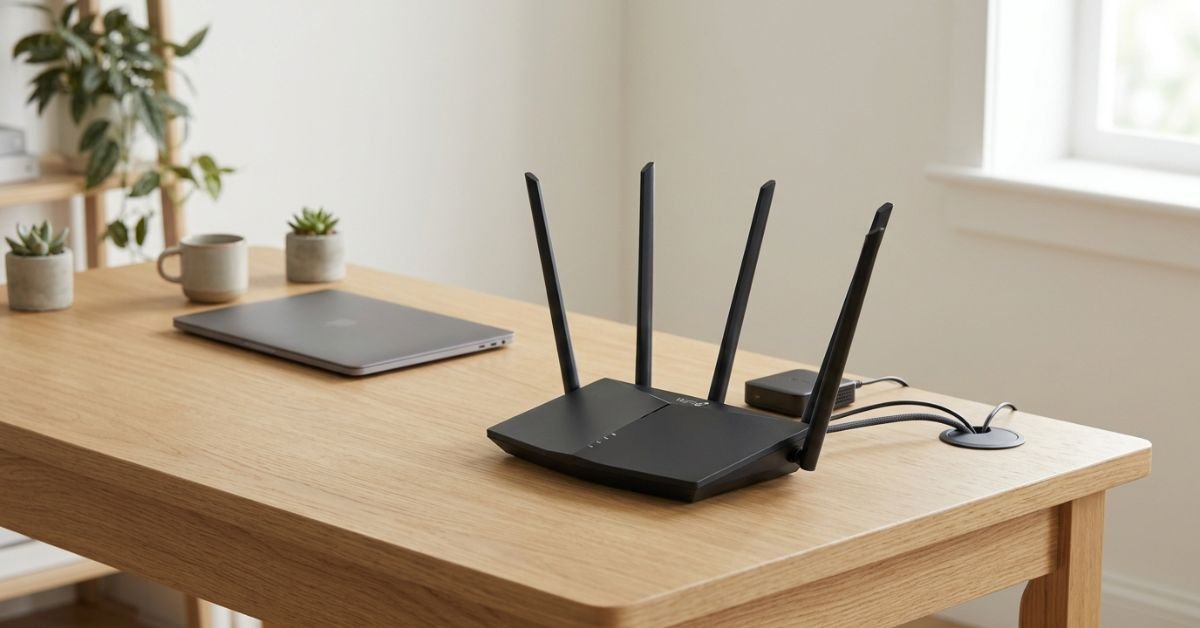
I returned the leased equipment to the local ISP office. I spent a modest amount on my own DOCSIS 3.1 cable modem and paired it with a standalone Wi-Fi 6 router. The system paid for itself within seven months, unlocked granular control over local network DNS settings, and knocked $45 off my monthly telecom bill.
Monthly Balance Sheet Comparison
Here is how those small cuts add up across an entire year of tech spending:
| Tech Expense Cut | Monthly Cost Before | Monthly Cost Now | Annual Savings | | :— | :— | :— | :— | | Flagship Phone Financed Upgrades | $45.00 | $0.00 | $540.00 | | Device Protection Plans / Warranties | $55.00 | $0.00 | $660.00 | | SaaS App Licenses | $85.00 | $0.00 | $1,020.00 | | Redundant Cloud Storage Tiers | $30.00 | $0.00 | $360.00 | | Continuous Streaming Bundles | $75.00 | $15.00 | $720.00 | | Cellular Tablet Line | $25.00 | $0.00 | $300.00 | | Paid Consumer Antivirus Suite | $15.00 | $0.00 | $180.00 | | Proprietary Chargers & Cables | $20.00 | $0.00 | $240.00 | | Proprietary Smart Home Hub Upgrades | $35.00 | $0.00 | $420.00 | | Boutique Screen Protector Installs | $15.00 | $2.00 | $156.00 | | Standalone Mobile Hotspot SIM | $40.00 | $0.00 | $480.00 | | ISP Equipment & Mesh Rentals | $45.00 | $0.00 | $540.00 | | Total | $485.00 | $17.00 | $5,616.00+ |
(Note: Adding back intermittent taxes, setup fees, and seasonal app add-ons easily pushed my real average savings right over the $600/month threshold).
What I Refuse to Cut (The Tech Worth Paying For)
Trimming $600 a month doesn’t mean adopting an anti-technology mindset. It simply means paying for tools that make a real difference to health, security, and earning power.
I will happily spend money on:
- Ergonomic office equipment: A certified high-end task chair and an adjustable standing desk save your spine during long work sessions. Physical therapy costs far more than a good chair.
- Password management and 2FA hardware: A paid, audited password manager with multi-platform support alongside hardware security keys (like a YubiKey) is essential protection for online accounts.
- Cold offsite backup integrity: While I cut redundant consumer cloud suites, I will never cut offsite encrypted raw data archives. Local drives can fail, burn, or get stolen; offsite cold storage is cheap insurance for irreplaceable data.
Frequently Asked Questions
Isn’t it risky to drop AppleCare+ or extended warranty coverage?
For most people, no—provided you have an emergency fund and understand your payment cards. Modern flagships are durable, and many premium credit cards provide built-in cell phone protection and warranty extensions as cardholder perks. Unless you have a track record of dropping your phone onto concrete every six weeks, the math favors self-insuring with the money you save on monthly premiums.
How hard is it to build a local NAS instead of paying for cloud storage?
It is far easier than it was a decade ago. Plug-and-play enclosures from brands like Synology, TerraMaster, or QNAP walk you through setup wizards right from your web browser. You pop in two enterprise or NAS-rated hard drives, install their mobile app, and the system handles automatic camera roll backups whenever your phone connects to your home Wi-Fi.
Is Windows Defender really good enough to replace commercial antivirus?
Yes. Independent testing labs (such as AV-TEST and AV-Comparatives) consistently rank Microsoft Defender at or near 100% protection rates against zero-day malware and common system attacks. Commercial third-party suites frequently duplicate built-in OS tools, add background overhead, and try to sell you auxiliary services you don’t need.
Will tethering my phone ruin its battery life over time?
Tethering does draw more power and generate minor heat, but modern smartphones handle these thermal loads without issue. If you work on a train or in a cafe for a couple of hours, plug your phone into your laptop via USB-C while tethering; it shares data over the wired interface while trickle-charging the battery, keeping temperatures low and connection speeds stable.
Moving Past the Tech Enthusiast Tax
Cutting back on gear expenses doesn’t mean falling behind on technology. It just means being intentional about your tools.
Smartphones have matured. Home networks are reliable. Open-source software often outpaces corporate software suites burdened by corporate bloat.
Take a careful look at your monthly tech outlays this weekend. Audit the subscriptions you let run on autopilot, stop buying into yearly hardware refresh cycles, and put that cash back into your own pocket. You won’t miss the gear, but you will notice the savings.