27 No Spend Weekend Ideas That Save Hundreds Every Single Month.Last month, I pulled up my Chase bank statement and felt that familiar, creeping annoyance. Between three cloud backup tiers, four streaming networks I barely opened, an overdue mobile phone package, and an overblown 1-Gigabit fiber line, our household was bleeding nearly $380 every single month on pure digital overhead. It sneaks up on you. A $9.99 subscription here, a $4.99 cloud add-on there, and suddenly you are paying a car payment just to keep digital lights blinking.
- 1. High-Value Digital Audits That Slash Recurring Overhead
- 2. 1. Eliminate Zombie Subscriptions via Direct Bank API Exports
- 3. 2. Slash Oversized Cloud Storage Tiers
- 4. 3. Strip Mobile Phone Carrier Add-ons
- 5. 4. Consolidate Fragmented Streaming Plans
- 6. 5. Benchmark ISP Speeds to Downsize Broadband Tiers
- 7. 6. Map Expiration Alerts for Promotional Tech Discounts
- 8. 7. Switch Paid Password Managers to Bitwarden
- 9. 8. Replace Cloud Photo Sync with Syncthing
- 10. 9. Revoke Rogue Third-Party App Permissions
- 11. 10. Audit High-Draw Connected Smart Plugs and Wall Warts
- 12. Hardware Revival: Zero-Dollar Upcycling and Repairs
- 13. 11. Turn an Old Smartphone into a Dedicated Security Cam
- 14. 12. Build a Low-Power Home Lab from a Discarded Laptop
- 15. 13. Deep Clean Dust and Repaste Aging Heatsinks
- 16. 14. Mount a Retired Tablet as a Smart Home Dashboard
- 17. 15. Revive Sluggish PCs with Lightweight Linux
- 18. 16. Optimize Router Placement and Ethernet Routing
- 19. 17. Deep-Clean Corroded Ports and Refurbish Cables
- 20. 18. Calibrate Monitor Profiles with Built-in OS Diagnostics
- 21. Free Digital Entertainment, Media, and Skill-Building
- 22. 19. Tap Free Public Library Networks via Libby and Kanopy
- 23. 20. Spin Up Open-Source and Free-to-Play Co-op Marathons
- 24. 21. Digitize Stacks of Paper Files with Mobile Document Scanners
- 25. 22. Knock Out a Cybersecurity or Coding Sprint
- 26. 23. Run a Zero-Dollar Tech Swap with Your Inner Circle
- 27. Cost Traps and Mistakes to Avoid on a Tech No-Spend Weekend
- 28. 24. Buying New Parts for DIY Hardware Projects
- 29. 25. Falling for Free Trials That Quietly Auto-Billed
- 30. 26. Running Power-Hungry Enterprise Gear as a Home Server
- 31. 27. Relying on Unvetted or Abandoned GitHub Repositories
- 32. Frequently Asked Questions
- 33. Can I actually lower my broadband bill without switching internet providers?
- 34. Is hosting a home server on an old laptop safe for continuous operation?
- 35. What is the safest way to replace paid cloud photo storage with open-source tools?
- 36. Are public library streaming services like Kanopy genuinely zero cost?
That realization triggered my first zero dollar weekend digital declutter challenge. Instead of spending money at brunch or ordering takeout, I spent 48 hours tearing down my household tech infrastructure, tuning my gear, and discovering how to repurpose old computer gear for free.
If you are a tech enthusiast feeling crushed by subscription fatigue and climbing utility bills, here is the master playbook: 27 hands-on, no spend weekend ideas for tech lovers designed to permanently shave between $100 and $400 off your recurring monthly expenses.


High-Value Digital Audits That Slash Recurring Overhead
If you want to know how to save hundreds on monthly tech subscriptions without sacrificing day-to-day convenience, your weekend starts inside the billing portals.
1. Eliminate Zombie Subscriptions via Direct Bank API Exports
Ditch the paid subscription-canceling apps (which ironically charge you a recurring monthly cut) and pull a raw CSV export from your bank or credit card portal. Filter transactions by recurring amounts under $25 to immediately spot and kill abandoned micro-services, forgotten niche streaming tiers, and dormant utility apps.
2. Slash Oversized Cloud Storage Tiers
Downgrade bloated Google One, iCloud, or Dropbox storage plans by pulling cold archives off the cloud and dropping them onto existing external drives sitting in your desk drawer. Running a targeted cloud storage audit frees up tens of gigabytes in duplicate photos and raw video files, letting you step down to base tiers without losing personal memories.


3. Strip Mobile Phone Carrier Add-ons
Log straight into your Verizon, AT&T, or T-Mobile self-service dashboard to purge high-margin carrier upsells. Most accounts carry $15 to $35 monthly fees for redundant cloud photo storage, roadside assistance, premium visual voicemail, and over-provisioned unlimited data buckets that your home Wi-Fi makes totally obsolete.
💰 More Cheap Living Tips You'll Love
- Debt Snowball vs Avalanche: Which Repayment Strategy Wins?
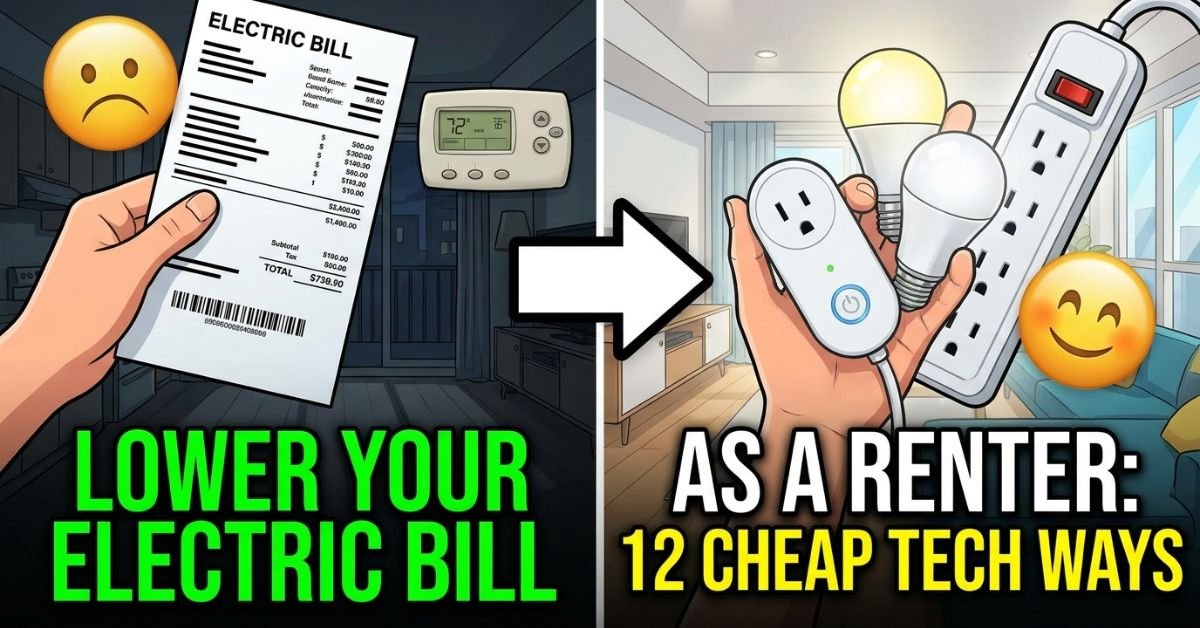
- Lower Your Electric Bill as a Renter: 12 Cheap Tech Ways
- Debt Avalanche Method Step by Step: Fast Debt Payoff
- Pay Off Debt Faster Without Earning More: Tech Guide
- Debt Snowball on a Low Income: Does It Still Work in 2026-27?
- How Long to Pay Off Debt? Tech Tools to Find Out Fast
4. Consolidate Fragmented Streaming Plans
Map your active streaming accounts across family members and consolidate overlapping services under unified family profiles or free, ad-supported tiers. If your household runs Netflix, Hulu, Max, and Disney+ concurrently, coordinate a rotation schedule where you subscribe to only one active platform per month.


5. Benchmark ISP Speeds to Downsize Broadband Tiers
Run local latency and bandwidth metrics directly from your router interface rather than third-party browser tests, then evaluate your speeds against real-world FCC broadband benchmarks. Most US households rarely sustain more than 100 to 200 Mbps for 4K streaming and remote work, giving you the leverage to safely drop a costly 1-Gigabit plan down to a standard tier and save $40 to $70 every month.
Broadband Reality Check:
- 4K Netflix Stream: ~15 to 25 Mbps
- High-Def Zoom Call: ~3 to 5 Mbps
- Online Multiplayer Gaming: ~5 to 10 Mbps (latency matters, not bandwidth)
Conclusion: A family of four rarely saturates a stable 300 Mbps connection.
6. Map Expiration Alerts for Promotional Tech Discounts
Scan your recent tech bills for expiring introductory rates—such as half-price internet tiers, anti-virus packages, or web domain renewals—and log hard calendar alerts 7 days prior to their expiration dates. This prevents surprise auto-renewals from jumping into hyper-inflated default pricing.
7. Switch Paid Password Managers to Bitwarden
Migrate off commercial password vaults like 1Password or Dashlane to Bitwarden’s robust zero-cost tier or deploy its open-source backend locally. Bitwarden provides zero-knowledge encryption, cross-platform syncing across unlimited devices, and two-factor authentication support without demanding an annual license fee.
8. Replace Cloud Photo Sync with Syncthing
Drop proprietary cloud photo synchronization apps in favor of Syncthing, an open-source peer-to-peer file synchronization engine. Configure Syncthing across your smartphone and home PC over your local network to seamlessly mirror camera rolls directly to your hard drive, removing your reliance on monthly storage fees.
9. Revoke Rogue Third-Party App Permissions
Open the security dashboards of your Google, Apple, and Microsoft accounts to sever permissions for outdated third-party integrations, abandoned games, and inactive API tokens. Cutting off these stale access tokens prevents automated background syncing, saves battery life, and blocks dormant platforms from silently converting old trial tokens into active billing cycles.
10. Audit High-Draw Connected Smart Plugs and Wall Warts
Walk through your living space with an energy monitor (or pull real-time wattage data from your smart plugs) to isolate phantom power drains across older subwoofers, ancient cable boxes, and standby game consoles. Placing these vampires on automated schedules or power strips cuts measurable kilowatt-hours off your electric bill.
Hardware Revival: Zero-Dollar Upcycling and Repairs
Before you throw outdated hardware into electronic waste recycling bins or buy new gadgets, use your weekend to execute basic device maintenance. Knowing how to cut streaming and digital bills fast often comes down to turning what you already own into fully functional daily drivers.
11. Turn an Old Smartphone into a Dedicated Security Cam
Breathe new life into an old iPhone or Android handset by pairing it with free, local-network camera tools like AlfredCamera or DroidCam. You get an encrypted, zero-cost indoor baby monitor or porch security camera without buying into proprietary camera ecosystems that lock features behind $10/month cloud surveillance plans.
12. Build a Low-Power Home Lab from a Discarded Laptop
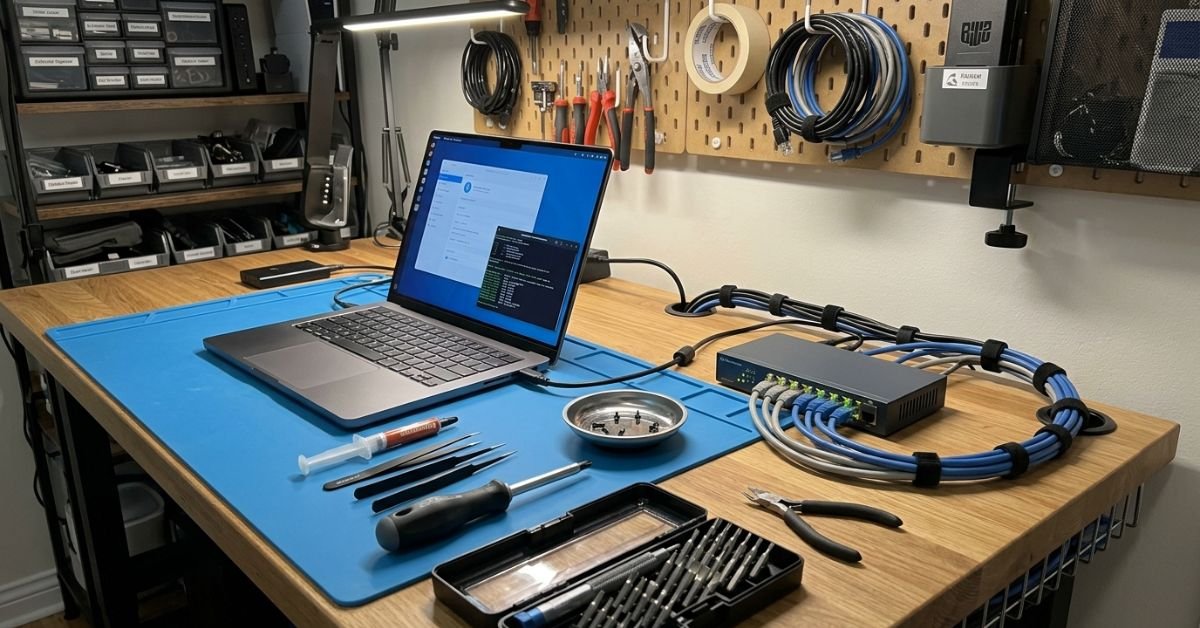
Take a cracked or retired laptop, plug it directly into your switch via Ethernet, and deploy a bare-metal Linux installation or container platform. Unlike decommissioned enterprise servers, an old Core i5 laptop draws merely 10 to 15 watts at idle and comes with a built-in uninterruptible power supply (its internal battery), making it an ideal, power-sipping home lab for running lightweight services.
13. Deep Clean Dust and Repaste Aging Heatsinks
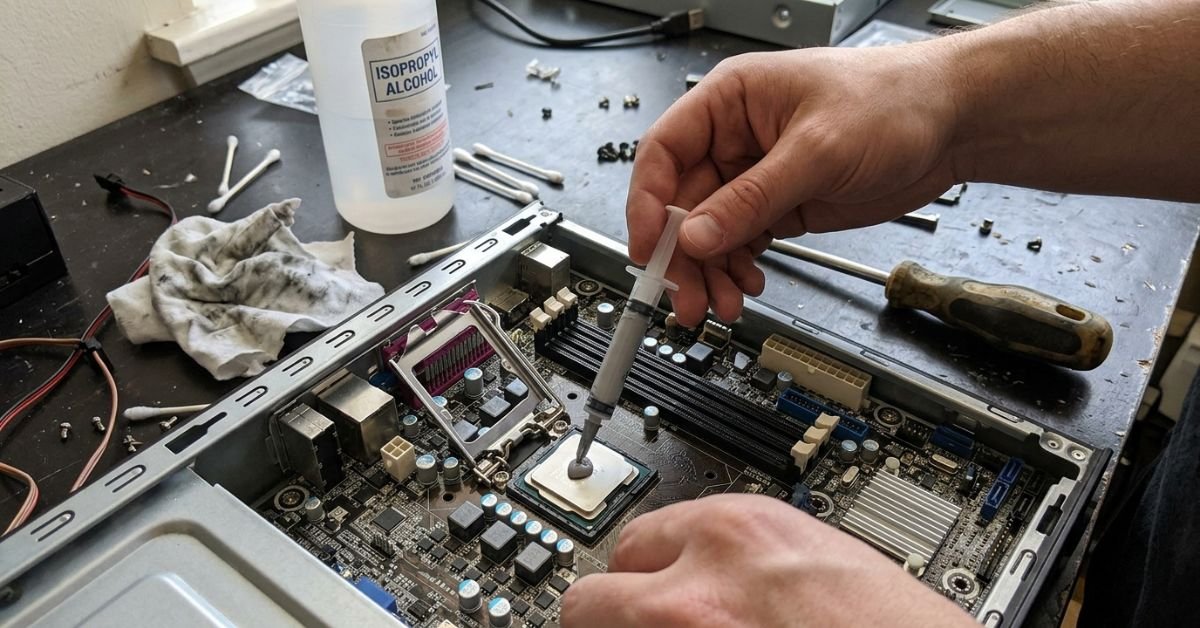
Pop open your desktop tower, game console, or sluggish laptop, blast out compacted radiator dust with a manual air bulb, and apply fresh thermal compound to dried-out processor dies. Drops of 15°C to 20°C in operating temperatures eliminate thermal throttling, restore silent fan curves, and prolong hardware life by years.
14. Mount a Retired Tablet as a Smart Home Dashboard
Mount an older iPad or Amazon Fire tablet to your hallway wall using Velcro strips or an unused picture frame, then load an open-source Home Assistant dashboard or a shared web calendar. You get a centralized digital calendar and home automation panel without paying hundreds for proprietary commercial smart displays.
15. Revive Sluggish PCs with Lightweight Linux
Bypass planned obsolescence by wiping bloated, slow operating systems on aging PCs and replacing them with lightweight distributions like Linux Mint, Lubuntu, or ChromeOS Flex. These lean operating systems fly on older SATA SSDs and dual-core processors, instantly creating productive secondary workstations for homework or light development.
16. Optimize Router Placement and Ethernet Routing
Map your home’s wireless dead zones using a free smartphone Wi-Fi analyzer app, elevate your wireless router away from concrete walls and metal shelving, and re-terminate loose Ethernet patch cords. Physical Wi-Fi optimization and clean cable placement drastically improve whole-home throughput and signal stability, saving you from spending $200+ on unnecessary mesh satellite kits.
Expert Insight: Before dropping cash on a high-end mesh router system, verify your router channel width inside the admin console. Crowded 2.4 GHz bands on standard 40 MHz channel widths cause devastating packet collisions in urban areas and apartments. Locking your 2.4 GHz band to 20 MHz on non-overlapping channels (1, 6, or 11) immediately stabilizes smart home peripherals and stops random dropouts for free.
17. Deep-Clean Corroded Ports and Refurbish Cables
Use a wooden toothpick, an old soft-bristled toothbrush, and high-purity isopropyl alcohol to carefully pick out compressed lint and clean oxidized contacts inside your phone’s USB-C or Lightning ports. Nine times out of ten, an erratic connection that seems like a broken port or frayed cable is just a layer of packed pocket fuzz preventing pins from seating properly.
18. Calibrate Monitor Profiles with Built-in OS Diagnostics
Instead of replacing an older computer monitor that looks dull or washed out, calibrate your display panel using native Windows Display Color Calibration or macOS ColorSync utilities. Fine-tuning gamma curves, adjusting white points, and matching color spaces rejuvenates your visual experience for zero dollars.
Free Digital Entertainment, Media, and Skill-Building
You do not need to lock yourself in a dark room to keep your spending at zero. Some of the best free tech entertainment for a no spend weekend involves tapping into overlooked civic infrastructure and brilliant community software.
19. Tap Free Public Library Networks via Libby and Kanopy
Sign into your local municipal library network to unlock institutional access to the Libby app, Hoopla, and Kanopy. These taxpayer-funded services provide immediate, legal access to current audiobooks, best-selling digital reads, Criterion Collection films, and independent documentaries—letting you cut expensive Audible credits and prestige film subscriptions completely.
20. Spin Up Open-Source and Free-to-Play Co-op Marathons
Host a zero-cost local LAN or online multiplayer night using stellar free-to-play titles like Trackmania, Warframe, or open-source community legends such as Beyond All Reason and OpenTTD. These community-maintained gems deliver endless competitive depth without the microtransaction traps and $70 price tags of modern commercial AAA releases.
21. Digitize Stacks of Paper Files with Mobile Document Scanners
Transform your smartphone into an enterprise-grade document scanner using apps like Adobe Scan or native iOS Notes scanning tools. Spending a Sunday digitizing, indexing, and shredding outdated paper tax forms, manuals, and receipts clears real estate in your office and backs up essential paperwork to an encrypted offline directory.
22. Knock Out a Cybersecurity or Coding Sprint
Invest a weekend morning upgrading your digital skills through comprehensive, completely free curriculum providers like freeCodeCamp, Harvard’s edX CS50, or Professor Messer’s Network+ tracks. Sharpening your terminal skills or building automation scripts delivers long-term career value without paying for high-priced bootcamps.
23. Run a Zero-Dollar Tech Swap with Your Inner Circle
Coordinate an informal hardware exchange with local friends, family, or colleagues where everyone brings their box of spare parts, extra power cables, unused mechanical keyboards, and spare display adapters. You unload digital clutter while picking up the exact DisplayPort cable, USB hub, or spare RAM stick you needed for your own rig.
Cost Traps and Mistakes to Avoid on a Tech No-Spend Weekend
Zero-spend weekends can backfire if you fall into classic digital rabbit holes. Steer clear of these four financial traps:
24. Buying New Parts for DIY Hardware Projects
The most common mistake when tackling free weekend tech projects at home is ordering $35 worth of adapters, Raspberry Pi cases, and brackets on Amazon to finish a project meant to repurpose old gear. If you don’t already have the components in your spares bin, adapt your build parameters or scrap the idea.
25. Falling for Free Trials That Quietly Auto-Billed
While running audits, avoid signing up for “free 7-day trials” of commercial diagnostic suites or cleaner apps to automate your cleanup. If a tool demands payment credentials upfront, skip it; you are introducing the exact subscription risk you set out to eliminate.
26. Running Power-Hungry Enterprise Gear as a Home Server
Picking up an old, decommissioned dual-socket 2U enterprise rack server from an office scrap pile might seem like the ultimate home lab victory—until your power bill arrives. Running 150-watt enterprise servers 24/7 adds $20 to $40 every single month in domestic electricity costs; stick to efficient, decommissioned laptops or low-draw mini-PCs instead.
27. Relying on Unvetted or Abandoned GitHub Repositories
Embracing open-source software is a cornerstone of digital minimalism, but blind trust is dangerous. Never pull abandonware or unverified scripts directly from GitHub into your personal machines without reviewing project commit activity, user issues, and security advisories.
Frequently Asked Questions
Can I actually lower my broadband bill without switching internet providers?
Yes. First, gather real throughput numbers directly from your router’s administrative console over a standard 7-day period. Most users find they rarely exceed 150 to 200 Mbps, even with multiple simultaneous 4K streams. Call your current provider’s customer retention department, reference standard entry-level tiers, and politely request to drop off promo-inflated Gigabit packages down to standard tiers (typically 300 to 500 Mbps). You can also cite competitor pricing or ask to match current new-customer rates; retention desks almost always comply to avoid losing accounts.
Is hosting a home server on an old laptop safe for continuous operation?
Yes, provided you take two basic precautions: battery heat management and ventilation. Older lithium-ion batteries can swell if kept at 100% state-of-charge while exposed to continuous CPU heat. Go into the BIOS/UEFI settings and set a maximum charge threshold of 50% to 60% if the motherboard supports it, or safely remove swollen batteries entirely if the laptop will operate solely on DC wall power. Ensure the exhaust vents are clear, elevate the laptop slightly off your desk for airflow, and keep the lid open or disable sleep-on-lid-close.
What is the safest way to replace paid cloud photo storage with open-source tools?
The most reliable method is pairing an offline external storage drive with an open-source sync tool like Syncthing. Syncthing establishes direct TLS-encrypted connections across your personal devices over your local area network without passing your photos through third-party servers. Always maintain the 3-2-1 backup rule: keep your working data on your phone, an automated mirror copy on your local PC or NAS, and an isolated, offline cold copy on an external hard drive stored safely in a drawer.
Are public library streaming services like Kanopy genuinely zero cost?
Yes. Kanopy and Hoopla are paid directly by municipal public library systems, universities, and local educational funds to provide public access to information and media. So long as you hold an active library card in a participating library district (which is free for residents), you can stream commercial-free films, documentaries, children’s content, and educational series directly to your television, phone, or tablet via their apps without ever being asked for credit card details.
Taking control of your digital life does not mean abandoning technology or sitting in a bare room staring at a wall all weekend. By dedicating a single Saturday and Sunday to systematic digital decluttering, hardware upcycling, and smart open-source tools, you replace expensive corporate subscriptions with resilient, personal setups you actually own. Check your statements, grab your screwdrivers, and put your tech gear back to work for you.