What Nobody Tells You About Tech on an Ultra-Tight Budget. My daily driver is a scratched ThinkPad T480 I pulled out of an electronics recycling bin behind a commercial park in Columbus, Ohio. I wiped the thermal paste off the dual-core chip with 91% isopropyl alcohol, spent $18 on an eBay internal battery, and swapped the failing mechanical drive for an off-brand 256GB SATA SSD. Alongside it sits a Pixel 4a held together with black B-7000 adhesive and sheer stubbornness.
- 1. 1. The Realities of Modern Hardware Longevity and Planned Obsolescence
- 2. How to Avoid Buying New Electronics and Keep Old Silicon Alive
- 3. 2. The Hidden Friction of Free and Open-Source Software
- 4. The Unspoken Reality of Open-Source Alternatives
- 5. 3. The Subscription Traps Bleeding Low-Income Tech Users
- 6. 4. Navigating Mobile Connectivity and Home Broadband
- 7. 5. DIY Repair Realities: What Breaks First and How to Fix It
- 8. Sourcing Real Parts Without Getting Scammed
- 9. 6. The Mental Fatigue of Running Out of Digital Resources
- 10. Frequently Asked Questions
- 11. What is the most reliable way to get a cheap laptop in the US?
- 12. How can I get internet access if I can’t afford standard broadband?
- 13. Is it safe to use Linux if I am not a programmer?
- 14. How do I stop an older Android phone from running out of internal memory?
- 15. Can I legally repair my own phone without voiding its functionality?
Tech culture loves to glamorize minimalism. YouTube creators shoot cinematic b-roll of a $1,200 baseline MacBook Air and call it an “essential budget setup.”
That is not a budget setup.
When you are actually broke, navigating personal computing is an ongoing battle against friction, planned obsolescence, and predatory recurring fees. Nobody talks about the cognitive tax of nursing an eight-year-old battery through a winter commute or the anxiety of a system update that might brick the only phone you have to answer calls from prospective employers.
Here is what it actually looks like to keep your digital life afloat when your bank account is hovering near zero.
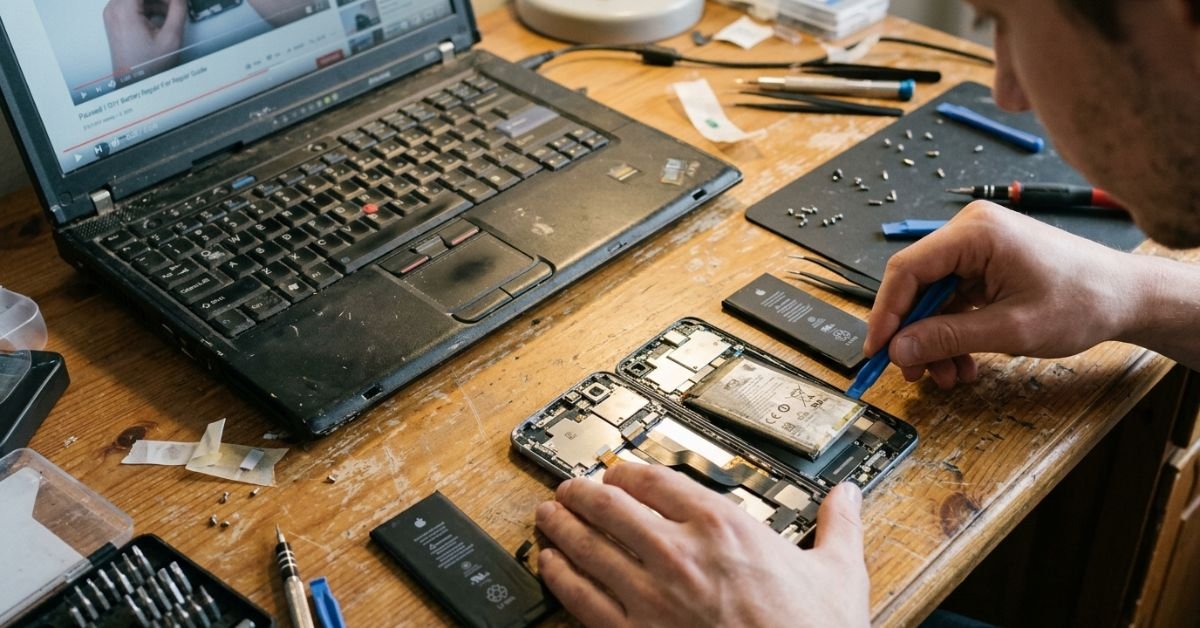
1. The Realities of Modern Hardware Longevity and Planned Obsolescence
Living without upgrading phone tight budget cycles is an exercise in managing app bloat. Operating systems don’t kill older devices on purpose; modern web frameworks and unoptimized code do. A flagship phone from 2018 still has plenty of silicon power, but modern apps built on heavy cross-platform frameworks chew through RAM like popcorn.
Hardware Lifespan Realities (Real-World Benchmarks)
┌──────────────────┬──────────────┬────────────────────────────┐
│ Device Category  │ Usable Years │ Primary Point of Failure   │
├──────────────────┼──────────────┼────────────────────────────┤
│ Business Laptops │ 8 - 12 yrs   │ Battery degradation / Heat │
│ Budget Phones    │ 2 - 3 yrs    │ eMMC storage / Memory lock │
│ Flagship Phones  │ 5 - 7 yrs    │ Security patches / Battery │
│ Cheap Printers   │ 1 - 2 yrs    │ DRM ink lockouts / Rollers │
└──────────────────┴──────────────┴────────────────────────────┘
The dirt-cheap trap is real. Walking into Walmart or Family Dollar to drop $45 on a no-name Android Go handset seems sensible when funds are critically low. It isn’t. Those ultra-cheap units run slow eMMC flash storage that wears out its write cycles within twelve months, and they come loaded with non-removable carrier bloat that chokes their 2GB of RAM out of the box.
How to Avoid Buying New Electronics and Keep Old Silicon Alive
If you want hardware longevity, bypass consumer junk entirely and shop commercial cast-offs. Corporate enterprise fleets dump enterprise laptops (Dell Latitudes, HP EliteBooks, Lenovo ThinkPads) onto eBay, ShopGoodwill, and university surplus auctions every three years. An enterprise machine built to take a beating in an airport terminal will run rings around a brand-new $250 plastic laptop from a big-box store.
To keep a five-year-old phone usable:
💰 More Cheap Living Tips You'll Love
- Debt Snowball Method: How It Works (With Real Example)
- First Steps to Take When You Decide to Get Out of Debt
- Lower Your Electric Bill as a Renter: 12 Cheap Tech Ways
- How Long to Pay Off Debt? Tech Tools to Find Out Fast
- Save Money or Pay Off Debt First? Tech-Driven Guide
- Debt Snowball on a Low Income: Does It Still Work in 2026-27?
- Prune telemetry and background tasks: Enable Developer Options on Android and cut background process limits down to 3 or 4.
- Use Universal Android Debloater (UAD): Plug the phone into a PC via USB and strip pre-installed carrier junk without needing root access.
- Downgrade resource-hungry apps: Skip the heavy main apps. Use web wrappers like Hermit, or lean on lightweight open-source alternatives like NewPipe for video streaming.
2. The Hidden Friction of Free and Open-Source Software
When your Windows 10 license stops receiving security patches or your processor lacks the TPM 2.0 module required for Windows 11, open-source software becomes your escape hatch. Linux distributions are the cheapest way to keep a laptop running when Microsoft leaves your hardware behind.
Lightweight Linux Distributions Compared
• Linux Mint (XFCE): Stable, Windows-like layout, great for beginners
• Lubuntu: Uses minimal RAM (under 500MB at idle), fast on dual-cores
• antiX Linux: Built for ancient 32-bit/64-bit chips, skips systemd bloat
• ChromeOS Flex: Turns a sluggish machine into a dedicated web terminal
Installing Linux Mint XFCE or Lubuntu drops idle RAM usage from 3.8GB down to 600MB. Suddenly, an Intel Core i5 from 2014 feels like a new machine.
# Check idle RAM and active CPU processes quickly on an older rig
free -h
top -o %MEM
The Unspoken Reality of Open-Source Alternatives
No one warns you about the social and educational friction. Tech forums make it sound like switching to FOSS (Free and Open-Source Software) is frictionless. It isn’t.
If you are a student or taking online community college classes, your school will inevitably mandate proprietary anti-cheat software (like Respondus Lockdown Browser) or specific Microsoft Word macros that completely break in LibreOffice.
The best free software to replace expensive apps often requires adjustments:
- Document Suites: LibreOffice or OnlyOffice replace Microsoft 365, but you must constantly export to PDF to stop fonts from shifting when emailing files to teachers or employers.
- Photo Editing: GIMP replaces Photoshop, but the keybindings feel alien, and the learning curve is steep.
- Audio/Media: Audacity and VLC remain unmatched for zero dollars.
Be ready for the occasional command-line hurdle. You will find yourself copying terminal commands from three-year-old forum threads just to get an obscure Broadcom Wi-Fi driver to talk to your network card after an update. That is the trade-off: you pay with time instead of cash.
3. The Subscription Traps Bleeding Low-Income Tech Users
SaaS subscription fatigue is an annoyance for the middle class; for low-income tech users, it is a persistent drain on scarce funds. Companies have systematically killed off perpetual software licenses in favor of $9.99/month drips that quietly siphon off your budget.
Cloud storage limits are the most common trap. Apple gives you an insulting 5GB of free iCloud space, and Google caps free Drive/Photos storage at 15GB. Once those hit capacity, your phone throws constant errors, refuses to back up camera photos, and nags you to upgrade to a monthly storage plan.
The Cost of Subscriptions vs. Local Hardware (3-Year Timeline)
┌─────────────────────────────────┬───────────┬──────────────┐
│ Storage Strategy                │ Year 1    │ 3-Year Total │
├─────────────────────────────────┼───────────┼──────────────┤
│ 200GB Cloud Tier ($2.99/mo)     │ $35.88    │ $107.64      │
│ 2TB Cloud Tier ($9.99/mo)       │ $119.88   │ $359.64      │
│ Used 1TB External Hard Drive    │ $22.00    │ $22.00       │
│ Self-Hosted Syncthing Setup     │ $0.00     │ $0.00        │
└─────────────────────────────────┴───────────┴──────────────┘
Expert Insight: Never pay monthly fees for cloud storage on a tight budget. Grab an inexpensive, used, brand-name external drive (Western Digital or Seagate) from eBay for $20. Install Syncthing—a free, open-source file synchronization tool—on your phone and your home computer. It transfers files across your local Wi-Fi network without touching any commercial cloud servers, bypassing monthly limits entirely.
Audit every recurring charge through your bank statement, not your app store settings. Companies love hiding subscriptions behind web portals where platform cancellation buttons cannot reach them.
4. Navigating Mobile Connectivity and Home Broadband
The end of the federal Affordable Connectivity Program (ACP) in mid-2024 hit millions of Americans hard, suddenly ripping away a $30-per-month broadband subsidy. If you’re wondering how to use tech on a very low income without that safety net, you have to look outside the major telecom brands.
Do not sign a 36-month device payment plan with AT&T, Verizon, or T-Mobile to score a “free” flagship phone. You end up locked into a $75 to $90 monthly post-paid plan.
Instead, look to domestic MVNO cellular carriers (Mobile Virtual Network Operators). Companies like Tello, US Mobile, and Mint Mobile buy wholesale network access from the big three and resell it for a fraction of the price.
- Tello: Lets you build custom plans (e.g., 2GB of data + unlimited talk/text for under $10/month on T-Mobile’s towers).
- US Mobile: Offers shared pools and flexible light plans running on Verizon or AT&T networks starting around $10 to $15/month.
- Lifeline Assistance: If you receive SNAP, Medicaid, or SSI benefits, you can still qualify for the federal Lifeline program, which provides a free basic cellular connection through providers like Assurance Wireless or Q Link Wireless.
Home Internet Low-Income Tiers (No Contract Required)
• Comcast/Xfinity Internet Essentials: $9.95/mo (up to 50 Mbps)
• Spectrum Internet Assist: $19.99 - $24.99/mo (up to 30 or 50 Mbps)
• AT&T Access: $30/mo (income-qualified, waived equipment fees)
• Public Library Mobile Hotspots: $0/mo (loan periods vary from 2 wks to a semester)
The catch with MVNOs is deprioritization. During rush hours or at busy downtown bus hubs, your data speeds might crawl to 0.5 Mbps because priority data goes to high-paying direct post-paid subscribers.
To survive on low-tier data, set your phone to download app updates, podcasts, and offline Google Maps areas exclusively when connected to trusted public Wi-Fi networks (like your local public library). Run a reputable, no-logs free VPN tier (such as ProtonVPN) whenever you connect to public Wi-Fi to keep your traffic private.
5. DIY Repair Realities: What Breaks First and How to Fix It
The Right to Repair movement has won crucial legislative victories in states like New York, California, and Minnesota, but repairing modern hardware on your own is still challenging. Manufacturers glue assemblies shut, serialize parts, and make battery swaps difficult.
Yet diy phone repair on a budget is often the only thing standing between keeping a working phone and losing access to calls.
Sourcing Real Parts Without Getting Scammed
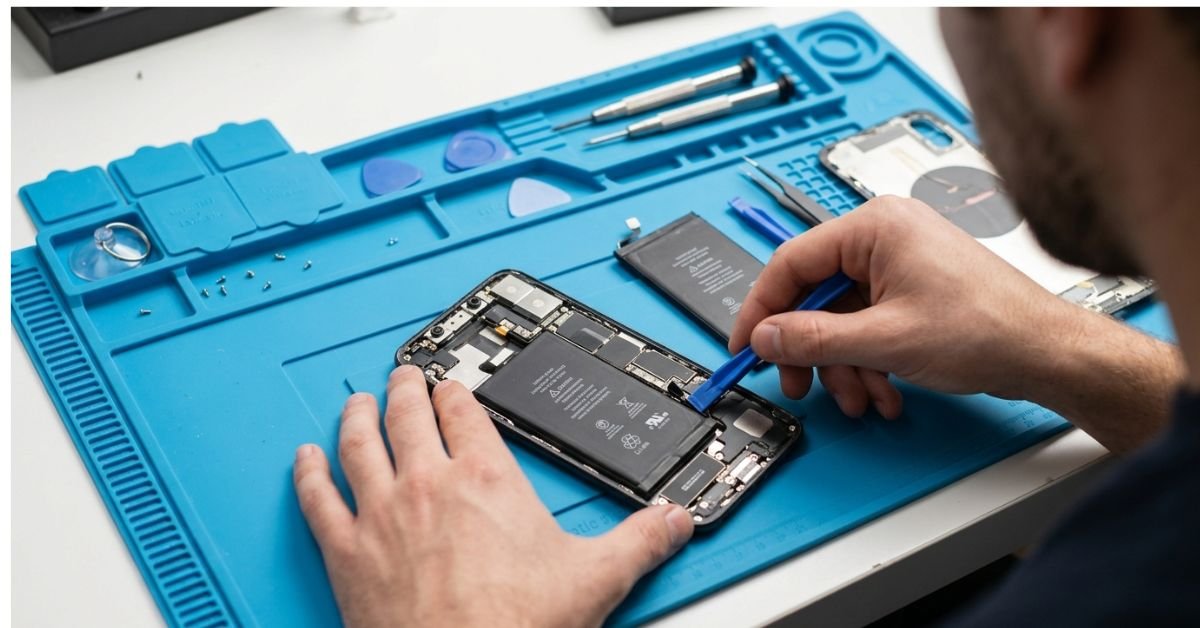
When doing your own fixes, avoid dirt-cheap repair kits on Amazon or Temu. The screwdrivers are made of soft pot metal that strips tiny pentalobe and tri-point screws, which turns a 20-minute battery swap into a nightmare.
- Get a reliable driver kit: Spend $15 to $20 once on a base precision toolkit (iFixit’s Minnow kit or an entry-level precision set from a hardware store).
- Skip OEM retail markups: Authentic parts from iFixit are great, but can cost more than an older phone is worth. Look at reputable domestic parts distributors like MobileSentrix, Injured Gadgets, or reputable eBay refurbishers who pull working, genuine OEM parts from decommissioned phones.
- Adhesive counts: Never reuse old battery adhesive. Use dedicated pull-tabs or thin strips of double-sided electronics tape to stop loose batteries from rattling and puncturing.
Diagnostic Triage: Worth Fixing vs. Scrap It
┌────────────────────────┬──────────────────┬────────────────────────┐
│ Issue                  │ Typical Fix Cost │ Recommendation         │
├────────────────────────┼──────────────────┼────────────────────────┤
│ Degraded Battery       │ $12 - $25 (DIY)  │ Fix immediately        │
│ Broken Charge Port     │ $8 - $15 (DIY)   │ Fix (Modular sub-board)│
│ Cracked Screen (OLED)  │ $80 - $140       │ Skip (buy used phone)  │
│ Liquid Damaged Motherb.│ Unknown/High     │ Scrap for parts        │
└────────────────────────┴──────────────────┴────────────────────────┘
Dealing with battery degradation early saves you from dealing with unexpected shutoffs or a swollen pack pushing against the screen. If the back panel of your phone starts to separate, stop charging it immediately; that battery is swelling and needs to be replaced.
6. The Mental Fatigue of Running Out of Digital Resources
Read any tech survival tips tight budget reddit thread, and you will find plenty of clever software tweaks. What those threads rarely talk about is the daily cognitive load that comes with running low-spec, out-of-warranty hardware.
When your phone has 32GB or 64GB of storage, you spend ten minutes every few days clearing app caches, deleting cached Spotify tracks, and dismissing persistent “Storage Almost Full” warnings.
When your laptop runs a spinning mechanical drive or a low-end Celeron processor, launching a browser tab becomes an exercise in deliberate patience.
Mental Fatigue Reduction Checklist
1. Replace native apps with Progressive Web Apps (PWAs) to save storage.
2. Turn off auto-download for incoming media in messaging apps.
3. Keep system updates strictly on manual control so they don't lock you out when you need the machine.
4. Keep an emergency install USB drive ready with a lightweight Linux ISO.
To reduce this fatigue, establish clean routines. Stop troubleshooting dying software for hours when a quick wipe solves the problem. Back up your documents to an external drive, wipe the operating system, and start clean.
Accept that older hardware works best when treated with care. Close tabs you aren’t using, run plain text editors for notes instead of heavyweight cloud web tools, and let your reliable, repaired hardware do its job without fighting modern software bloat.
Frequently Asked Questions
What is the most reliable way to get a cheap laptop in the US?
Look for off-lease corporate enterprise laptops like the Lenovo ThinkPad T-series, Dell Latitude 5000/7000 series, or HP EliteBook 800 series on eBay or local government/university surplus auctions. These machines are constructed with magnesium or aluminum internal frames, feature accessible, swappable components, and are far sturdier than brand-new budget consumer laptops sold at retail stores.
How can I get internet access if I can’t afford standard broadband?
Check your eligibility for low-income ISP programs such as Comcast Internet Essentials ($9.95/month) or Spectrum Internet Assist ($19.99 to $24.99/month). If those aren’t available in your area, contact your local public library system; many US libraries lend out free, unlimited cellular Wi-Fi hotspots for weeks or entire semesters at a time.
Is it safe to use Linux if I am not a programmer?
Yes. Modern user-friendly distributions like Linux Mint and Lubuntu come with intuitive, graphical user interfaces that closely mirror Windows 7 or 10. You do not need to write code to use them daily; web browsing, streaming, document editing, and printing all work through familiar graphical settings right after installation.
How do I stop an older Android phone from running out of internal memory?
Disable resource-heavy native apps (like Facebook, Instagram, or bloated news apps) and access them through mobile browser shortcuts or lightweight web wrappers like Hermit. Turn off automatic media downloads in messaging apps (like WhatsApp, Messages, or Telegram), and clear cached data inside the settings menu for your web browser once a week.
Can I legally repair my own phone without voiding its functionality?
Yes. Magnuson-Moss Warranty Improvement Act rules and expanding state-level Right to Repair laws protect your right to open and fix consumer electronics. Be aware, however, that newer models from Apple and Samsung use serialized parts pairing. Swapping some parts (like screens or camera sensors) from donor phones may display non-critical warning alerts or disable specific software features (like TrueTone or battery health percentage indicators). Basic modular repairs like battery and charge port swaps remain straightforward and cost-effective on most older devices.