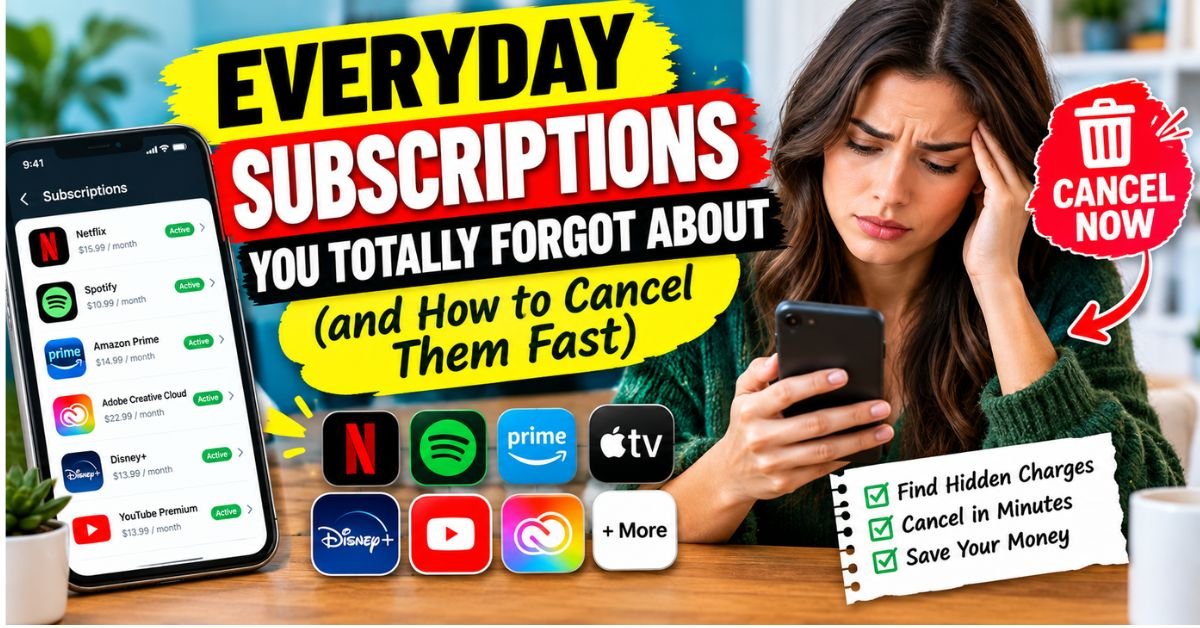
Everyday Subscriptions You Totally Forgot About (and How to Cancel Them Fast).Last spring, I sat down at my kitchen table with a hot mug of coffee and opened my Chase banking app to reconcile a few weekend expenses. Tucked right between a grocery run to Trader Joe’s and a routine gas station fill-up was a line item that stopped me cold: $14.99 - Digital River / CloudSync.
- 1. The True Cost of ‘Zombie Subscriptions’ (Real-World Scenarios and Psychology of Inattention)
- 2. Where the Leaks Live: The 4 Places Hidden Subscriptions Lurk
- 3. 1. The Mobile Gatekeepers (Apple ID & Google Play)
- 4. 2. The PayPal “Invisible” Billing Agreements
- 5. 3. Web-Direct SaaS and Streaming Add-Ons
- 6. 4. Physical-to-Digital Hybrids
- 7. The Sneakiest Everyday Offenders (From Cloud Storage to Micro-SaaS)
- 8. Hands-On Playbook: How to Cancel Fast and Bypass Dark Patterns
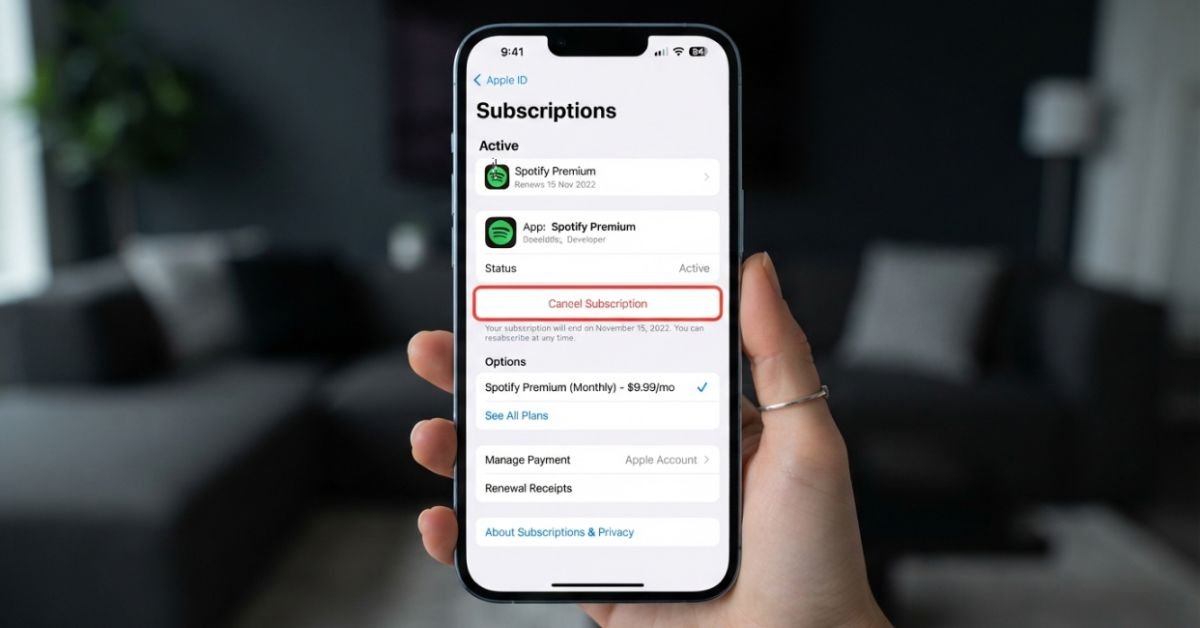
- 9. Taming Apple ID Recurring Subscriptions
- 10. Cutting Off Google Play Recurring Payments
- 11. Severing PayPal Pre-Approved Billing Agreements
- 12. Navigating Dark Patterns & Calling in the Regulators
- 13. When All Else Fails: How to Stop Recurring Payments with Chase and Wells Fargo
- 14. Proactive Defense: Virtual Cards and Automated Subscription Monitoring
- 15. The Virtual Credit Card Strategy
- 16. Evaluating Subscription Tracking Software
- 17. Expert Insight: The Calendar Counter-Punch
- 18. Common Pitfalls When Trying to Stop Recurring Charges
- 19. Frequently Asked Questions
- 20. How can I see what subscriptions I have on my credit card without checking every statement?
- 21. Why is Apple charging me every month when nothing shows under my subscriptions?
- 22. Does the FTC Click-to-Cancel rule apply to physical gym memberships?
- 23. What is the difference between a merchant block and disputing a charge?
- 24. Are third-party subscription canceler apps safe to use?
I had no earthly idea what CloudSync was.
Digging through two years of archived Gmail receipts, I unearthed the culprit. It was a file compression utility I downloaded in 2022 to unzip a single batch of tax forms. I had opted into a “free 7-day trial,” forgotten about it by day eight, and spent the subsequent 28 months quietly feeding that company $14.99 every single month. That single oversight cost me roughly $420.
I was furious—mostly at myself, but also at the predatory billing system engineered to extract cash while keeping quiet. That afternoon, I started a ruthless 30-day subscription purge. By the time I finished scouring my credit cards, app store dashboards, and digital payment hubs, I wiped out $180 a month in silent leaks. That’s over $2,100 back in my pocket annually.


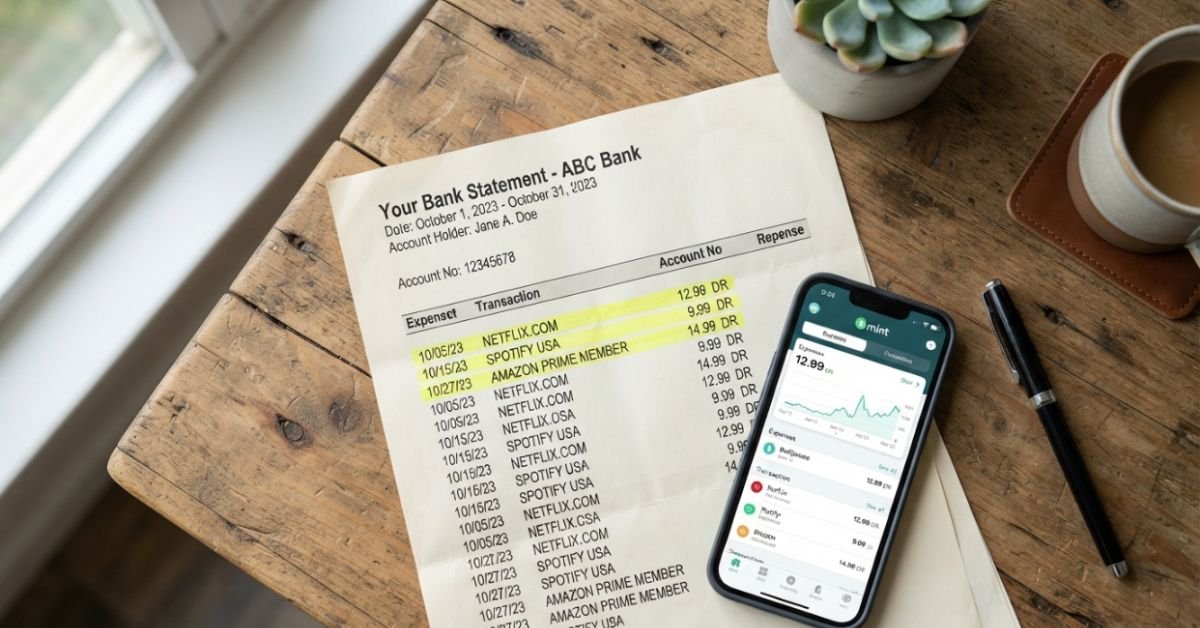
According to research from C+R Research, the average American estimates they spend around $86 a month on subscriptions. The reality? The actual average sits closer to $219 per month. We aren’t just miscalculating by a few dollars; we are drastically underestimating the sheer volume of micro-transactions dripping out of our accounts.
The True Cost of ‘Zombie Subscriptions’ (Real-World Scenarios and Psychology of Inattention)
We call these recurring charges zombie subscriptions for a reason: they are functionally dead services that continue to walk among your living finances.


Why do we let them fester? Subscription companies rely on status quo bias and friction points. When you first sign up for an introductory offer, dopamine drives the decision. You want that specialty streaming movie on Paramount+, or maybe you need that single vector graphic from a digital asset library. You intend to cancel on day six. But life happens. Your kid gets sick, a project deadline hits at work, or the calendar reminder gets dismissed without action.
💰 More Cheap Living Tips You'll Love
- Practical Ways to Eat Healthy on a Bare-Bones $50 Weekly Budget
- The Real Cost of Daily Convenience Habits That Steal Thousands Every Year
- How to Stop Impulse Buying Forever with the Seven-Day Rule
- Dangerous Lifestyle Creep Signs That Are Quietly Keeping You Broke
- Costly Car Ownership Mistakes That Secretly Drain Your Budget Every Month
- How to Negotiate Your Internet Bill Down Without Threatening to Cancel
Once the initial transaction transitions to recurring billing, inattention takes over. The charges are intentionally priced beneath our threshold of outrage. A $4.99 charge here, an $8.99 charge there—none of these individual amounts trigger the fraud alert sirens in your brain the way an unexpected $250 withdrawal would.


To make matters worse, companies historically baked automatic renewal clauses deep into their terms of service, accompanied by deliberate UX mazes known as dark patterns.
The regulatory landscape is finally fighting back. The Federal Trade Commission tackled this head-on with its finalized FTC Click-to-Cancel Rule, alongside enforcement actions rooted in the Restore Online Shoppers’ Confidence Act (ROSCA). The mandate is straightforward: businesses must make canceling a subscription just as easy as signing up was in the first place. If you can subscribe with a single tap on an iPhone, you should not have to dial a retention call center, sit through a 20-minute queue, and explain your life choices to a customer service agent just to walk away.
Even with federal watchdogs stepping up, automated compliance takes time to trickle down across thousands of merchant platforms. Waiting on enforcement won’t rescue your checking account this month. You need to actively hunt them down yourself.
Where the Leaks Live: The 4 Places Hidden Subscriptions Lurk
When readers ask me how to find all active subscriptions under my name, they usually start by glancing at their latest credit card bill. That’s a decent first step, but it’s incomplete. Modern recurring billing spreads across disparate ecosystems. If you want to run a comprehensive sweep, you have to dig into four specific pockets.
1. The Mobile Gatekeepers (Apple ID & Google Play)
If you own an iPhone or Android, a massive chunk of your software spending is funneled directly through mobile payment infrastructure. You might catch a charge on your statement labeled APPLE.COM/BILL and wonder, “why is apple charging me every month?” Apple bundles these line items together, making it impossible to deduce what you actually bought just by reading your bank statement.
Worse, you might run into the frustrating puzzle of how to cancel subscriptions on iphone that don’t show up. This happens constantly when you juggle multiple Apple IDs (like an old college email versus your primary iCloud account), or when an app developer bypasses Apple’s in-app purchase system altogether by forcing you to sign up via mobile Safari.
2. The PayPal “Invisible” Billing Agreements
PayPal is an absolute haven for forgotten recurring debits. When you purchase a software license or digital product and check out using PayPal, you often silently agree to a pre-approved payment agreement. The vendor keeps authorization to draft funds directly from your linked bank account or card balance indefinitely—even if you delete your user profile on their site.
3. Web-Direct SaaS and Streaming Add-Ons
This tier covers everything initiated in a desktop web browser. It includes your standalone streaming options (like that Max or Starz add-on you tacked onto Amazon Prime for one specific show), specialty fitness trackers, meal-kit memberships, and niche cloud utilities. Because these merchants process transactions via Stripe, Adyen, or custom merchant accounts, their statement descriptors can be baffling, often masquerading under parent company names.
4. Physical-to-Digital Hybrids
Think local: that $29/month unlimited pass at the express car wash, the Planet Fitness black card you haven’t swiped since February, or the weekend digital edition of an out-of-state newspaper. These vendors famously construct the most egregious cancellation hurdles, often insisting on certified mail or physical visits.
The Sneakiest Everyday Offenders (From Cloud Storage to Micro-SaaS)
During my own financial audit, I categorized the exact leaks draining my cash. The culprits rarely fit the obvious profiles like Netflix or Spotify. The real money pits were micro-services that quietly grew over time:
- Creeping Cloud Storage Billing: You buy an iPhone, take 4K videos of your dog, run out of space, and bump your iCloud+ from $0.99 to $2.99. A year later, you jump to the 200GB tier for $9.99. Meanwhile, your Google Drive is sitting at $1.99/month for forgotten work documents, and an old Dropbox Plus subscription is quietly siphoning $11.99/month from your primary checking account. You are paying for the same virtual real estate three times over.
- Micro-SaaS & Utility Apps: Think PDF converters, specialty photo-editing filters, background removers, and premium keyboard themes. These apps usually lock you in with a “3-day free trial” that flips to an aggressive $7.99 weekly charge. Yes, weekly—a billing cadency specifically designed to siphon over $30 a month under the guise of an inexpensive single-digit number.
- Delivery & Retail VIP Passes: DoorDash DashPass ($9.60/mo), Uber One ($9.99/mo), Instacart+ ($9.99/mo), and Walmart+ ($12.95/mo). If you aren’t ordering delivery multiple times every single week, the math on these passes rarely balances out. You pay for the privilege of spending money.
- Single-Task Browser Extensions & AI Wrappers: Millions of users subscribed to custom grammar checkers, AI copy generators, and automated resume builders over the past two years. Most are thin software layers over free tools, running charges between $15 and $30 every month long after the resume has been submitted.
Hands-On Playbook: How to Cancel Fast and Bypass Dark Patterns
Stop searching for cancellation links tucked in low-contrast gray text on cluttered websites. Use these direct pathways to dismantle recurring authorizations from the source.
Taming Apple ID Recurring Subscriptions
If you see recurring Apple charges, take this route directly on your device:
- Open Settings on your iPhone or iPad.
- Tap your Name / Apple ID banner at the very top.
- Tap Subscriptions.
- Review the “Active” list. Tap any item you want dead, select Cancel Subscription, and confirm.
Ghost subscriptions warning: If you see a charge on your card from Apple that doesn’t appear in this menu, navigate to reportaproblem.apple.com. Sign in with any secondary Apple credentials you might have used in the past (work emails, older iCloud addresses). If that fails, the subscription was set up directly with the merchant outside of Apple’s billing umbrella.
Cutting Off Google Play Recurring Payments
For Android users:
- Open the Google Play Store app.
- Tap your profile icon in the top right corner.
- Select Payments & subscriptions, then tap Subscriptions.
- Select the target service and tap Cancel subscription.
- Google will often serve an exit survey or offer a discounted “pause” option. Ignore the retention pitch and confirm the full cancellation.
Severing PayPal Pre-Approved Billing Agreements
This is the single most effective way to kill phantom software charges:
- Log into your PayPal account in a web browser.
- Click the Gear icon (Settings) in the top right corner.
- Navigate to the Payments tab.
- Click on Manage Automatic Payments.
- Scan the left-hand sidebar for active merchants. You will likely find services you canceled years ago still listed as “Active.”
- Select the merchant and click Cancel next to Status. This permanently revokes their ability to draft a dime from your funding sources.
[Merchant: Digital Stream Inc.]
Status: Active ---> Click [Cancel] ---> Confirm: Revoke Automatic Debit Authorization
Result: Future billing attempts will instantly decline at the gateway level.
Navigating Dark Patterns & Calling in the Regulators
When a company hides its cancellation button behind a broken link, forces you into an endless chat loop with an AI bot, or demands you call during specific Eastern Standard Time hours, lean on regulatory protections.
If an agent or chat assistant refuses to process your request without a multi-tiered sales pitch, drop this phrase into the conversation:
“I am requesting an immediate cancellation of my account and revocation of recurring billing authorization under the FTC Click-to-Cancel Rule and ROSCA. Please provide my cancellation confirmation number now.”
Companies track these regulatory keywords closely. Escalation specialists know that stonewalling a consumer after explicit invocation of federal guidelines creates direct legal exposure for their compliance teams.
When All Else Fails: How to Stop Recurring Payments with Chase and Wells Fargo
If a merchant simply refuses to play ball, bypass them completely at your bank level. When clients ask me how to stop recurring payments Chase bank or Wells Fargo handle, they often confuse disputing a charge with revoking authorization.
Under Consumer Financial Protection Bureau (CFPB) guidelines and the Electronic Fund Transfer Act (Regulation E), you have the right to revoke recurring payment permissions:
- The Digital Merchant Block: In Chase’s mobile app or web portal, go to your account details, access your card management options, and search for authorized merchants. You can submit a direct merchant stop request.
- The Formal Stop Payment Order: Call your bank’s support line at least three business days before the scheduled debit. Instruct them: “I am revoking authorization for all future charges from [Merchant Name]. I want a formal Stop Payment Order placed on this merchant.”
- The Card Reissue Trap: Beware: Simply ordering a replacement debit or credit card often does not stop recurring charges. Credit card networks (Visa and Mastercard) offer automated billing updater services that quietly route new card details to recurring billers. Explicitly request that your issuer opt your account out of the Visa Account Updater (VAU) or Mastercard Automatic Billing Updater (ABU) service when issuing a new card.
Proactive Defense: Virtual Cards and Automated Subscription Monitoring
Once your baseline is cleared, you need an automated firewall so you don’t find yourself repeating this entire exercise in twelve months.
The Virtual Credit Card Strategy
The absolute best defense against zombie renewals is isolating merchants using virtual credit cards. Services like Privacy.com (which connects directly to US bank accounts) allow you to generate unique, merchant-locked debit cards instantly.
When you sign up for a trial or a new subscription:
- Spin up a new virtual card labeled with the merchant’s name.
- Set a strict spending limit (for instance, exactly $10 per month, or a single-use limit of $1).
- If you decide to cancel, or if the merchant attempts to sneakily hike prices from $9.99 to $14.99 without your explicit permission, the transaction simply fails at the processing terminal. The card lacks the funds, sparing you the hassle of fighting for a refund.
Evaluating Subscription Tracking Software
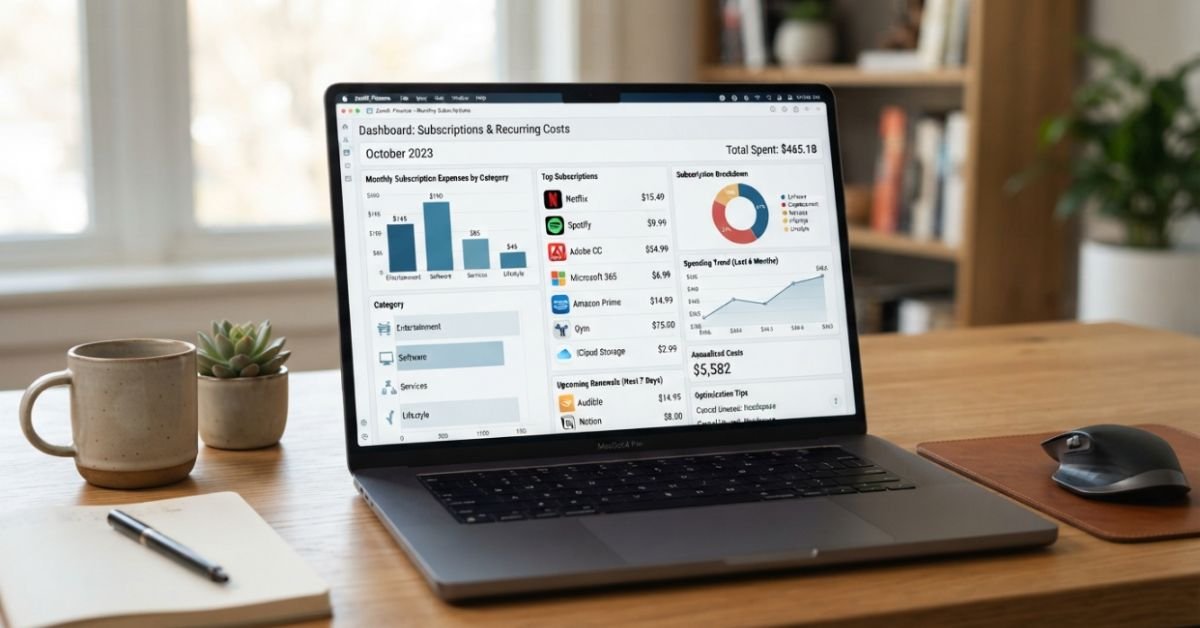
If you prefer an automated scanner, several apps to find and cancel unwanted subscriptions exist on the market. Tools like Rocket Money (formerly Truebill) or PocketGuard connect to your bank accounts via Plaid to flag recurring expenses.
However, keep their business models in mind:
- Many of these apps charge an ongoing subscription fee for their premium tiers (ironic, right?).
- Some demand a high cut (up to 30-40%) of the “first-year savings” if you let their concierge negotiate bills down on your behalf.
- You are giving a third party direct read-access to your transactional financial data.
If you don’t mind spending an hour every six months, a manual bank statement audit via an exported CSV spreadsheet using your card’s online filter tools is safer, zero-cost, and leaves zero digital footprints.
Expert Insight: The Calendar Counter-Punch
Whenever I sign up for a free trial or promotional service, I do not leave the registration screen until I pull out my phone and schedule two separate alerts in Google Calendar:
- Alert One (48 hours before trial expiration): “Evaluate utility of [Service]. Do I actually use this?”
- Alert Two (24 hours before trial expiration): “Cancel [Service] today or accept the $X.XX charge.” If the software is worth keeping, the alert is simply dismissed. If it isn’t, the early warning keeps you well clear of unpredictable timezone processing cutoffs.
Common Pitfalls When Trying to Stop Recurring Charges
Before you embark on a cancellation spree, keep these structural traps in mind to avoid damaging your credit or running into surprise collections accounts:
- Deleting the App Does Not Equal Canceling: This is the single most common mistake iOS and Android users make. Trashing an app icon from your home screen does nothing to disrupt the recurring billing authorization running inside the App Store or the developer’s cloud server.
- Gym Memberships are Legal Contracts: Unlike SaaS apps where a failed payment simply terminates your software access, a brick-and-mortar gym membership (like Planet Fitness or LA Fitness) is an active financial contract. If you issue a chargeback or close your card without properly executing the cancellation procedure outlined in your signed member agreement, the gym’s billing system will continue accruing monthly fees, slap on late charges, and eventually sell the outstanding balance to a third-party debt collections agency.
- Mid-Cycle Cancellations and Prorated Refunds: Most digital services do not offer prorated refunds when you pull the plug halfway through a billing cycle. Under standard terms, your access remains active until the final day of the current paid period. Document the final screen confirming cancellation so you have hard proof if an errant charge posts the following month.
Frequently Asked Questions
How can I see what subscriptions I have on my credit card without checking every statement?
Log into your credit card’s desktop portal (such as Chase, American Express, or Citi) and look for a dedicated feature labeled “Recurring Charges,” “Card Linked Subscriptions,” or “Authorized Merchants.” These built-in dashboards aggregate any merchant that has processed regular charges or holds an active billing token. If your bank lacks this tool, run a custom search in your transaction history for recurring search terms like “monthly,” “membership,” “subscription,” or values containing “.com”.
Why is Apple charging me every month when nothing shows under my subscriptions?
This almost always points to one of two scenarios: you have a secondary Apple ID configured on another household device (an iPad, an old phone, or a family member’s device tied to your payment method via Family Sharing), or the recurring debit is originating from an independent web purchase made outside the App Store ecosystem. Go directly to reportaproblem.apple.com, log in with your primary credentials, and cross-examine the exact Order ID printed on your emailed receipts.
Does the FTC Click-to-Cancel rule apply to physical gym memberships?
Yes. The FTC’s Click-to-Cancel framework explicitly requires that the method to cancel an agreement must be at least as easy and accessible as the method used to enroll. If an organization allowed you to sign up online or via an app, they cannot legally compel you to show up in person or mail a physical certified letter to terminate that same service.
What is the difference between a merchant block and disputing a charge?
Disputing a charge means asserting to your bank that an existing, posted transaction was fraudulent, unauthorized, or physically unfulfilled by the vendor. A merchant block (or formal stop payment order) is forward-looking: it instructs your financial institution to systematically reject any future payment attempts initiated by that specific merchant identity before the funds ever leave your account.
Are third-party subscription canceler apps safe to use?
Reputable subscription-tracking software utilizes read-only data connections via secure aggregators like Plaid, meaning they cannot directly move your money without authorization. However, they still retain detailed metadata regarding your broader spending profile. If you are sensitive to financial privacy or don’t want your transactional data monetized for marketing and financial offers, stick to manual bank statement audits and virtual card shielding.